Chapter 3: General Operations 25
10. CLEAR
Press and release to terminate a function and return to the last-used channel.
Press and hold for 3 seconds to select the Weather mode (if available).
11. DW/TRI
Press and release to initiate Dual Watch mode. Press and hold for 3 seconds to
initiate Tri Watch mode.
12. 16/PLUS
Use this key to switch to the priority channel or to change the value of the
Secondary Priority (PLUS) Channel.
13. DISTRESS
Push up the spring-loaded cover and press this key to make a DSC Distress Call.
Instructions for making a Distress Call are described in Section 5.2.
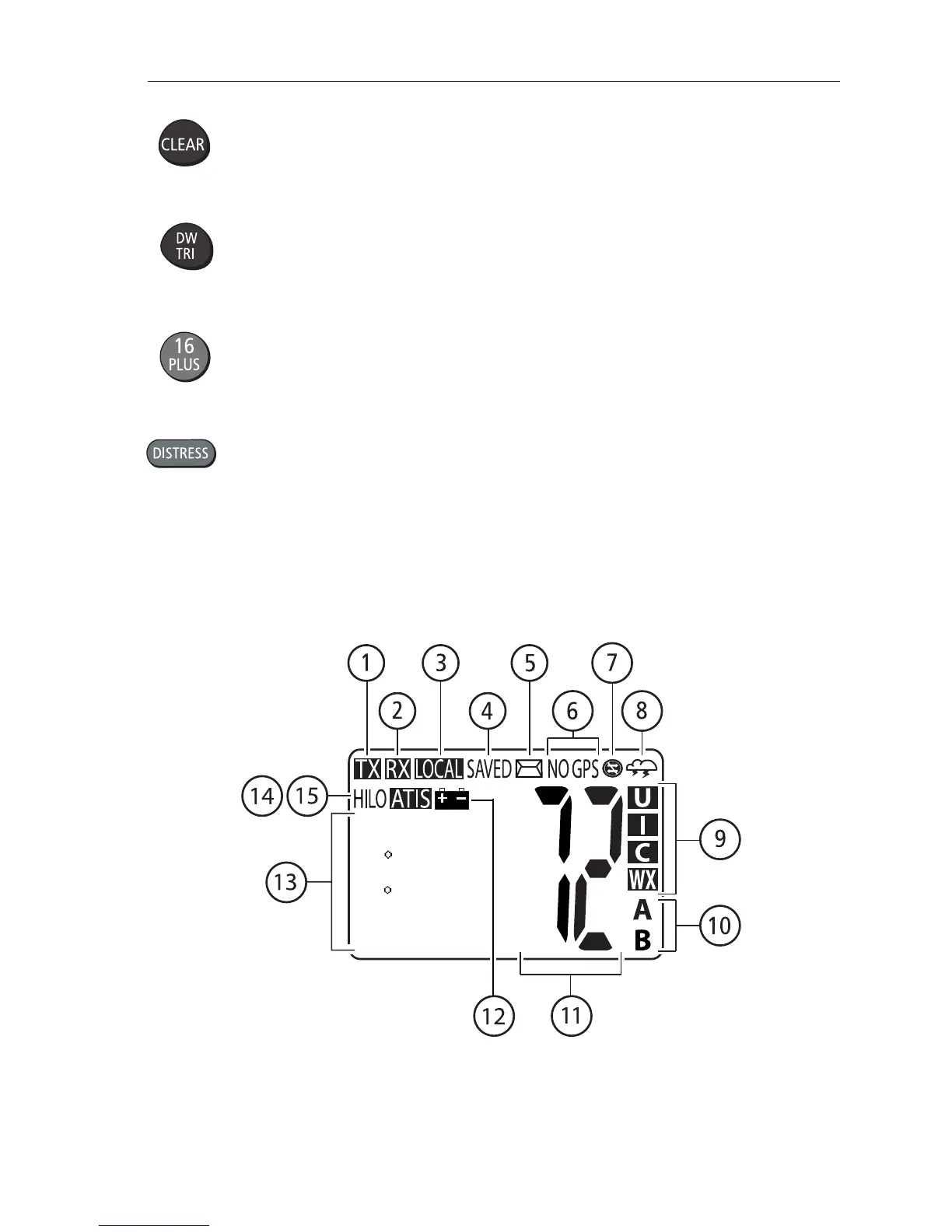
3.2 Transceiver LCD
The following describes the function of the characters on the radio’s LCD.
SHIP/SHIP
26 04.2172N
080 09.0933W
AM11:56LOC
D10115-1



 To Next Page
 Loading...




