70 Ray49E Marine VHF Radio
If you enter a number other than 0 in the initial position of the MMSI ID, an
anchor symbol ( ) is entered as a prefix to the name, identifying this as a Ship
Station.
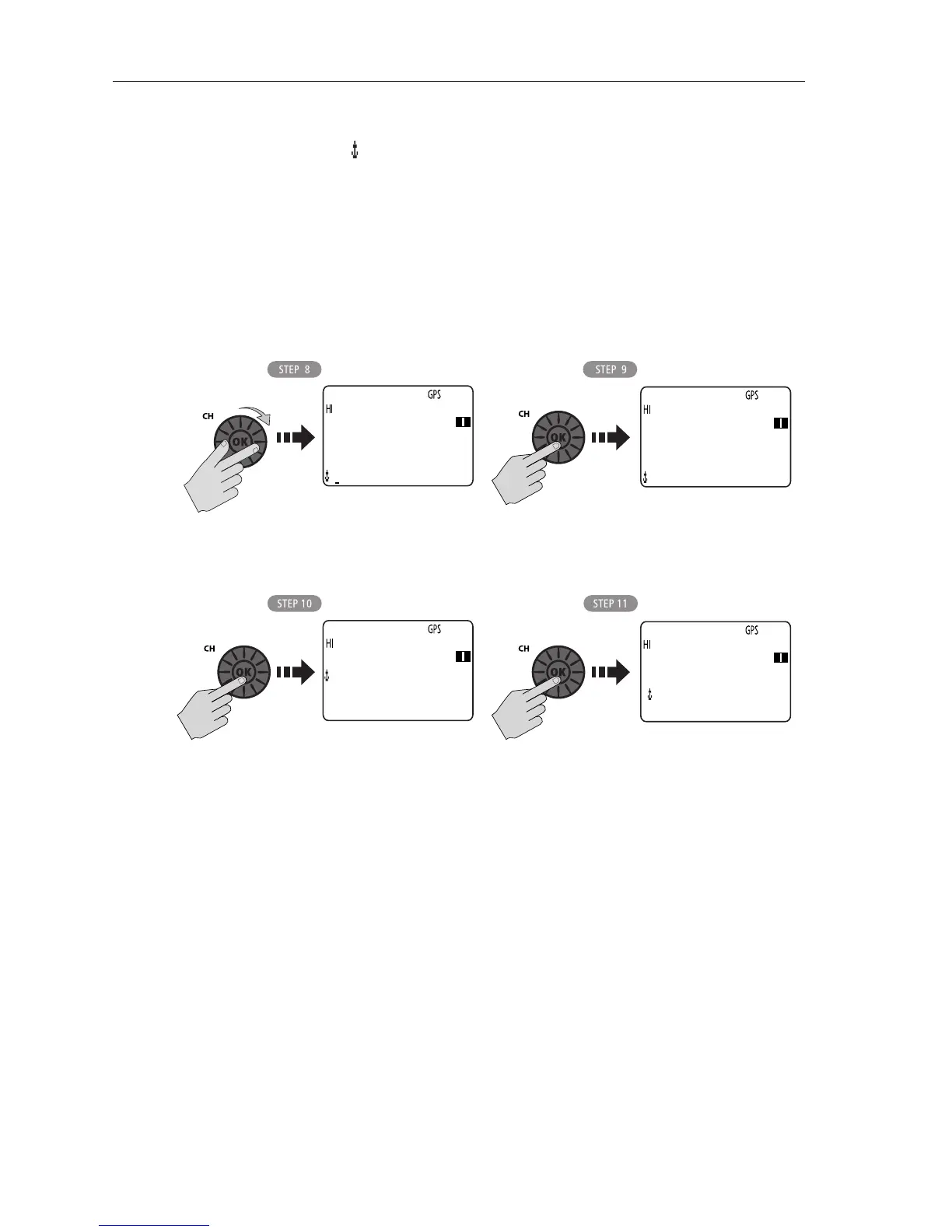
8. The first character space to be modified is highlighted with a flashing under-
line. Using the same procedure as above, rotate the
CH/OK knob to select the
NAME characters. All alpha and numeric characters are available, as well as
13 symbols: ! # % ’ ( ) : ? / . , + -
9. Press
CH/OK to accept. Continue this process until all NAME characters have
been entered.
10. When complete, press CH/OK to accept.
11. Press
CH/OK again to SAVE. The new entry appears in the list.
Editing an Existing Entry
1. From the Phonebook, rotate the CH/OK knob until the arrow is pointing to the
entry you wish to edit.
2. Press
CH/OK. The list of options appear.
3. Rotate the
CH/OK knob until the arrow is pointing to EDIT
4. Press
CH/OK to select.
5. Make your changes to the NAME and MMSI ID, using
CH/OK.
6. When finished, press
CH/OK to save your changes. The revised name or MMSI
number appears in the list.
D10294-1
16
ENTER MMSI:
232123456
ENTER NAME:
T ---------
16
ENTER MMSI:
232123456
ENTER NAME:
TOTL MADNE_
D10295-1
16
232123456
TOTL MADNES
>SAVE
CANCEL
16
PHONEBOOK
[NEW]
> TOTL MADNES
[BACK]



 To Next Page
 Loading...




