Chapter 1: Basic Operation 5
In Standby mode:
• You have manual control of the boat.
• The display shows
STANDBY
and the boat’s current compass heading.
Using the autopilot to steer to a heading
Before engaging the autopilot, ensure you can steer the boat satisfactorily by hand,
then steady the boat on the required heading.
To engage the autopilot for automatic steering:
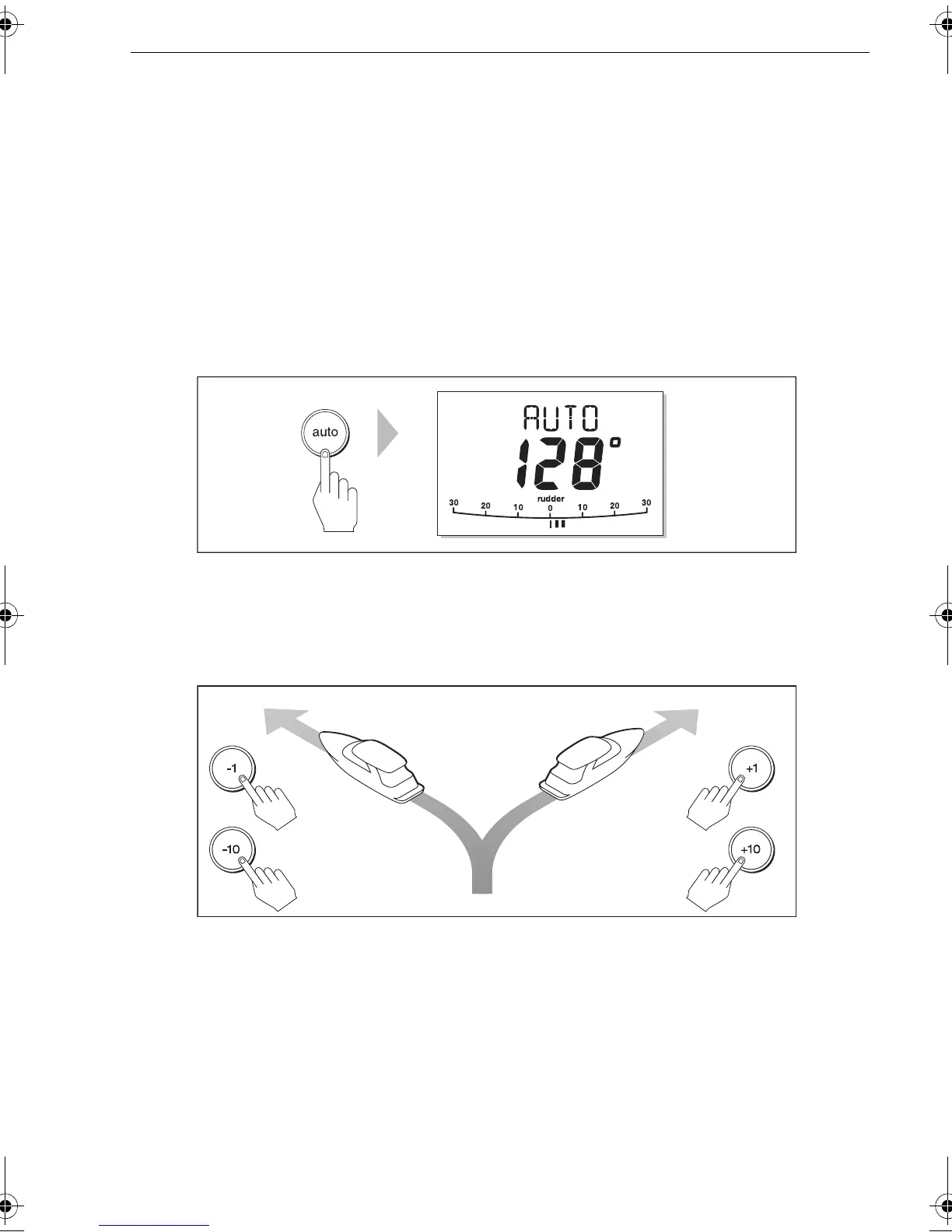
• Press the
auto
key.
The SPX-5 Sport system will steer the boat on the chosen heading, which is shown on
the display. This mode is also known as “point-and-shoot”.
Changing course in Auto mode
In Auto mode, use
-1, -10
,
+1
and
+10
to change the locked heading, in either 1° or
10° steps.Use
-1
or
-10
to apply changes to port and
+1
or
+10
for changes to
starboard. For example: press
-10 three times for a 30° course change to port.
AutoTurn
In Auto mode, you can carry out an AutoTurn of 90° by pressing
-1
and
-10
for an
AutoTurn to port, or
+1
and
+10
for an AutoTurn to starboard.
Avoiding obstacles
When your boat is under autopilot control, you can change course to avoid the
obstacle, then resume your previous course. You can either:
• Manually steer away from the obstacle immediately. This is especially useful
when a quick course change is required, e.g. in an emergency situation.
or
D3560-6
TRUE
Port Starboard
or or
D11366-1
81293_3.book Page 5 Tuesday, August 25, 2009 7:53 AM


 To Next Page
 Loading...