52
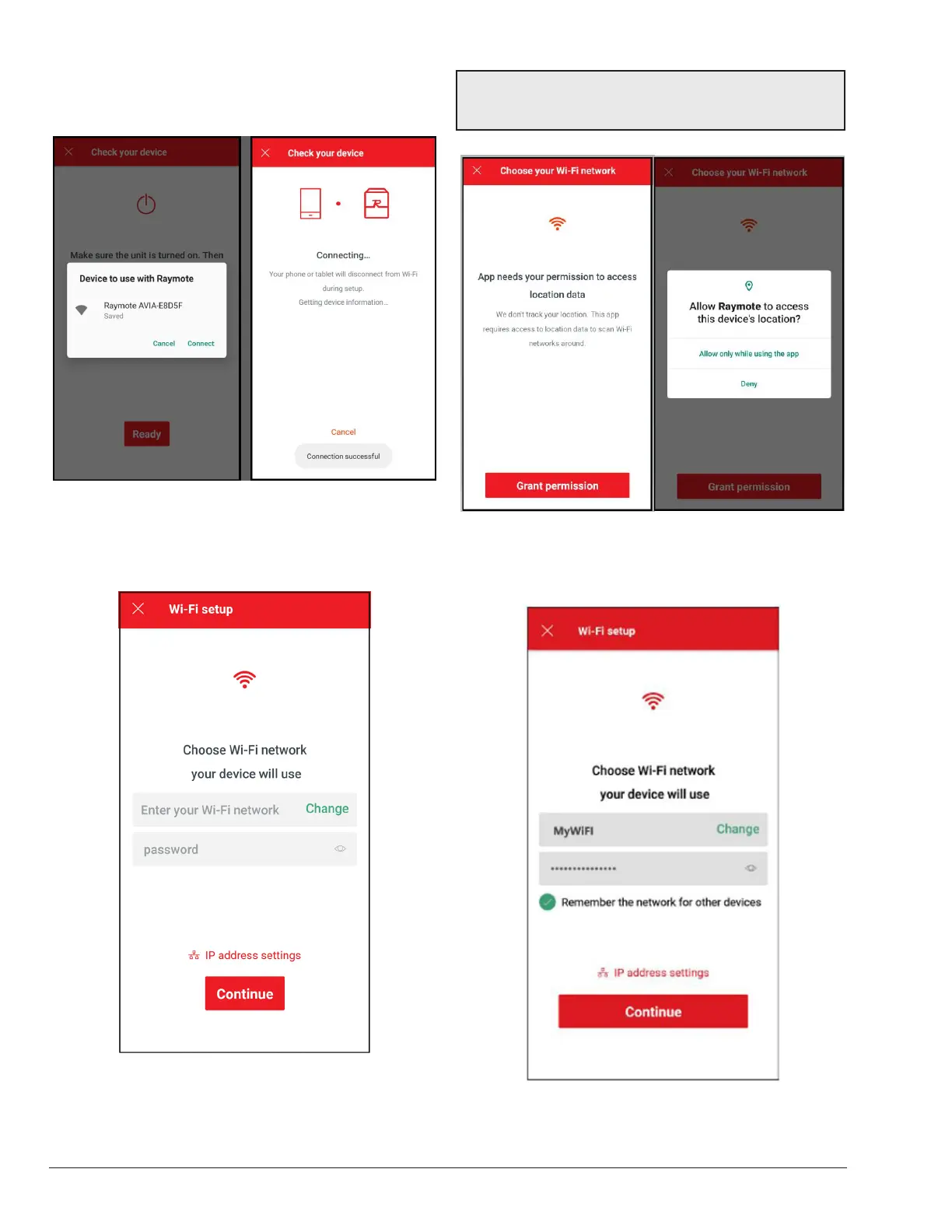
3. You may be prompt to confirm selected heater. Wait a
few seconds while the Raymote app connects to your
heater as shown in Figure 84.
Figure 84. Connecting
4. The "Wi-Fi setup" screen will appear. Select or enter
the Wi-Fi network you want your unit to be connected
to and enter the network password. See Figure 85.
Figure 85. Wi-Fi Setup
NOTE: The rst time you use a new phone, the Raymote
mobile app will require you grant permission to access
data. See Figure 86.
Figure 86. Grant Permission
5. Press the "Continue" button and log into the Wi-Fi
network.
Figure 87. Choose Wi-Fi Network


 To Next Page