56
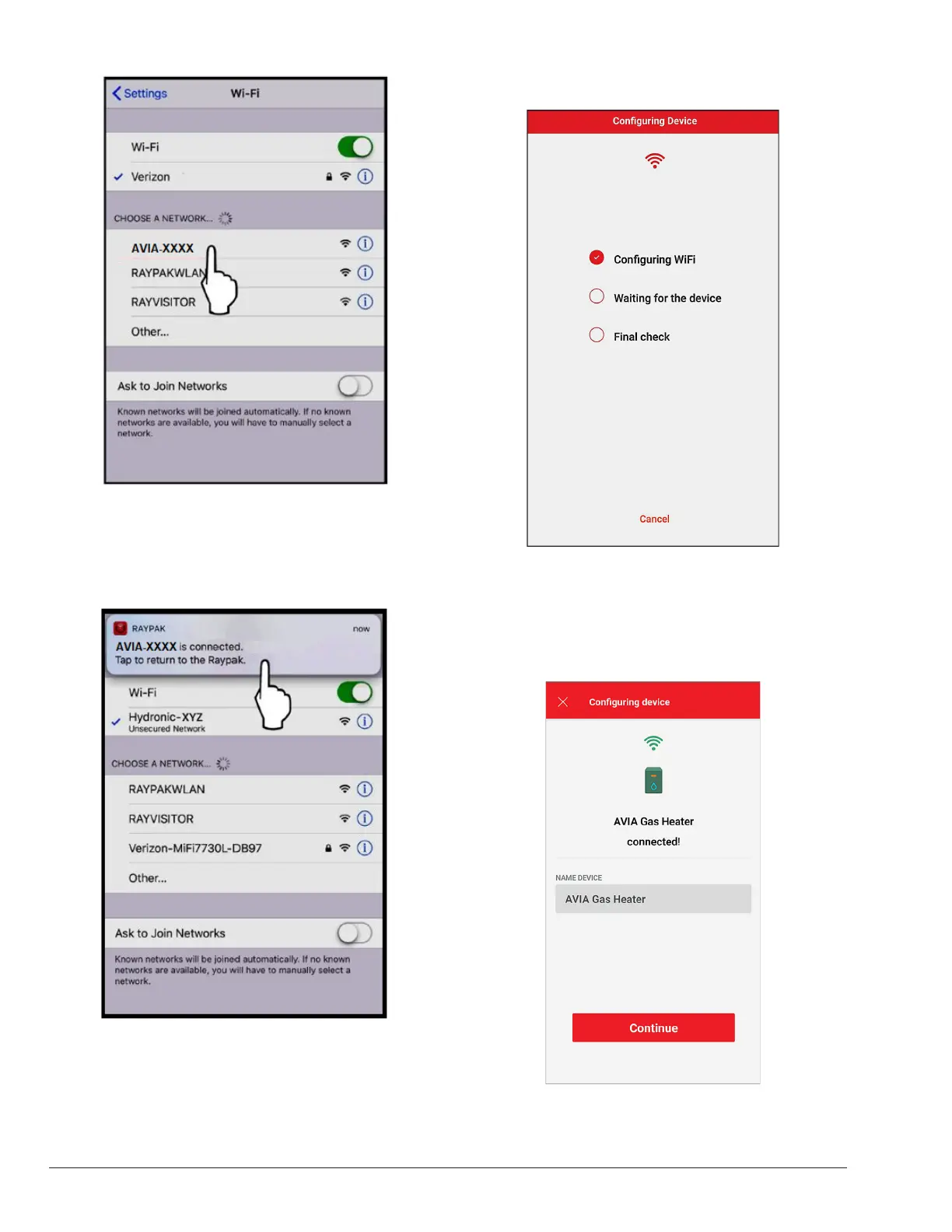
Figure 100. Select the HOTSPOT Identier
8. A notification tab will confirm that iPhone is now
connected to the unit. Press the notification tab or
manually go back to the Raymote mobile iPhone app
to continue. See Figure 101.
Figure 101. Connection Notication
9. The Raymote mobile app will provide the Wi-Fi
network credentials to your unit. See Figure 102.
Figure 102. Conguring Device
Congure your Device
1. Your device is now connected to Wi-Fi. You can
change the name of your device here. See Figure
103.
Figure 103. Device Name


 To Next Page