Thermalert GP Series Operator’s Manual 69
APPENDIX D MOUNTING BRACKET ACCESSORY
A mounting bracket is available as an accessory. To mount a GP Monitor to a
wall, post, column, or other flat surface, complete the following steps:
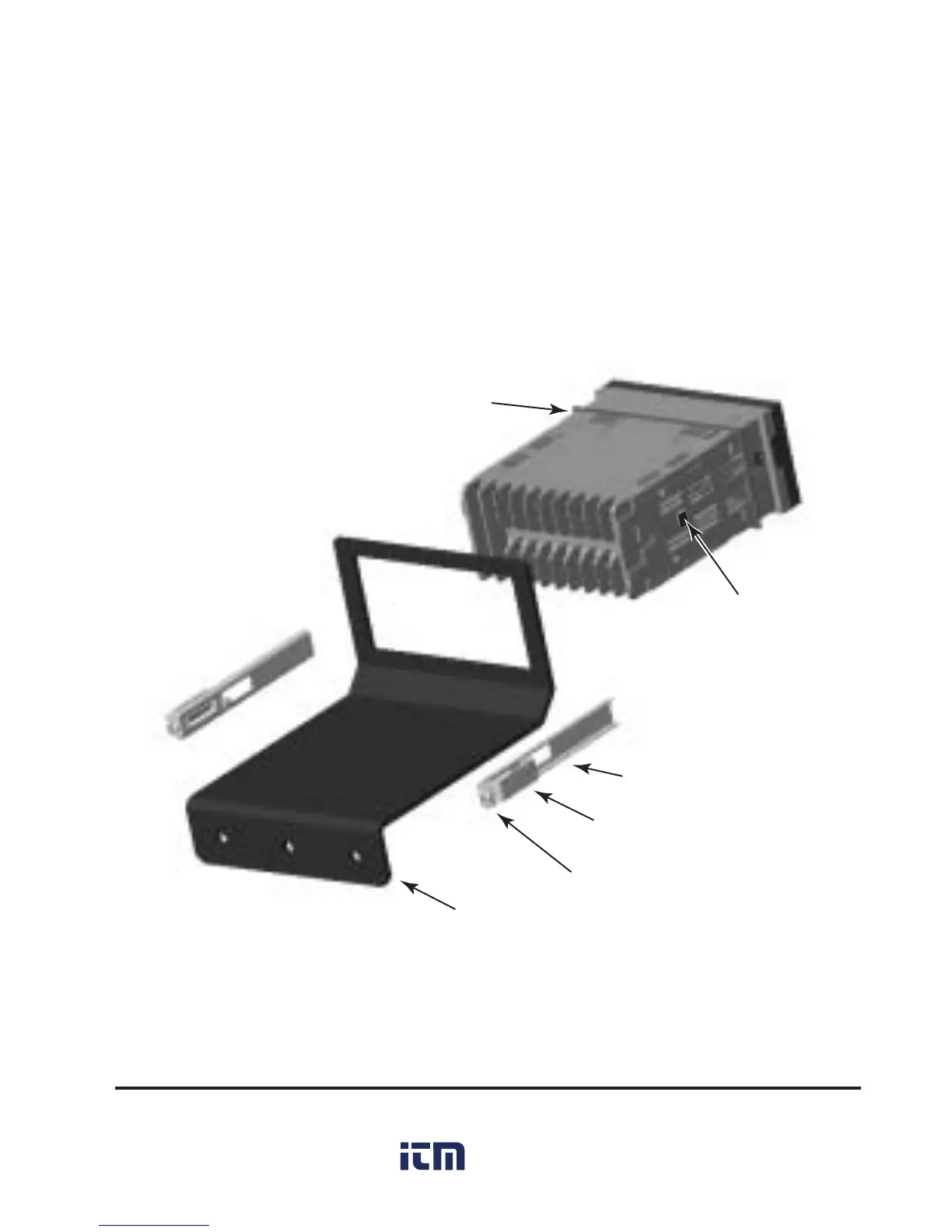
1. Insert the rear of the monitor through the bracket’s opening so the bottom
of the monitor rests on the bracket surface. Make sure the gasket is in
place. (See Figure D-1.)
Figure D-1: Mounting Bracket Accessory Installation
2. Insert the Tab on the side of each fixing clamp (one per side) into the hole
on the side of the monitor housing and hold them. (You might need to
loosen the fixing clamp screws first.)



 To Next Page
 Loading...