EasyManua.ls Logo

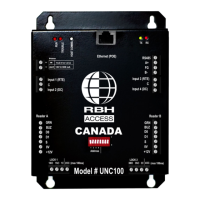
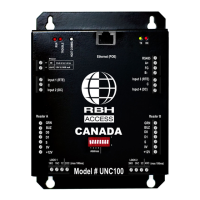
RBH Sound UNC100 Axiom - User Manual

RBH Sound UNC100 Axiom
25 pages
Print Icon
To Next Page IconTo Next Page
Loading...
UNC100 Axiom Installation Manual
new generation
building security
July 31, 2014 V1.2
Question and Answer IconNeed help?

Do you have a question about the RBH Sound UNC100 Axiom and is the answer not in the manual?

Summary

Communication

Networks

Details three supported network types: Host, Device, and Controller.

RS485 Applications

DIP Switch Settings

Controller Addressing

Master Controller

RS485 (HOST) Port Baud Rate Selection

Host Connection

PC to UNC100 Connection - RS485 Wiring

Cable Specification

Specifies RS485 cable type and maximum length.

UNC100 TCP;IP Connection

PC to UNC100 Connection - LAN

Diagram showing PC to UNC100 LAN connection setup.

Telnet Configuration

UNC-NET (Controller Network)

Diagnostic LEDs

Tamper Detection

Power Input; Output

D-NET Device Network

Device Controller Address Assignment

D-NET (Device Network) Connection Example

Reader Interface

Reader Connection

Access Point Operating Modes

Two Person

Requires two valid cards for access with specific buzzer feedback.

High Security

Grants access only to cardholders with High Security Privilege.

Tamper

Continuous buzzer sound upon tamper detection.

Outputs

Input Applications

Supervised Inputs

Input Circuit Types

UNC100 Specification

Cable Specification

RBH Sound UNC100 Axiom Specifications

General IconGeneral
BrandRBH Sound
ModelUNC100 Axiom
CategoryController
LanguageEnglish

Related product manuals