9
PRECISE HOVERING
This drone is equipped with GPS which enable it to hover in a position
precisely. Accuracy will uctuate according to the GPS signal in the ight
area.
1. Complete the GPS calibration process and have the drone at
“ready to y” status.
2. Press the One-key Take-o button.
3. Choose a spot in the sky and the drone will remain in that spot.
4. Adjust the height of this spot using the right control stick.
Trimming is manual adjustment of the drone’s ight angles. It should only
be used when the drone is drifting instead of hovering in a secure space
with no wind. Please follow these instructions in order to trim your drone:
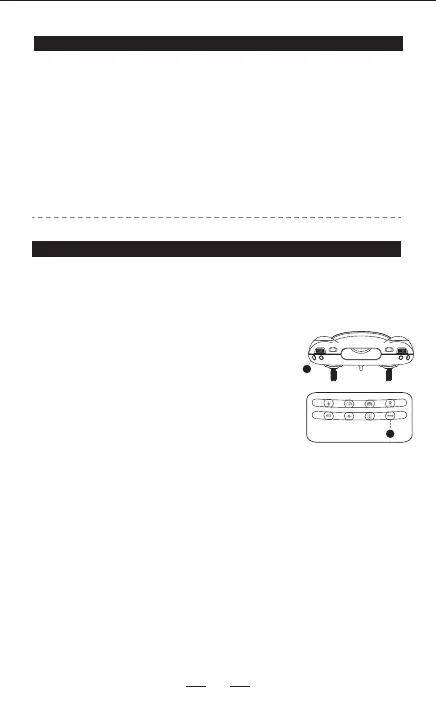
Hold #8 the trim button for 3 seconds into trim mode,
#21 indicador ashing.
1. If the drone oats forwards, the operator shall pull
the right lever backwards to adjust.
2. If the drone oats backward, the operator shall pull
the right lever forwards to adjust.
3. If the drone oats leftward, the operator shall pull
the right lever rightwards to adjust.
4. If the drone deviates rightward, the operator shall
pull the right lever leftwards to adjust.
The trimming can be made repeatedly till it ies steadily.
Then press #8 the trim button to exit, and #21 indicator
turns o.
Note: No need to trim under the GPS mode.
TRIMMING INSTRUCTIONS
8
21


 To Next Page