13
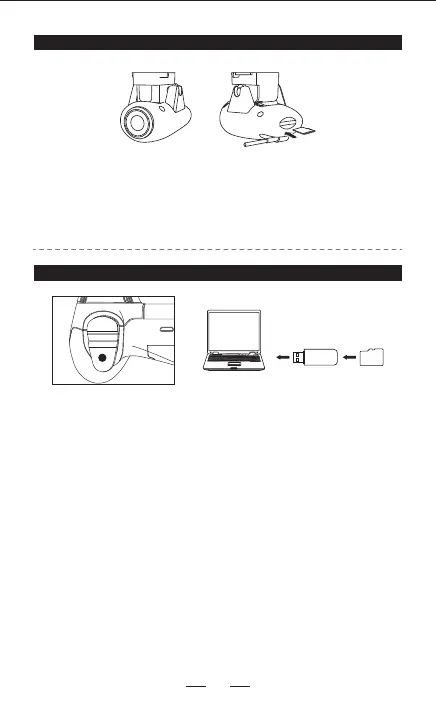
Insert the optional memory card (not included) into the webcam module’s card
channel which is on the bottom of the drone, connect the drone’s power, and
sync drone and remote control. The blue indication light on the webcam
module will turn solid, and the camera is ready for photos and videos.
(Memory card available separately)
CAMERA CONFIGURATION
When you press the power button on the remote control, the red light will
ash once, that means the drone is taking photo. When you press the video
button, the red light turns into constant on, that means the drone is taking
video. Press the video button again to stop video.
NOTE: When using the RC-PRO GPS app, photos and videos will
automatically be saved to your smartphone.
If you are using an memory card, photos and videos will automatically be
saved directly to the card.
PICTURE & VIDEO RECORDING


 To Next Page