V-CHIP
V-CHIP SET
CHANGE PASSWORD
///
MENU
ON
CH
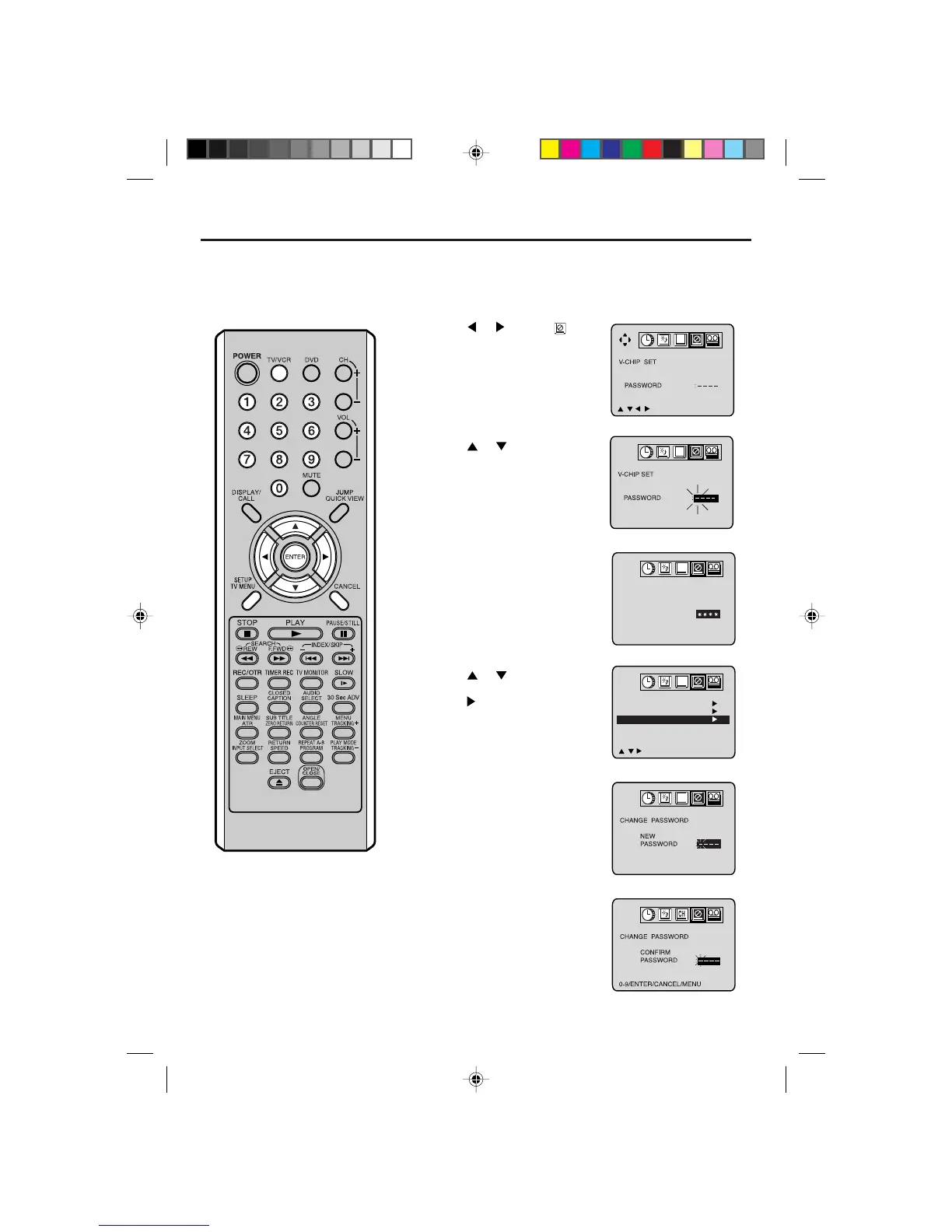
TO CHANGE PASSWORD
Press TV/VCR. Press TV MENU, the TV/VCR menu screen
will appear.
Press
or to select option.
Press
or to select the
“PASSWORD”.
Press
or to select
“CHANGE PASSWORD”, then
press
.
Enter the new password using
the number buttons (0-9), then
press ENTER.
Enter the same password again
to confirm, then press ENTER.
Press TV MENU repeatedly to
return to normal screen.
1
2
3
5
6
7
8
V-CHIP SET
PASSWORD :
0-9/ENTER/CANCEL/MENU
CH
Enter the Password using the
number buttons (0-9), then
press ENTER.
If you put a wrong number, press
CANCEL.
4
Setting the V-Chip
(continued)
5L00101AE(26-29) 2/25/04, 3:08 PM26



 To Next Page