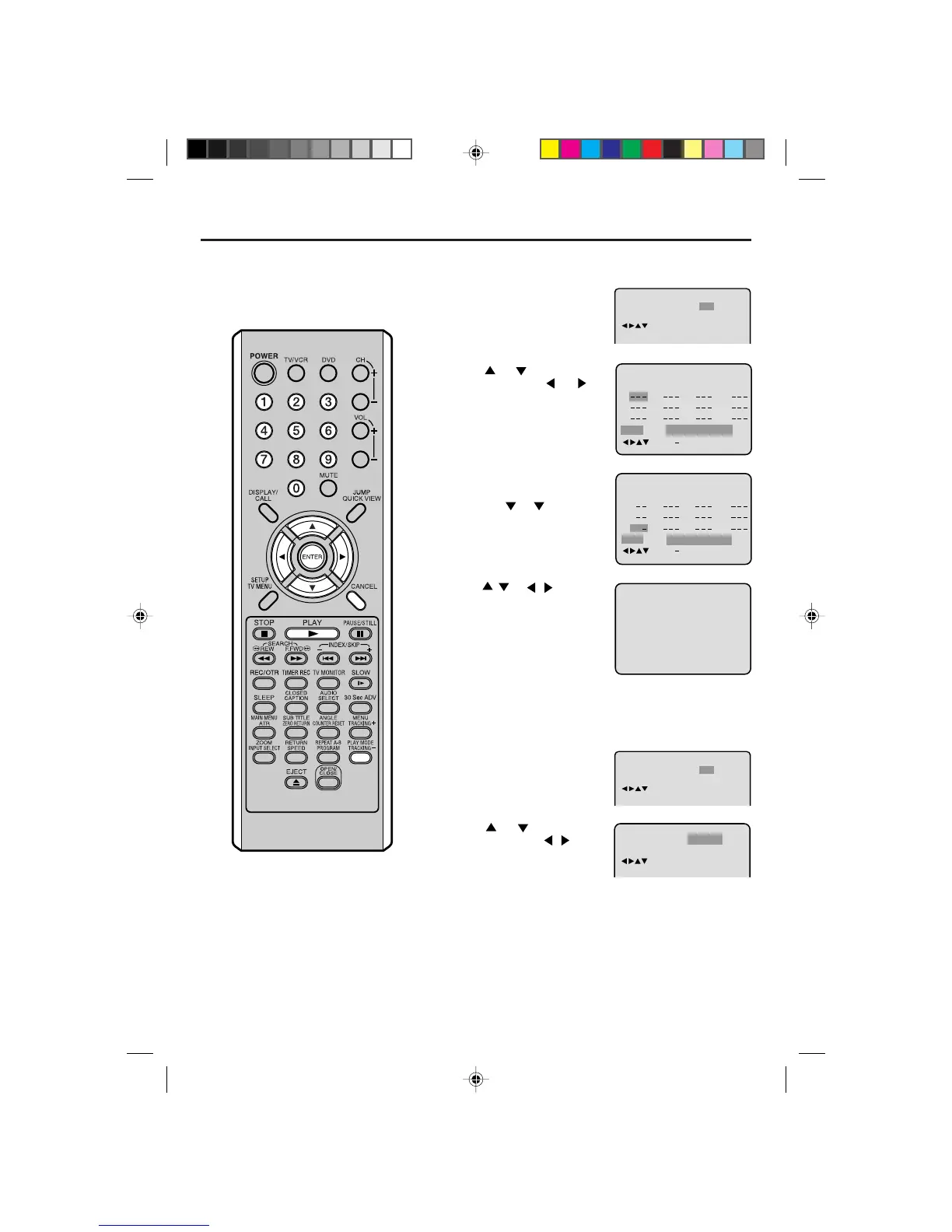
Program playback/Random playback (CD)
1
Press PLAY MODE in the stop
mode.
2
Press or to select “Play
Mode”, then press
or or
ENTER to select “Program”.
3
Example: In case you wish to
program in order of 7, 3, 11:
Enter as 7
, 3 , 11.
If you input a wrong number,
press CANCEL.
4
Press / or / to select
“Program Playback” and press
ENTER. “Program Playback” will
appear on the screen. The
program you selected will begin
to playback in the order set.
To return to normal playback, se-
lect “Play Mode: Off” at step 2
above.
You can arrange the order of tracks on the disc.
Program playback
2
Press or to select “Play
Mode”, then press
/ or
EN-
TER to select “Random”.
3
Press PLAY.
“Random Play” will appear on the screen and Random Playback
will start.
NOTES:
To cancel program play, select “Clear”
at step 4 and press ENTER.
The program is cancelled when you
open the disc tray or turn the power off.
Random playback can not be com-
bined with Repeat playback.
•
•
•
Repeat
1
2
3
4
5
6
7
8
9
10
11
12
Clear Program Playback
Play Mode
:
Program
:
Off
/Enter/0 9/Cancel/Play Mode
Clear Program Playback
23
5811
31
16912
17
4710
Repeat
Play Mode
:
Program
:
Off
/Enter/0 9/Cancel/Play Mode
5L00101AE(53-57) 2/25/04, 3:10 PM55



 To Next Page