Connections & Setup
Chapter 1
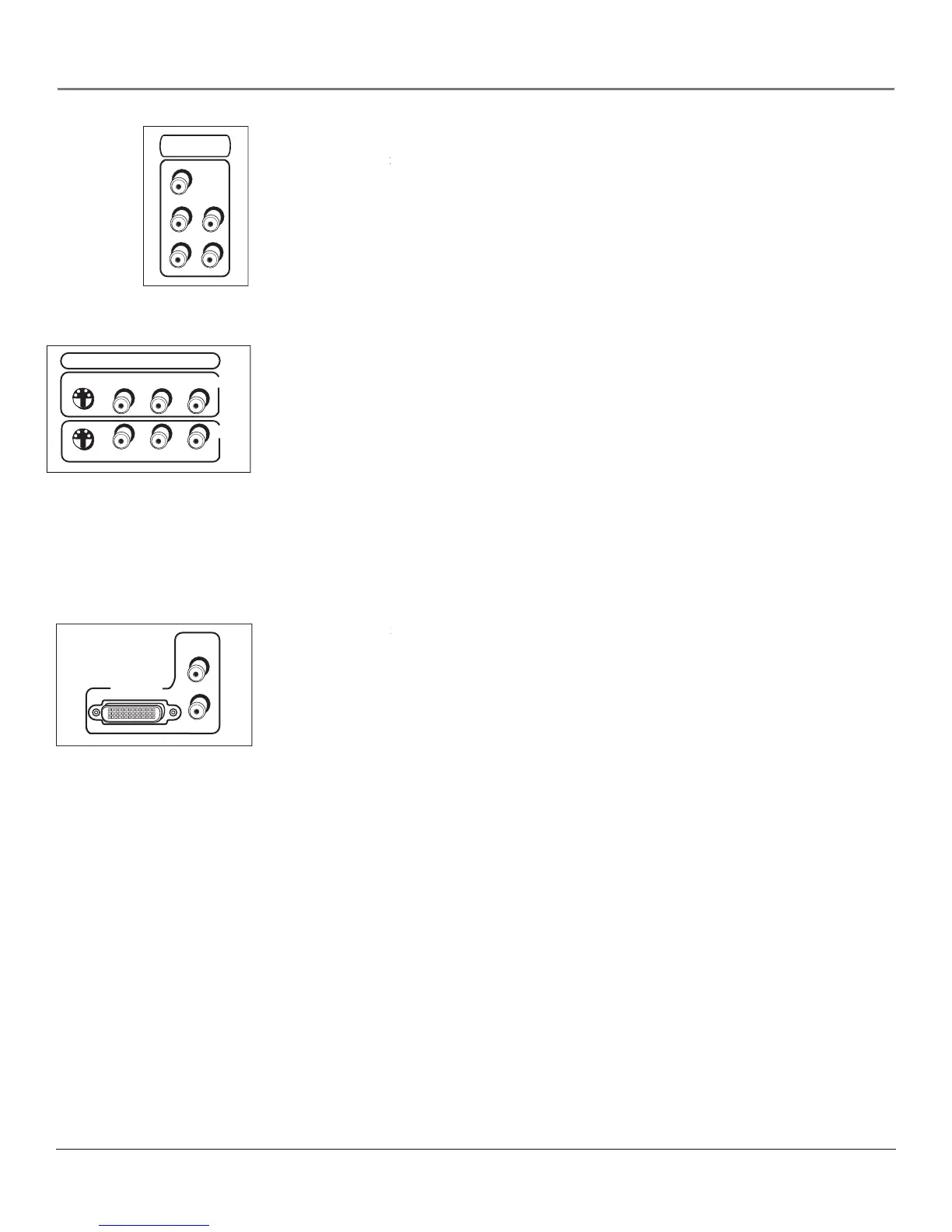
Lets you connect a component video source, such as a DVD player.
Provides optimum picture quality because the
video is separated into three signals. Use three video-grade cables for the connection.
, make sure to connect left and right audio cables to the
CMP1 L and R Audio Input jacks.
Provides left audio connection. The left audio connector is usually
Provides right audio connection. The right audio connector is usually
Lets you connect another component such as a VCR or DVD player.
Its AUDIO jacks are the same as described for CMP1 above.
Provides better picture quality than the video jacks (VID1 and 2 Video)
because the color part of the picture is separated from the black and white part of the
picture. When using VID1 S-VIDEO, make sure to connect left and right audio cables to
the VID1 L/MONO and R Audio Input jacks.
Provides composite video connection. The video connector is usually
VID2 S-VIDEO, V and L/MONO and R
Allows you to connect a component
such as a VCR or DVD player. Their description is the same as VID1 above.
For each VID jack group (VID1 and VID2), you may connect either an S-Video or
Video cable. Do not connect both at the same time in either of the VID jack groups.
Lets you connect a component with a DVI output.
HDTV Input Lets you connect a component with a DVI output.HDTV Input
The DVI-HDTV input is not intended for use with a computer.
DVI (Digital Visual Interface)
Provides an uncompressed, digital video interface
developed for high-bandwidth digital connection. It supports the overlay of high-
resolution graphics needed by some electronic program guide navigation and other
interactive services. DVI, when combined with HDCP (High bandwidth Digital
technology, creates a protected digital connection. The DVI-HDTV
connection is designed to display either progressive scan (480p) or HDTV (1080i)
signals at a bandwidth of up to 1.78 Gigabits per second.
Provides left audio connection when using the DVI jack. The left audio
connector is usually white.
Provides right audio connection when using the DVI jack. The right audio
connector is usually red.
Remember to connect the left and right audio cables because the DVI cable
carries only the picture signal, not the sound.
PR
CMP1
COMPONENT
INPUT
Y
L
R
PB
VID1
VID2
COMPOSITE INPUTS
S-VIDEO
V
R
L
V
R
L



 To Next Page