Connections & Setup
Chapter 1
Allows you to connect headphones to
listen to the sound coming from the TV. To adjust
volume control of the headphones, press the VOL+
or VOL- button (the volume display appears). Press
the arrow up or down button (the headphone
volume display appears), then press the right or left
arrow button to adjust the headphone volume.
Receives video from another
component, such as a camcorder, video game
another component, such as a camcorder, video
Allows you to connect an S-Video
cable from another component. Make sure you also
connect audio cables from the component to the TV.
When you plug in headphones, the TV’s
internal speakers are muted. Use the VOL up
or down button to control the volume.
connecting a component that uses a monaural
cable, such as some camcorders, use the L/MONO
input jack to get sound from both speakers.
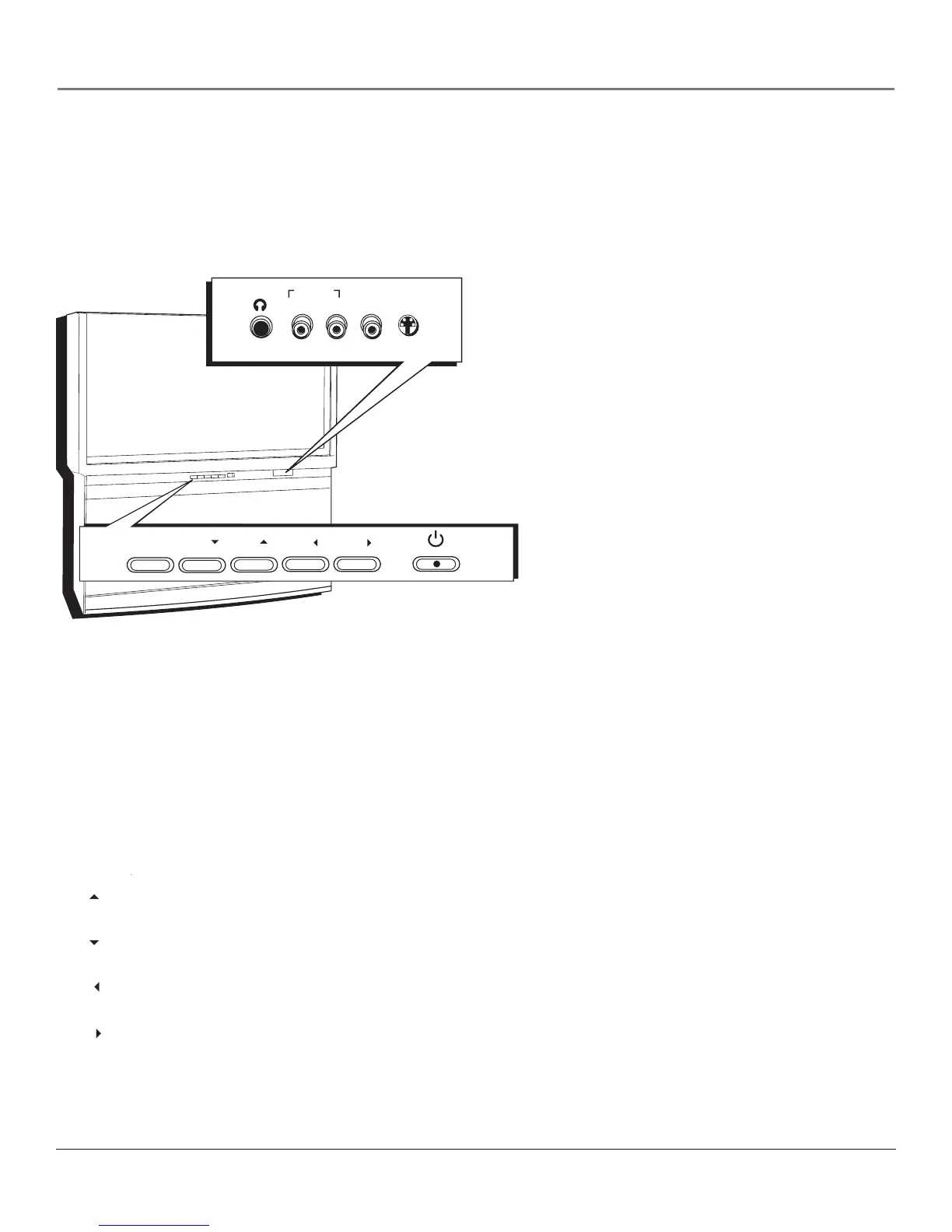
The TV has front input jacks for convenience in connecting a camcorder, digital camera, or video
game system. Look for a hinged door and press to open the cover. Please note the illustration
below is just an example of how these jacks might appear.
HEADPHONE
L/MONO R IN IN
AUDIO IN VIDEO S-VIDEO
The front panel illustration shows a typical front panel
layout. The exact look may be different from the one on the
If you use the Front Button Block feature, the front panel no
longer provides access to the menus. The Front Button Block
feature disables all front panel buttons but not the jacks. For
more information, see Chapter 3.
If you cannot locate your remote, you can use the front panel buttons of your TV to operate
many of the TV’s features.
Brings up the Main menu. In the menu system, it selects highlighted items.
MENU/OK Brings up the Main menu. In the menu system, it selects highlighted items.MENU/OK
Scans down through the current channel list. In the menu system, acts like down arrow
button on the remote control and adjusts menu controls.
Scans up through the channel list. In the menu system, acts like up arrow button on the
remote control and adjusts menu controls.
Decreases the volume. In the menu system, acts like left arrow button on the remote
control and adjusts menu controls.
Increases the volume. In the menu system, acts like right arrow button on the remote
control and adjusts menu controls.



 To Next Page