Chapter 1: Connections and Setup
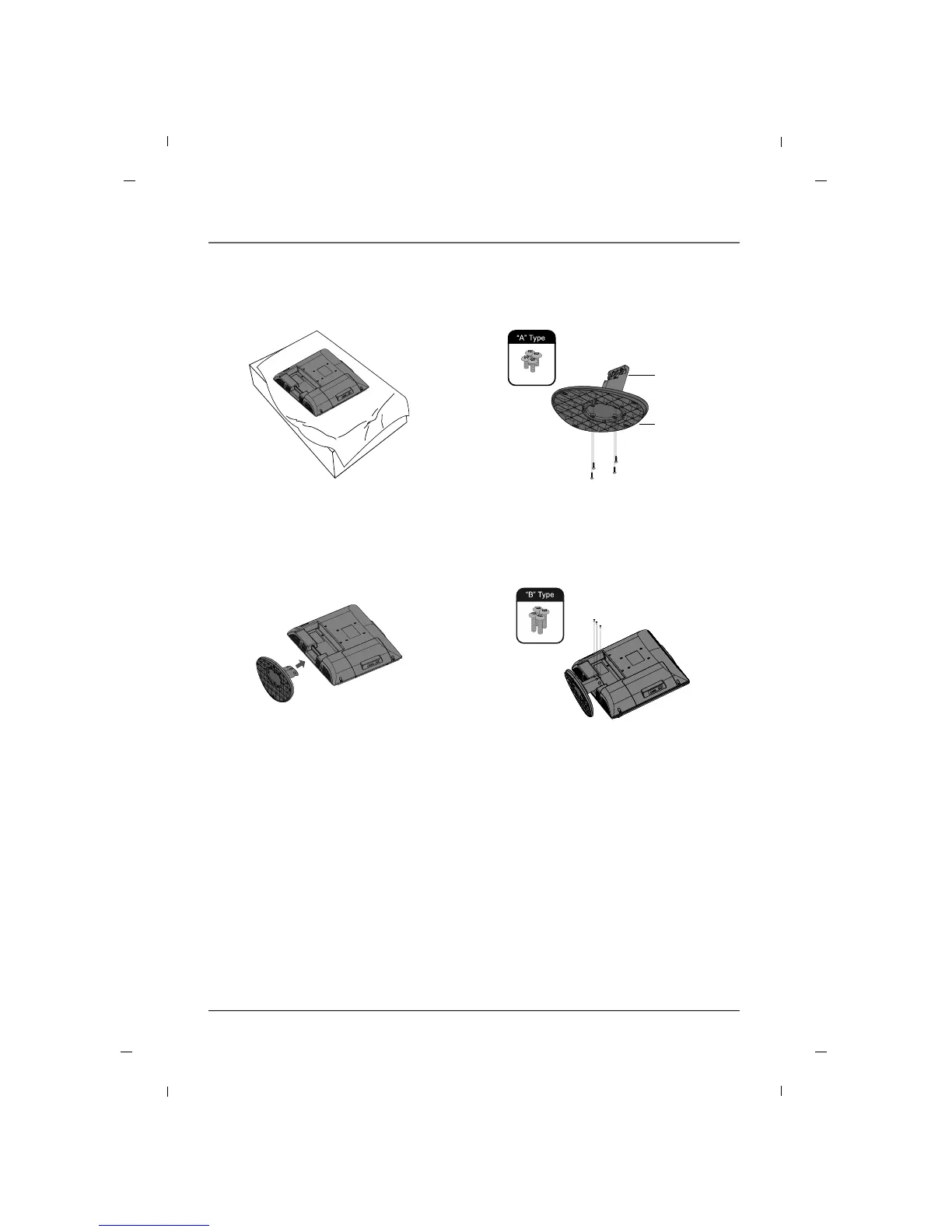
1. Carefully place the product screen
side down on a cushioned surface
that will protect the product and
screen from damage.
2. Using the screws provided assemble
the stand body with the stand base as
shown.
4. Install the 4 bolts securely, in the back
of the product in the holes provided.
3. Assemble the product stand with the
product as shown.
Stand
body
Stand
base
Stand Installation - 22 inch
Note
- Image shown may differ from your TV.
Chapter 1 19



 To Next Page