29
Chapter 1: Connections and Setup
Chapter 1
R - AUDIO - L
AV2
VIDEO
USB IN
AUDIO IN
(RGB/DVI)
ANTENNA/
CABLE IN
AV1
AUDIO
L
VIDEO
R
L-AUDIO-RVIDEO
OUT
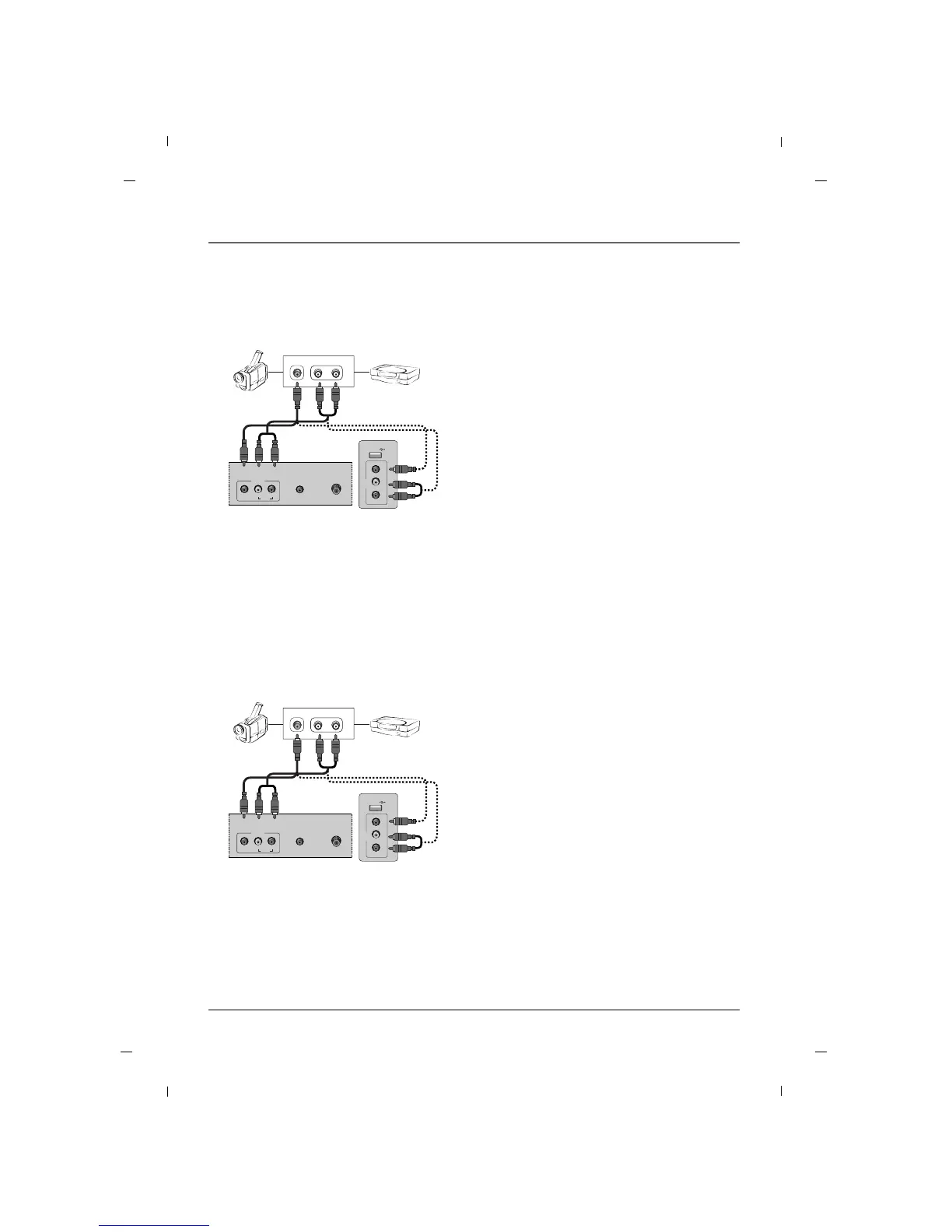
1. Connect the AUDIO/VIDEO jacks between TV and
external equipment. Match the jack colors (Video
= yellow, Audio Left = white, and Audio Right =
red)
2. Select the AV1 or AV2 input source using the
INPUT button on the remote control.
3. Operate the corresponding external equipment.
4. Refer to the external equipment manual for oper-
ating instructions.
Camcorder Video game set
Rear panel of the set
External A/V Source - 22/26 inches
Side panel of the set
USB IN
AV2
VIDEO L - AUDIO - R
AUDIO IN
(RGB/DVI)
ANTENNA/
CABLE IN
AV1
AUDIO
L
VIDEO
R
L-AUDIO-RVIDEO
OUT
1. Connect the AUDIO/VIDEO jacks between TV and
external equipment. Match the jack colors (Video
= yellow, Audio Left = white, and Audio Right =
red)
2. Select the AV1 or AV2 input source using the
INPUT button on the remote control.
3. Operate the corresponding external equipment.
4. Refer to the external equipment manual for oper-
ating instructions.
Camcorder Video game set
Rear panel of the set
External A/V Source - 32 inch
Side panel of the set



 To Next Page