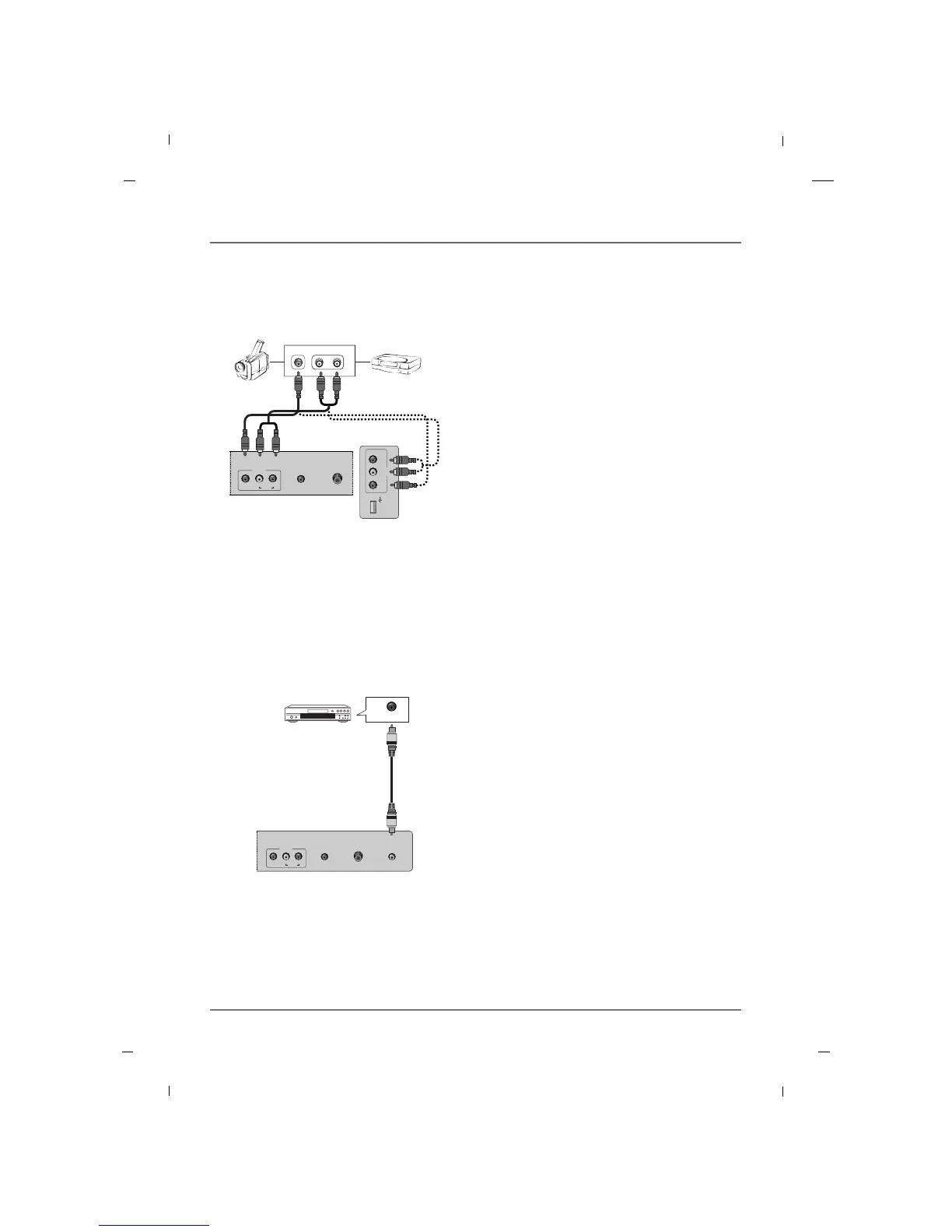
1. Connect one end of the optical cable to the TV’s
DIGITAL AUDIO OUT(OPTICAL) port.
2. Connect the other end of the optical cable to the
digital audio input on the audio equipment.
3. Refer to the external audio equipment manual
for operation.
Audio Equipment
Rear panel of the set
Chapter 1: Connections and Setup
Chapter 1
1. Connect the AUDIO/VIDEO jacks between TV and
external equipment. Match the jack colors (Video
= yellow, Audio Left = white, and Audio Right =
red)
2. Select the AV1 or AV2 input source using the
INPUT button on the remote control.
3. Operate the corresponding external equipment.
4. Refer to the external equipment manual for oper-
ating instructions.
Camcorder Video game set
Rear panel of the set
External A/V Source - 42 inch
Side panel of the set



 To Next Page