39
Chapter 3: Using USB Clone Tool
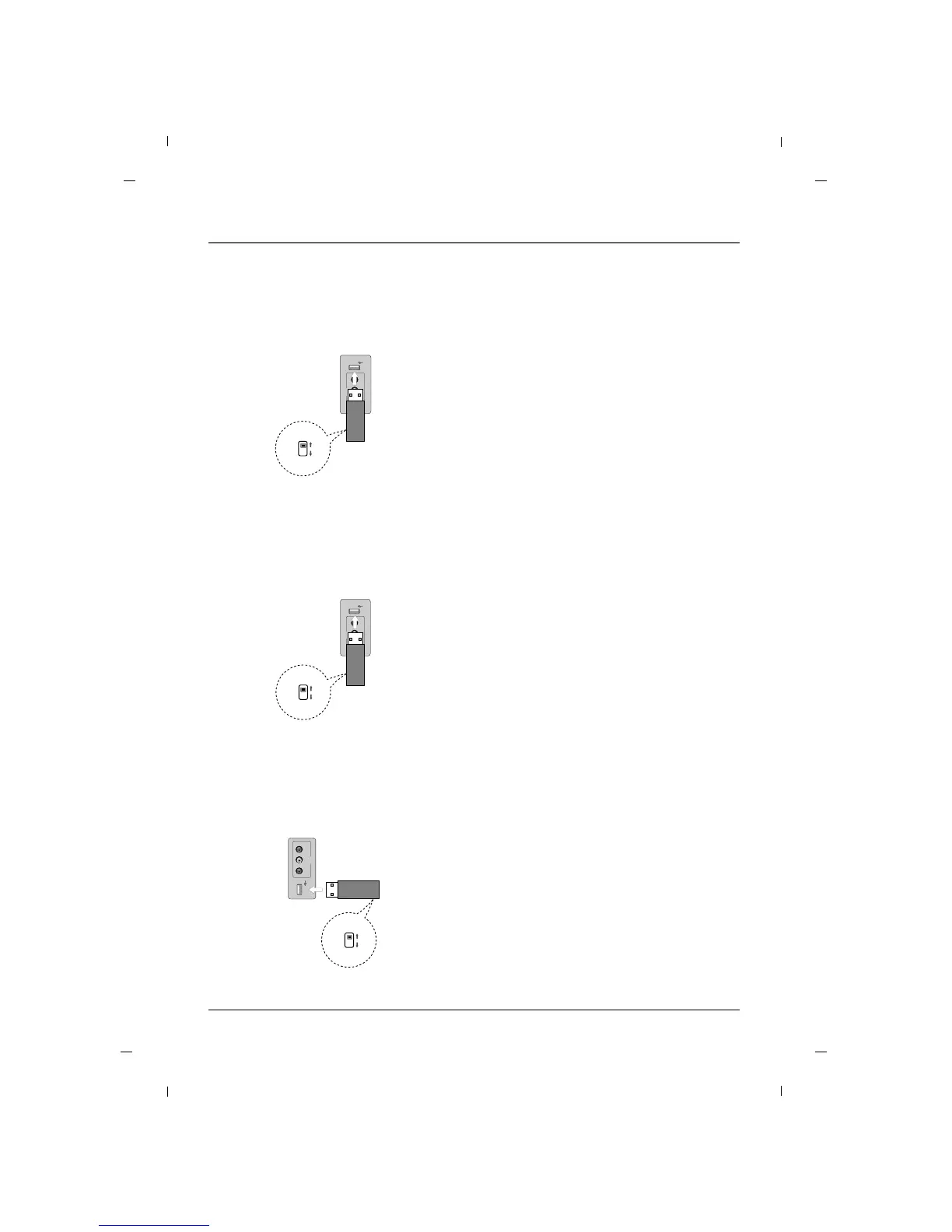
Teaching - 22/26 inches
R - AUDIO - L
AV2
VIDEO
USB IN
Teaching
Learning
Side panel
of the set
USB Cloner
1. Connect USB Cloner to TV USB Port.
2. Set mode switch to “teach”.
(Status LED will flash red)
3. Turn off TV Power.
4. Turn on TV Power.
TV settings will be copied into television.
Note : TV Settings file “ChList.bin” should be present
on USB clone device for teaching function to
work properly. Refer to “Learning” section for
details.
Placing settings into TV.
Teaching - 32 inch
USB IN
AV2
VIDEO L - AUDIO - R
Teaching
Learning
Side panel
of the set
USB Cloner
1. Connect USB Cloner to TV USB Port.
2. Set mode switch to “teach”.
(Status LED will flash red)
3. Turn off TV Power.
4. Turn on TV Power.
TV settings will be copied into television.
Note : TV Settings file “ChList.bin” should be present
on USB clone device for teaching function to
work properly. Refer to “Learning” section for
details.
Placing settings into TV.
Teaching - 42 inch
AV2
VIDEO L - AUDIO - R
USB IN
Teaching
Learning
Side panel
of the set
USB Cloner
1. Connect USB Cloner to TV USB Port.
2. Set mode switch to “teach”.
(Status LED will flash red)
3. Turn off TV Power.
4. Turn on TV Power.
TV settings will be copied into television.
Note : TV Settings file “ChList.bin” should be present
on USB clone device for teaching function to
work properly. Refer to “Learning” section for
details.
Placing settings into TV.
Chapter 3



 To Next Page