32
Chapter 1: Connections and Setup
Chapter 1
PC Connection
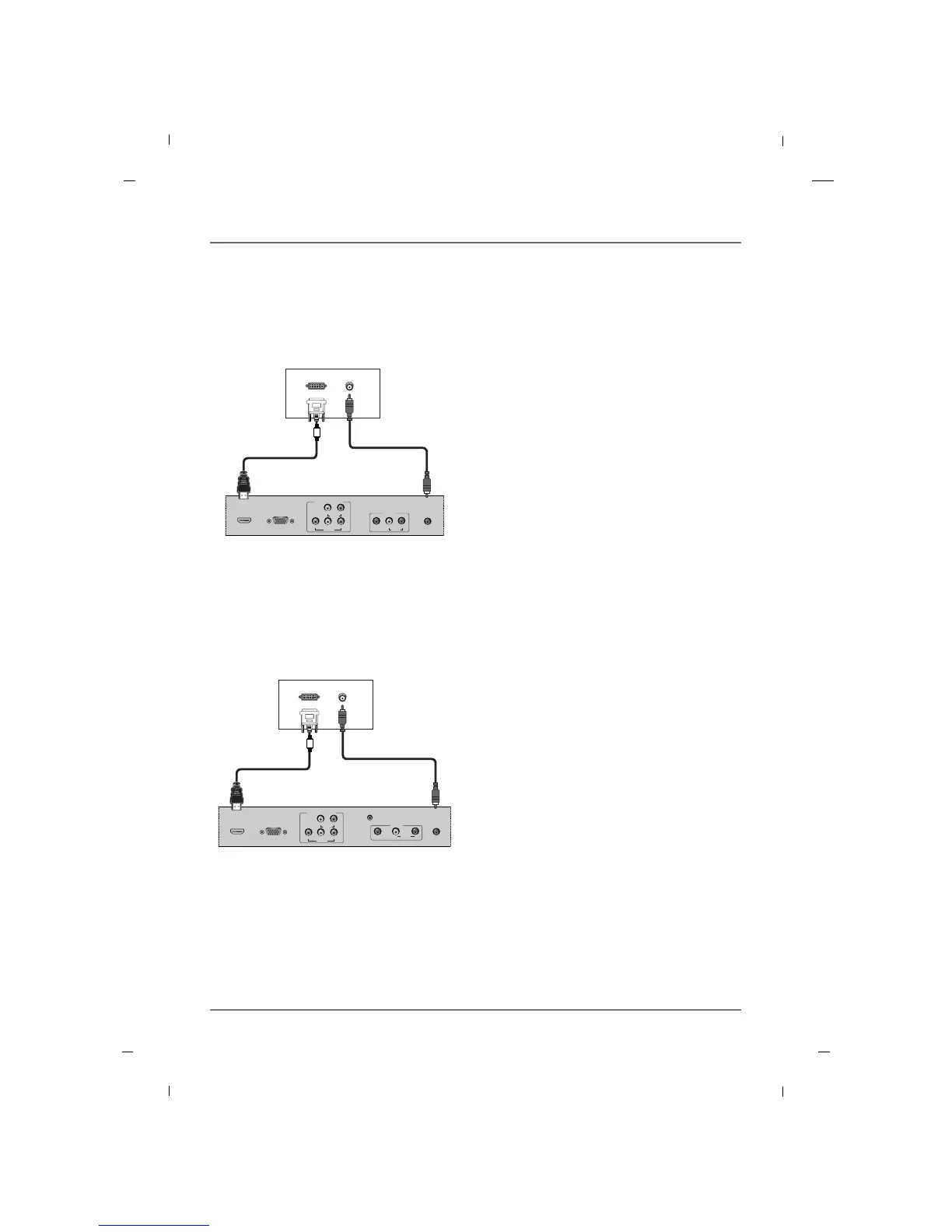
AA When connecting with a HDMI to DVI cable - 26/32/42 inches
HDMI/DVI
IN
RGB IN
(PC)
AUDIO IN
(RGB/DVI)
VIDEO
YPbPr
LR
COMPONENT IN
AUDIO
AV1
AUDIO
L
VIDEO
R
DVI OUTPUT
AUDIO OUT
1. Connect the DVI Output on the PC to the
HDMI / DVI IN Input jack on the TV.
2. Connect the PC Audio Output to the AUDIO IN
(RGB/DVI) jack on the TV using a male-to-male
3.5mm mini jack.
3. Turn on both the PC and TV.
4. Select the HDMI input source on your TV by press-
ing either the INPUT buttons on the remote con-
trol.
PC
Rear panel of the set
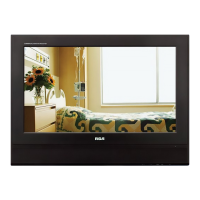
AA When connecting with a HDMI to DVI cable - 22 inch
HDMI/DVI
IN
RGB IN
(PC)
VIDEO
YPbPr
LR
COMPONENT IN
AUDIO
AUDIO IN
(RGB/DVI)
SERVICE
AV1
AUDIO
L
VIDEO
R
DVI OUTPUT
AUDIO OUT
1. Connect the DVI Output on the PC to the
HDMI / DVI IN Input jack on the TV.
2. Connect the PC Audio Output to the AUDIO IN
(RGB/DVI) jack on the TV using a male-to-male
3.5mm mini jack.
3. Turn on both the PC and TV.
4. Select the HDMI input source on your TV by press-
ing either the INPUT buttons on the remote con-
trol.
PC
Rear panel of the set



 To Next Page