13
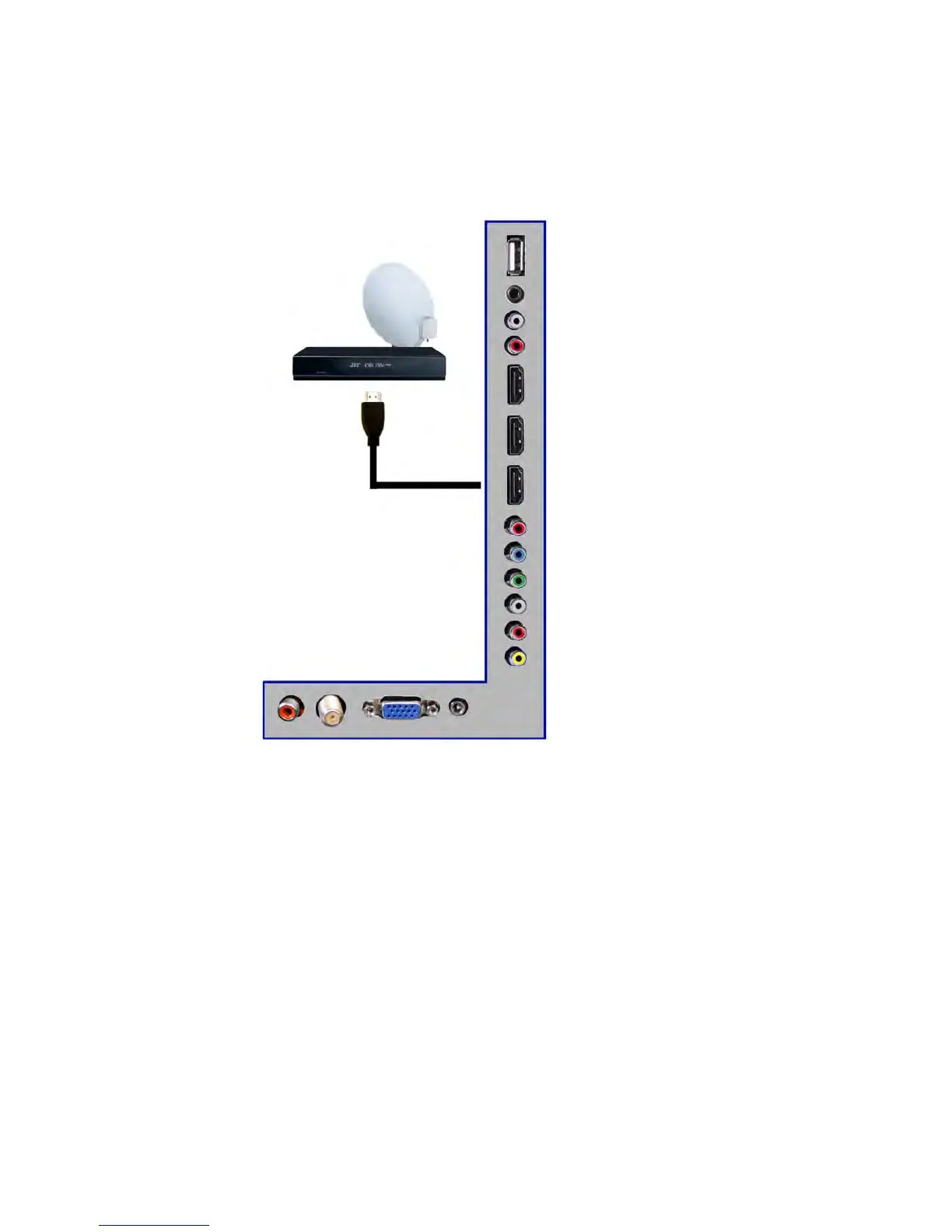
Connecting Cable or Satellite boxes with HDM
I…
1. Make sure the power of HDTV and your set-top box is turned off.
2. Connect a HDMI cable to the HDMI output of
your set-top box and the other end to
the HDMI port on the back of your HDTV.
3. Turn on the HDTV and your set-top box.
4. Use the remote control’s source button or the source button on the TV to switch to
HDMI.
Please Note:
Please r
eference the set-top box’s manual, to make sure the set-top box is
configured to output correctly to the TV.
HDTV
supports NEC’s universal remote code. Please look up NEC’s
codes in your universal remote’s hand book.



 To Next Page