17
TV
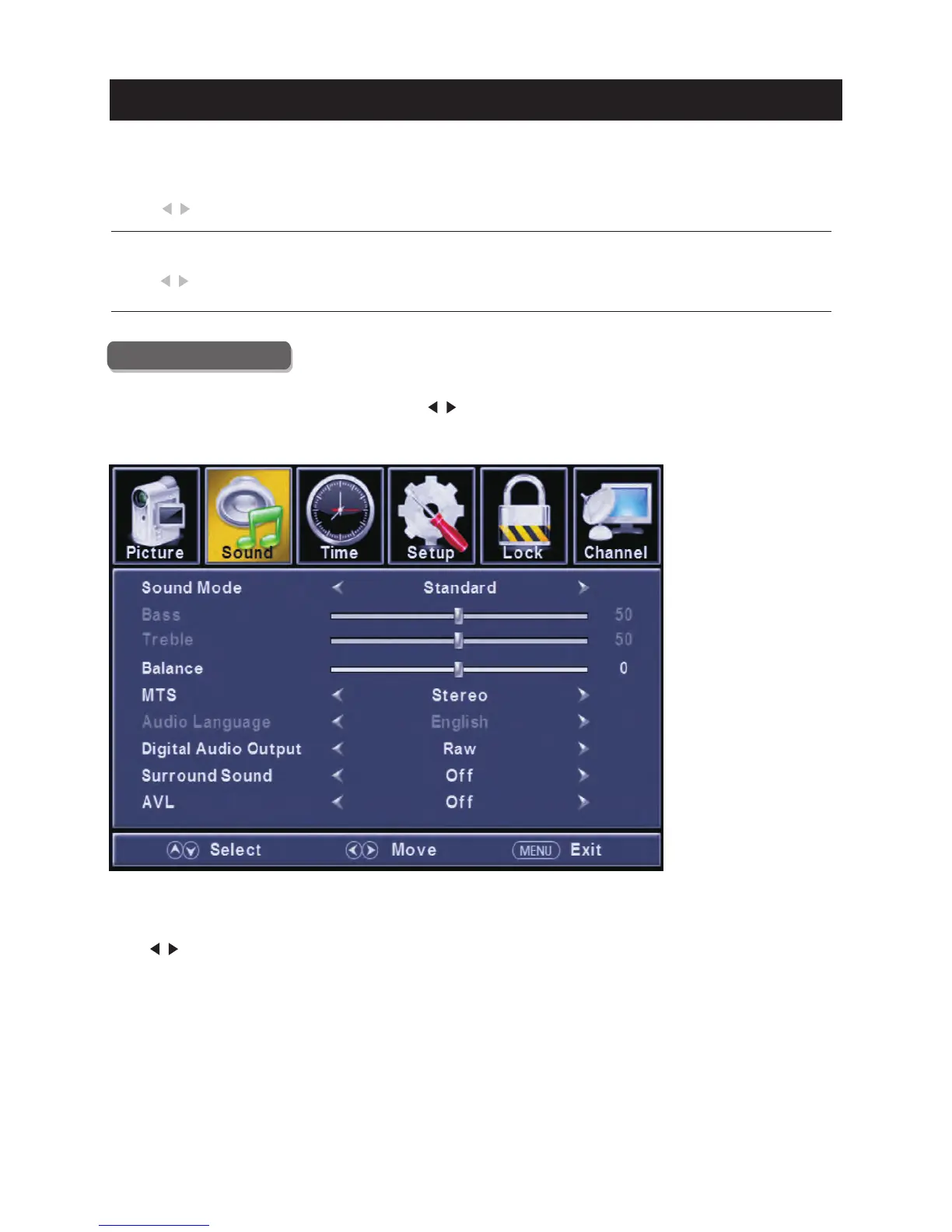
Sound Menu
Pre ss
Pre ss
Pre ss
Pre ss
ENU to ente r the main menu, Press button to select.
Pre ss to ente r.
ENU again to exit or back to parent menu.
button to select among /Sound Mode / Bass / Tre ble / Balance /M TS/ Audio Language
/Digital Audio Outp ut/ Surro und Sound/ AVL .
Pre ss to enter.
Pre ss button to adjust.
ENU again or back to pare nt menu.
M </ >
ENTER / ▼
M
▼ / ▲
ENTER / ▼
</ >
M
【HDMI Mode】
Only available in HDMI input.
【Dynamic Contra st】
Automati cally adjust picture deta il and brightness.
Pre ss button to select (Off/O n).
Pre ss button to select (Video/Gra phic).
</ >
</ >



 To Next Page
 Loading...