TV
30
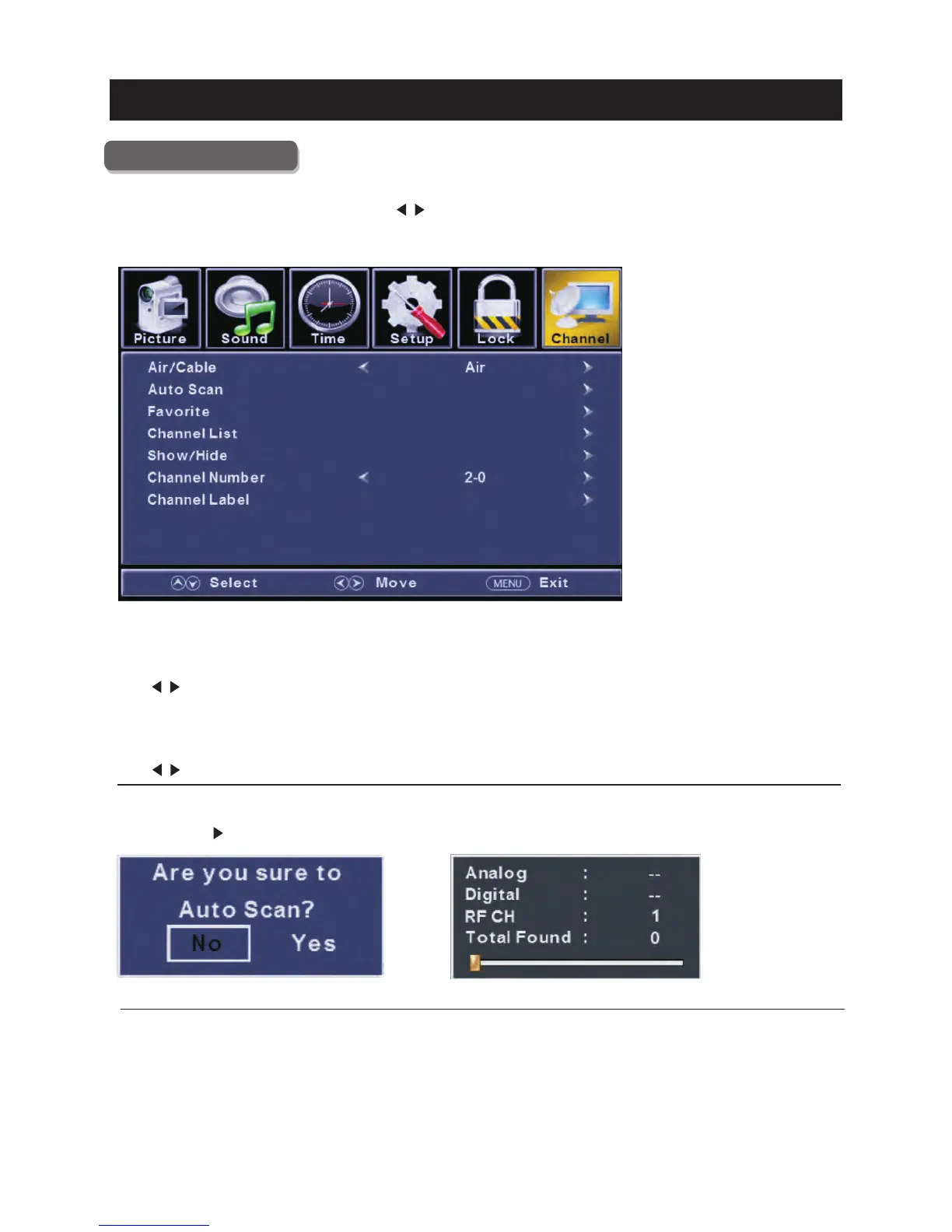
Channel Menu
Pre ss
Pre ss
Pre ss
Pre ss
ENU to ente r the main menu, Press butt on to select.
Pre ss to enter.
ENU again to exit or back to pare nt menu.
button to select among Air/C able / Auto Scan / Favorite / channe list / Show/H ide / Channel Number / Channel
Label .
Pre ss to enter.
Pre ss button to adjust.
ENU again or back to pare nt menu.
M </ >
ENTER / ▼
M
▼ / ▲
ENTER / ▼
</ >
M
【Air/C able】
.
Pre ss button to select(A ir/C able).
【Auto Scan】
Automati cally searc h for channels.
Pre ss ENTER / button to enter.
Select signal type
</ >
>



 To Next Page
 Loading...