WHAT'S NEXT--ADDITIONAL SET-UP
FEATURES IN THE PREFERENCES MENU
The features in this section are all accessed through the
PREFERENCESmenu.
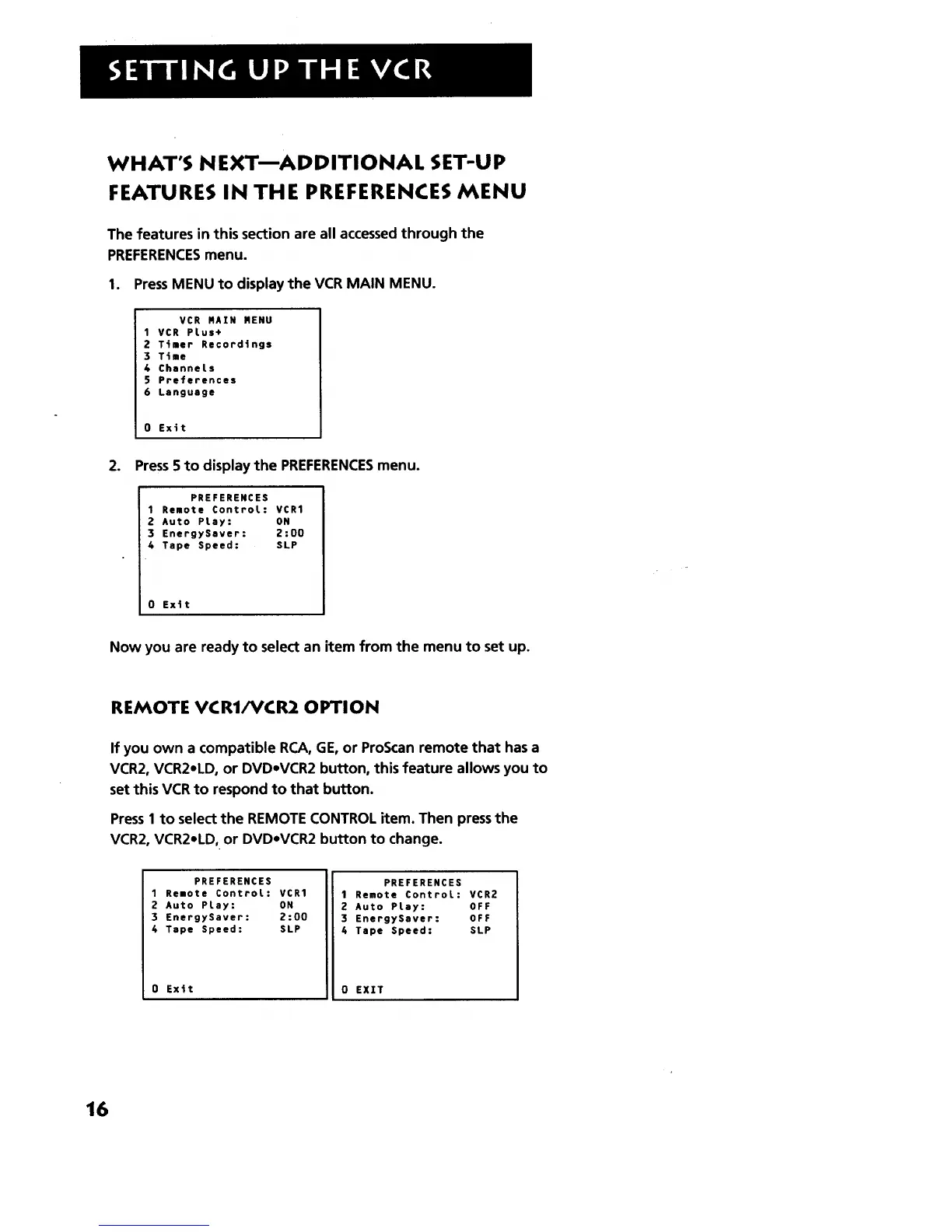
1. PressMENU to display the VCR MAIN MENU.
VCR MAIN MENU
1VCR PLus+
2 Timer Recordings
3 Time
4 Channets
5 Preferences
6 Language
0 Exit
2. Press 5 to display the PREFERENCESmenu.
PREFERENCES
1 Remote ControL: VCR1
2 Auto PLay: ON
3 EnergySsver: 2:00
4 Tape Speed: SLP
0 Exit
Now you are ready to select an item from the menu to set up.
REMOTE VCR1/VCR2 OPTION
If you own a compatible RCA, GE, or ProScan remote that has a
VCR2, VCR2mLD,or DVDmVCR2 button, this feature allows you to
set this VCR to respond to that button.
Press1 to select the REMOTE CONTROL item. Then pressthe
VCR2, VCR2mLD,or DVDmVCR2 button to change.
PREFERENCES
1 Remote ControL: VCR1
2 Auto PLay: ON
3 EnergySaver: 2:00
4 Tape Speed: SLP
i0 Exit
PREFERENCES
1 Remote ControL: VCR2
2 Auto PLay: OFF
3 EnergySaver: OFF
4 Tape Speed: SLP
0 EXXT
16



 To Next Page