TIME COUNTER
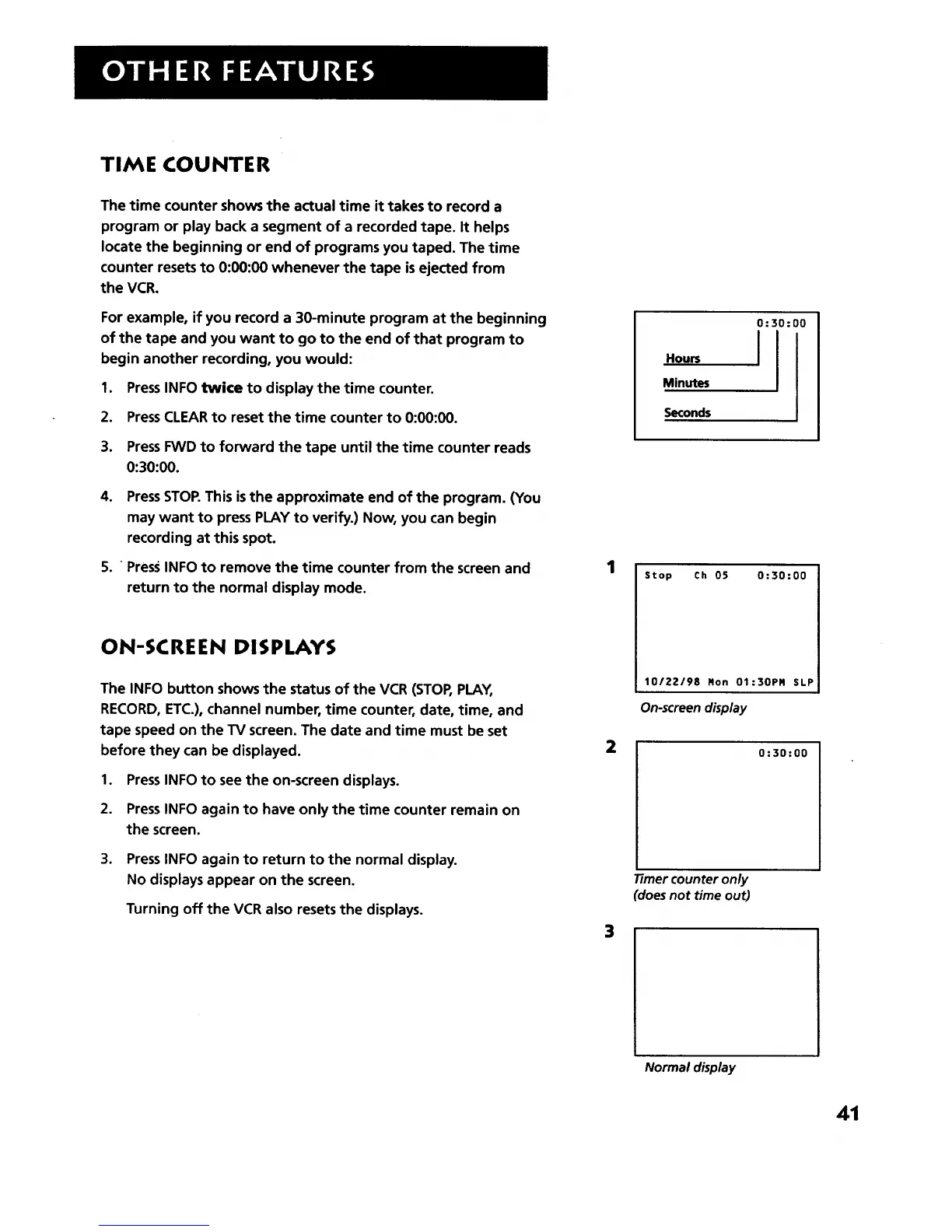
The time counter shows the actual time it takes to record a
program or play back a segment of a recorded tape. It helps
locate the beginning or end of programs you taped. The time
counter resets to 0:00:00 whenever the tape is ejected from
the VCR.
For example, if you record a 30-minute program at the beginning
of the tape and you want to go to the end of that program to
begin another recording, you would:
1. PressINFO twice to display the time counter.
2. PressCLEAR to reset the time counter to 0:00:00.
3. Press FWD to forward the tape until the time counter reads
0:30:00.
4. PressSTOP.This is the approximate end of the program. (You
may want to press PLAY to verify.) Now, you can begin
recording at this spot.
5. Press INFO to remove the time counter from the screen and
return to the normal display mode.
ON-SCREEN DISPLAYS
The INFO button shows the status of the VCR (STOP, PLAY,
RECORD, ETC.), channel number, time counter, date, time, and
tape speed on the TV screen. The date and time must be set
before they can be displayed.
1. PressINFO to see the on-screen displays.
2. Press INFO again to have only the time counter remain on
the screen.
.
PressINFO again to return to the normal display.
No displays appear on the screen.
Turning off the VCR also resets the displays.
1
2
3
Hours
Minutes
Seconds
0:30:00
I
Stop Ch 05 0:30:00
10/22/98 Ron 01:30PR SLP
On_creen display
0:30:00
71mer counter only
(does not time out)
Normal display
41



 To Next Page