EC7000i and EC7500i User Guide Maintaining your scanner
Maintaining your scanner
Your scanner performs best when all working surfaces are clean and free of foreign material.
Cleaning the scanner
CAUTION:
• Always disconnect the power to the scanner before cleaning it.
• Solvents or harsh cleaners may damage or discolor the cabinetry.
To clean the outside cabinetry, use a damp cloth and mild soap.
To clean the inside of the unit:
1. Press the latch and lift the cover to access the imaging
frame.
2. Lift the imaging frame to access the document feed plate.
3. Locate the blue tab on the right side of the plate. Note the
black tab in the same place on the left side of the plate.
You will use the black tab to open the printer assembly.
a. Push the black tab to the left, away from the feed
plate.
b. While holding the black tab, lift the feed plate up
and to the right. It moves free of the black tab.
c. Push the blue tab to the right, away from the feed
plate.
d. While holding the blue tab, lift the feed plate up
and to the left. It moves free of the blue tab.
e. Remove the feed plate completely.
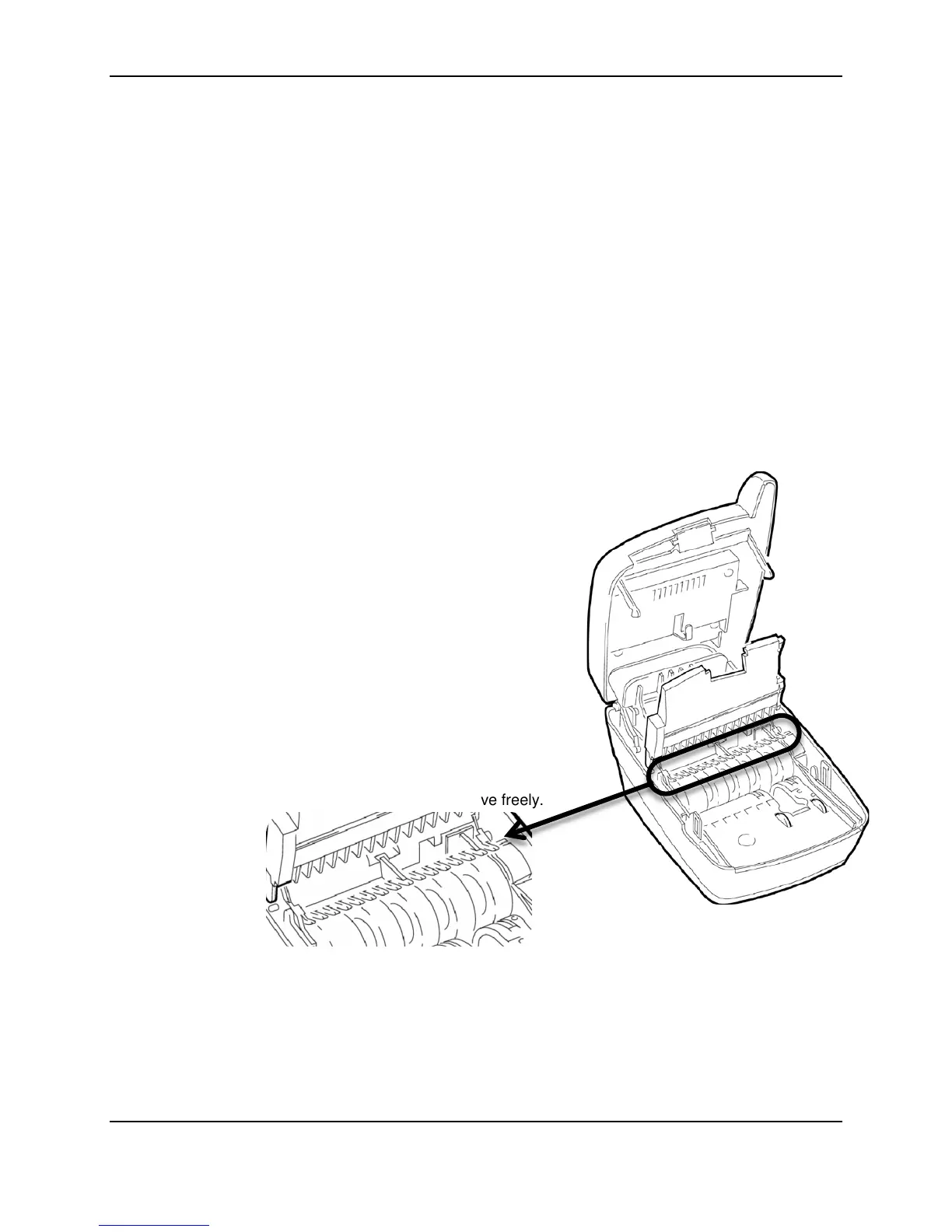
4. Ensure that the black fingers on the baffle move freely.
5. Use a dusting brush designed for use on electronic equipment or use compressed air to remove
dust or debris.
©2014 RDM Corporation Page 18



 To Next Page