16
16
Servicing (continued):
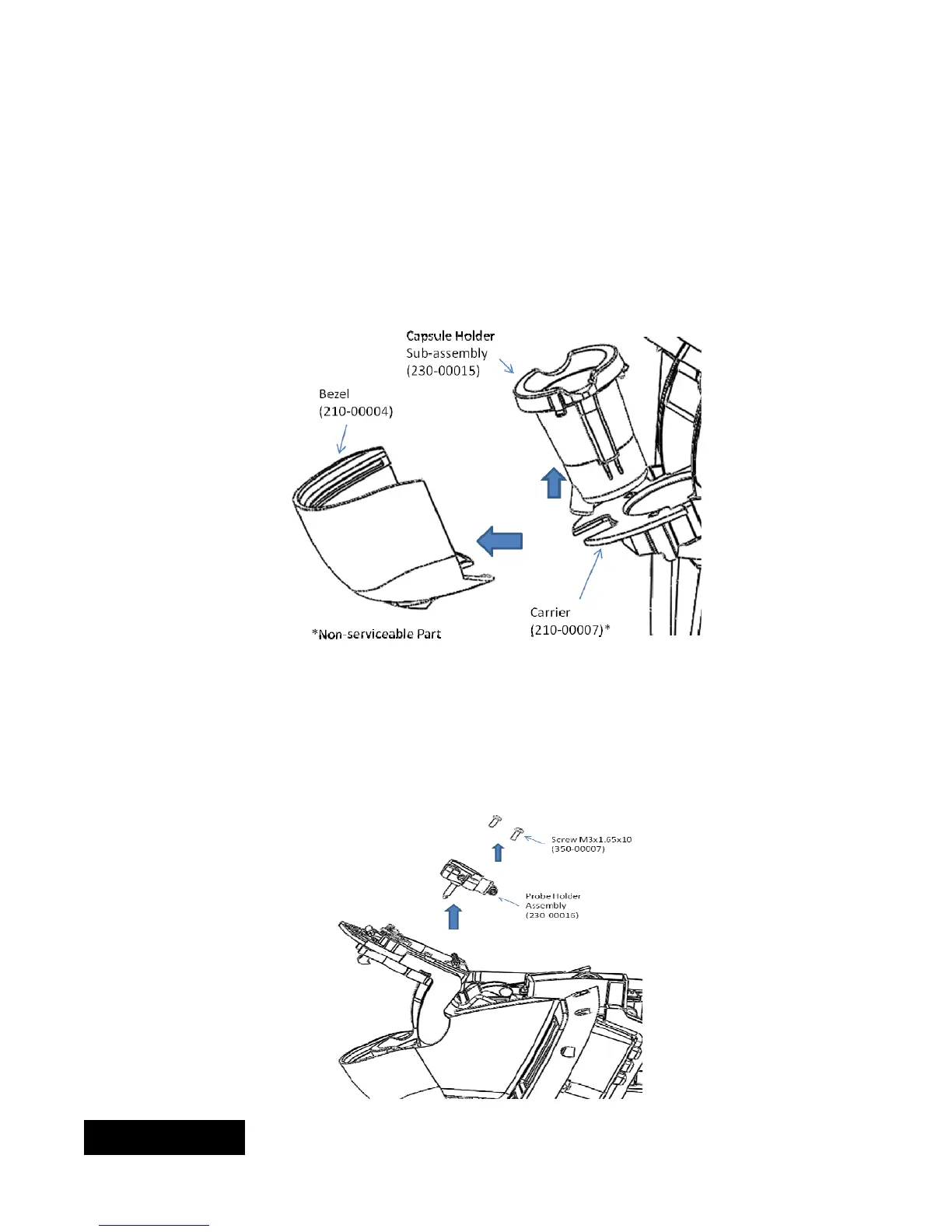
5d) Servicing Bezel and Capsule Holder. These two components are located in the brew chamber.
To replace the Bezel. Pull on one of the rear corners and pull part away from the lip of the carrier. To
replace, line up the slot on the bezel with the lip of the carrier, rotate, and snap into position.
To replace the Capsule holder. Push the base of the capsule holder with one of your index fingers to
unsnap the part from the carrier. To replace, place in carrier and snap the part into the carrier.
5e) Servicing Probe Holder assembly. This assembly is also located in the brew chamber. Follow the directions
below to service:
Cut the strain relief straps from inlet and outlet
Remove both tubes from inlet and outlet
Remove the two screws that secure probe holder assembly to carrier.
ENGLISH


 To Next Page