EasyManua.ls Logo

Realistic TRC-422A - Transmitting and Emergency Modes

Realistic TRC-422A
20 pages
Print Icon
To Next Page IconTo Next Page
To Previous Page IconTo Previous Page
Loading...
When
properly
set,
SQUELCH
will
keep
the
receiver
‘‘dead”’
until
a
signal
comes
in
on
that
channel.
Do
not
set
SQUELCH
too
high,
or
weak
signals
will
not
be
able
to
‘‘open”’
the
Squelch
circuit.
To
receive
the
very
weak
signals,
it
is
best
to
leave
SQUELCH
set
to
the
minimum
position
(maximum
counterclockwise).
The
SQUELCH
circuit
in
your
Transceiver
is
a
special
advanced
development.
It
uses
two
extra
transistors
to
accomplish
a
hysteresis
action.
The
result
is
that
when
you
set
SQUELCH
for
a
precise
signal
level,
if
that
signal
level
fades
(increases
or
decreases
in
strength),
>
Squelch
circuit
will
follow
this
change.
With
conventional
Squelc
Circuits
often
a
signal
which
changes
strength
gets
‘‘chopped”
by
Squelch
and
you
lose
a
portion
of
the
message;
with
hysteresis
Squelch
you
get
it
all.
TO
TRANSMIT
1.
Select
the
desired
channel
of
operation.
2.
Connect
the
Mic
plug
to
Mic
jack.
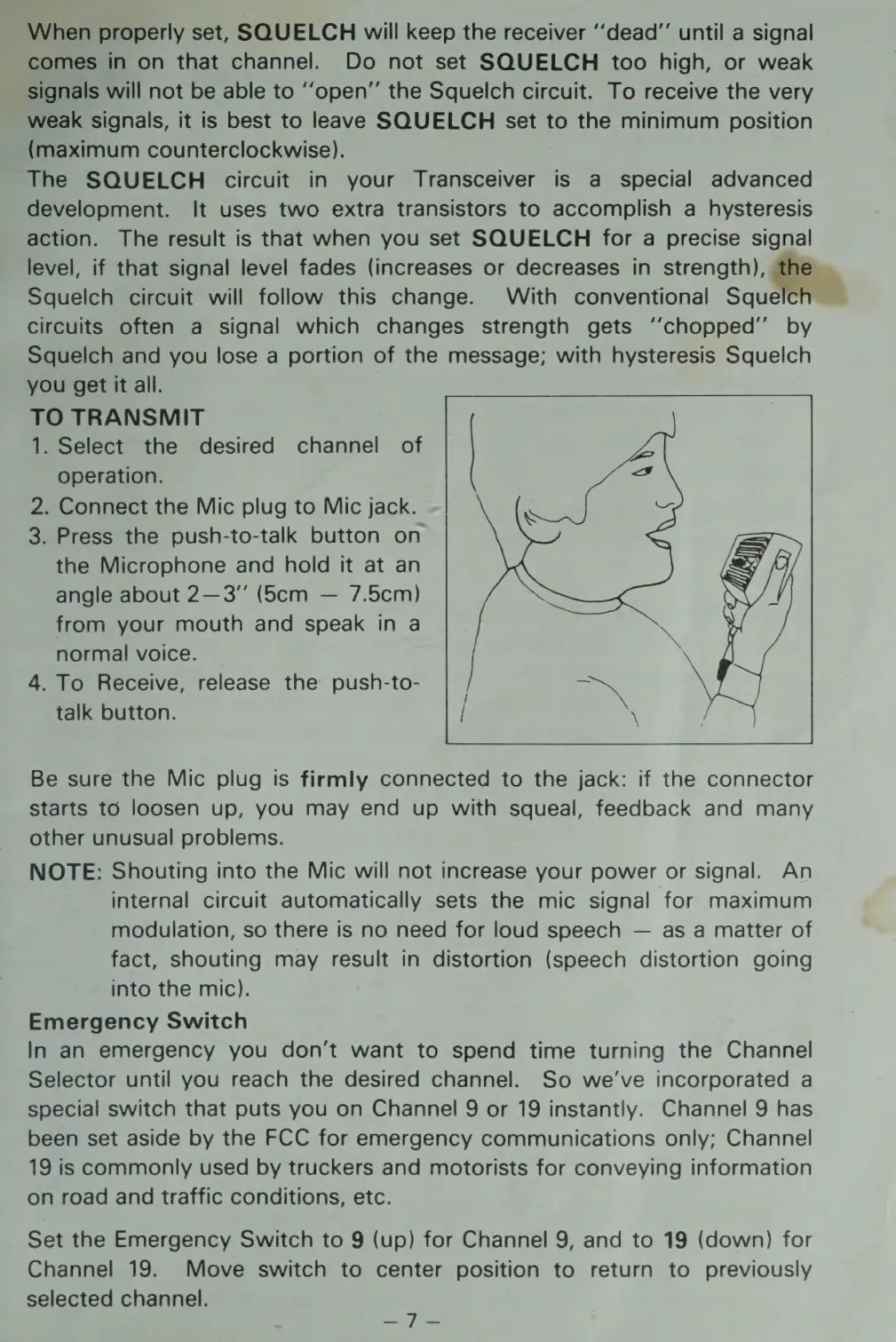
3.
Press
the
push-to-talk
button
on
the
Microphone
and
hold
it
at
an
angle
about
2—3”
(56cm
7.5cm)
from
your
mouth
and
speak
in
a
normal
voice.
4.
To
Receive,
release
the
push-to-
talk
button.
Be
sure
the
Mic
plug
is
firmly
connected
to
the
jack:
if
the
connector
starts
to
loosen
up,
you
may
end
up
with
squeal,
feedback
and
many
other
unusual
problems.
NOTE:
Shouting
into
the
Mic
will
not
increase
your
power
or
signal.
An
internal
circuit
automatically
sets
the
mic
signal
for
maximum
modulation,
so
there
is
no
need
for
loud
speech
as
a
matter
of
fact,
shouting
may
result
in
distortion
(speech
distortion
going
into
the
mic).
Emergency
Switch
In
an
emergency
you
don’t
want
to
spend
time
turning
the
Channel
Selector
until
you
reach
the
desired
channel.
So
we've
incorporated
a
special
switch
that
puts
you
on
Channel
9
or
19
instantly.
Channel
9
has
been
set
aside
by
the
FCC
for
emergency
communications
only;
Channel
19
is
commonly
used
by
truckers
and
motorists
for
conveying
information
on
road
and
traffic
conditions,
etc.
Set
the
Emergency
Switch
to
9
(up)
for
Channel
9,
and
to
19
(down)
for
Channel
19.
Move
switch
to
center
position
to
return
to
previously
selected
channel.
LIE)
yin
=

Related product manuals