15
USB OPERATION
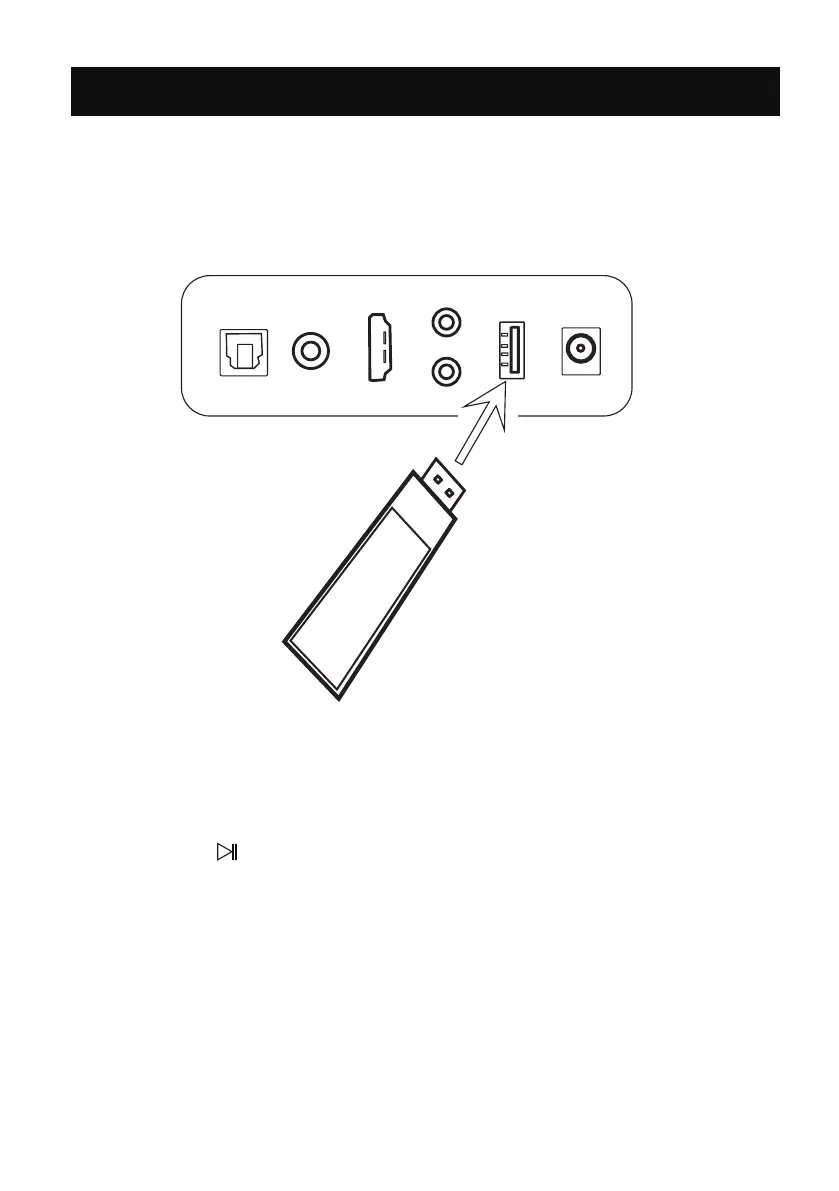
2. Insert USB player to play music automatically.
1. Press the USB button on the remote control or press the M button on
the unit repeatedly until the LED 1 and 2 lighting blue to switch to USB mode.
>ll
>l
l<
3.During playing:
Press the or button on remote control to skip tracks.
Press the button on remote control to pause, press it again to resume.
Or Press the button on the unit to pause, press it again to resume.
Or press the - or + button on the unit to skip tracks.
4. Audio played through the connected USB device will now be heard through
the speakers.
OPT
COAX
ARC
USB
AUX
POWER
SUB
DC IN
USB
REAR PANEL


 To Next Page