14
AUX IN OPERATION
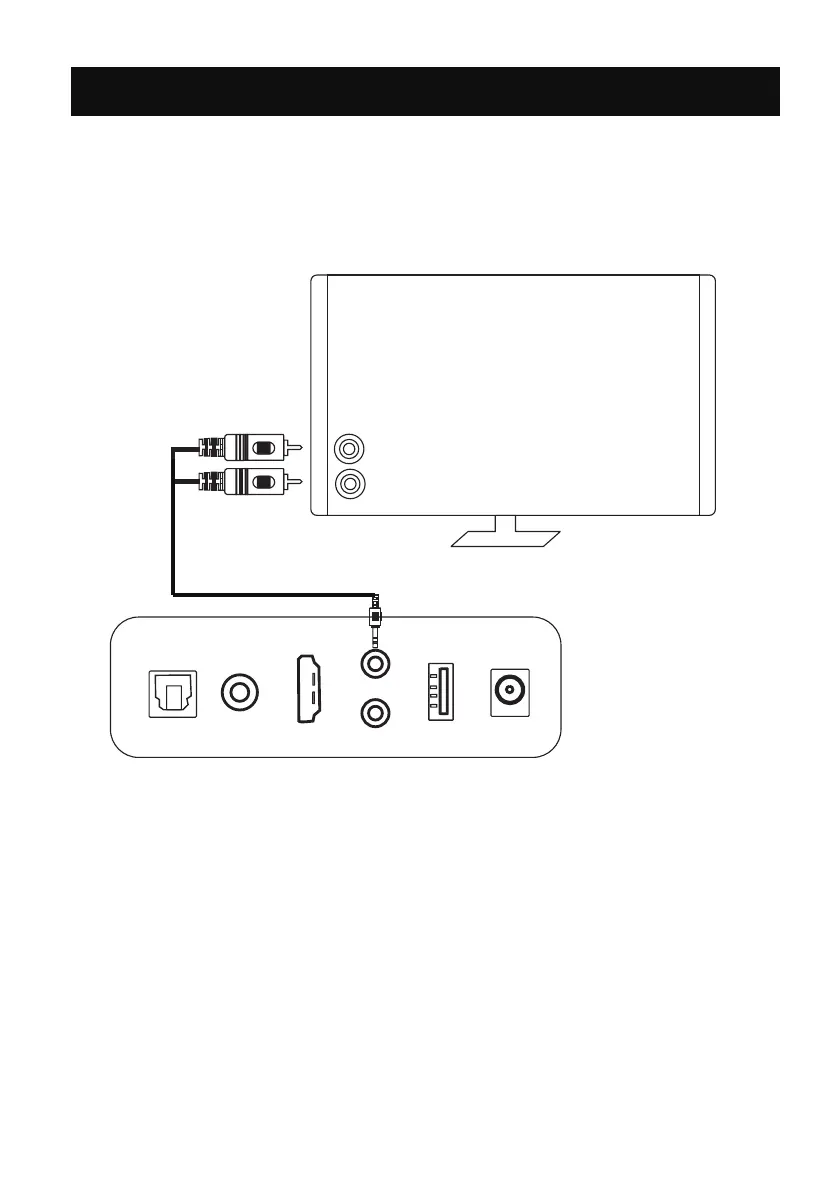
1. This unit can be connected to the TV and listen through the speakers.
2. Plug one end of the AUX IN cable into the AUX jack on the unit.
3. Plug another end of the AUX IN cable into the L&R jacks on the TV.
5. Power on the connected TV and start playing.
4. Press the AUX/ARC button once on the remote control or press the
M button on the unit repeatedly until the LED 5 lighting blue to switch
to AUX IN mode.
OPT
COAX
ARC
USB
AUX
POWER
SUB
DC IN
L
R
White
Red
TV
REAR PANEL


 To Next Page