EasyManua.ls Logo

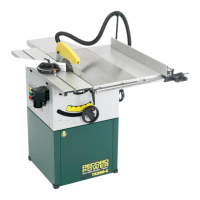
Record Power TS250RS - User Manual

Record Power TS250RS
22 pages
Print Icon
To Next Page IconTo Next Page
Loading...
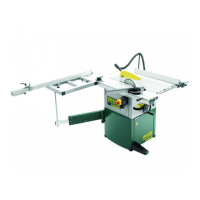
Table Saw
TS250RS
Instruction
Manual
IMPORTANT
For your safety read instructions carefully before assembling or using this product.
Save this manual for future reference.

Questions and Answers

  • B
    Brian JohnsonAug 14, 2025
    Why won't my Record Power TS250RS Saw start?
    • R
      ramirezdennisAug 14, 2025
      Your Record Power Saw might not start due to several reasons. The overload on the motor might have tripped; allow the motor to cool and then reset the overload switch. Ensure the saw is properly plugged into the wall and the motor. A fuse might have blown, or a circuit breaker tripped, so replace the fuse or reset the breaker. Finally, inspect the cord for damage and replace it if necessary.
  • C
    Catherine JohnsonAug 17, 2025
    What to do if material kicks back from the blade on my Record Power TS250RS Saw?
    • S
      Sharon ValdezAug 17, 2025
      If material kicks back from the blade on your Record Power Saw, several factors could be at play. First, ensure the rip fence is aligned with the miter slot and that the splitter is aligned with the blade. Always install and use the rip fence, and make sure the splitter (with guard) is in place. A dull blade can also cause kickback, so replace it if necessary. Maintain control of the material by pushing it completely past the blade before releasing it. Lastly, check the anti-kick back plates and sharpen or replace them if they are dull.
  • E
    edwardsmonicaAug 20, 2025
    How to improve unsatisfactory cuts with my Record Power TS250RS?
    • B
      Brandon HernandezAug 21, 2025
      Unsatisfactory cuts from your Record Power Saw can stem from several issues. Check the blade; it may be dull and need sharpening or replacing. Ensure the blade is mounted correctly, not backwards. Remove any gum or pitch buildup from the blade by cleaning it. Verify you're using the correct blade type for the cut you're making. Also, clean any gum or pitch from the table.
  • F
    Fernando HooperAug 25, 2025
    Why does material bind the blade when ripping with my Record Power Saw?
    • W
      Walter Williams DDSAug 25, 2025
      If the material binds the blade when ripping with your Record Power Saw, it could be due to a few reasons. Check that the fence is aligned with the blade and adjust if necessary. The wood itself might be warped, so select another piece. You may be feeding the material too quickly, so reduce the feed rate. Also, ensure the splitter is aligned with the blade.
  • K
    Krista HarrisonAug 28, 2025
    How to reduce excessive vibration in my Record Power TS250RS?
    • P
      parkerwandaAug 28, 2025
      Excessive vibration in your Record Power Saw can be caused by several factors. Ensure the stand is on a flat, level surface. A damaged saw blade can cause vibration, so replace it if necessary. Check the V-belts and replace them if they are bad. A bent pulley can also cause vibration, so replace it. Verify proper motor mounting and adjust if needed. Adjust the worm and arbor bracket if there's excessive play in the raising mechanism. Finally, tighten any loose hardware.
  • A
    Ashley DanielsAug 31, 2025
    How to fix inaccurate 45° or 90° cuts on my Record Power TS250RS Saw?
    • A
      Amy RuizAug 31, 2025
      If your Record Power Saw isn't making accurate 45° or 90° cuts, the stops may not be adjusted correctly; check the blade with a square and adjust the stops. Also, the angle pointer might not be set accurately; check the blade with a square and adjust the pointer.
  • D
    Denise GriffinSep 3, 2025
    Why doesn't the blade of my Record Power TS250RS come up to speed?
    • F
      fbennettSep 3, 2025
      The blade of your Record Power Saw may not reach full speed due to several reasons: using an extension cord that is too light or too long (replace with an adequate size cord); low shop voltage (contact your local electrical company); or the motor not being wired for the correct voltage (refer to the motor junction box).
  • A
    Autumn FieldsSep 7, 2025
    What to do if the blade on my Record Power TS250RS does not raise or tilt freely?
    • T
      Taylor BarberSep 7, 2025
      If the blade on your Record Power Saw does not raise or tilt freely, it could be due to too much tension in the raising mechanism; adjust the raising worm and arbor bracket. Alternatively, sawdust and debris in the raising and tilting mechanisms can cause this issue; clean and regrease them.
  • S
    Suzanne PittmanSep 10, 2025
    How to resolve a rip fence that binds on guide rails of my Record Power TS250RS?
    • J
      Jerry CollinsSep 10, 2025
      If the rip fence binds on the guide rails of your Record Power Saw, it may be because the guide rails or extension wing were not installed correctly; reassemble the guide rails, referring to the fence manual. Alternatively, the guide of the rip fence may not be adjusted properly; adjust the guides, referring to the fence manual.

Summary

Safety Precautions

Safety Regulations

Mandates reading the manual before operation, disclaims manufacturer responsibility for non-compliance, and lists operator requirements.

Residual Risks

Highlights potential risks like contact with tools/moving parts, recoil, splinters, electrocution, and dust inhalation.

Safety and Information Signals

Explains safety signals (eye protection, hearing protection, electric shock) and information signals for machine use.

Specifications

Safety Devices

Identifies the machine's safety features, including the stop button and saw guard, with operational descriptions.

Installation

Adjustment

Sliding Table Flatness Adjustment

Outlines the procedure for checking and adjusting the flatness of the sliding table using a straight edge and feeler gauge.

Extension Table Flatness Adjustment

Details how to check and adjust the flatness of the extension tables using alignment tools and bolts.

Rip Fence Precision Adjustment

Explains how to adjust the rip fence for precise verticality and parallelism with the saw blade.

Operating Procedures

Machine Start and Stop

Describes how to start and stop the machine using the green and red buttons respectively.

Working Station

Specifies that the machine is for single operator use and identifies the sliding table and parallel cut sides.

Working with the Machine

Discusses choosing the right cutting method, using an engraver for specific woods, and lowering it when not needed.

Maintenance

Trouble Shooting

Record Power TS250RS Specifications

General IconGeneral
TypeTable Saw
Blade Diameter250 mm
Blade Bore30 mm
Motor Power (Input)1500 W
Max Cutting Depth at 90º85 mm
Max Cutting Depth at 45º60 mm
Dust Extraction Outlet100 mm
Blade Speed4000 rpm
Motor Power (Output)1.1 kW

Related product manuals