EasyManua.ls Logo

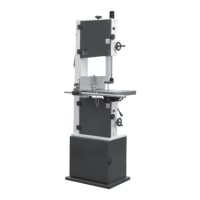
Record Power BS300E Premium - User Manual

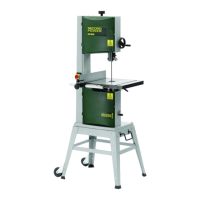
Record Power BS300E Premium
41 pages
Print Icon
To Next Page IconTo Next Page
Loading...
Original Instruction Manual
BS300E Premium
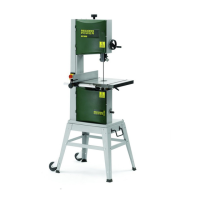
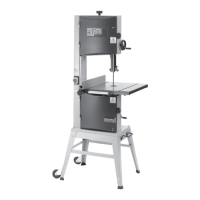
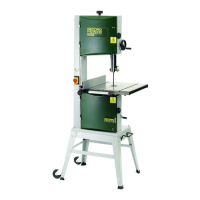
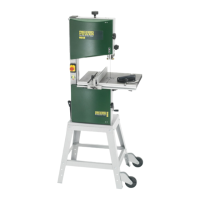
12" Bandsaw
Always wear safety glasses when
using woodworking equipment.
Always read the instructions
provided before using
woodworking equipment.
i
Kg
Version 3.0
January 2013
To register this product please visit
www.recordpower.info
It is important to register your product as soon as possible in order to receive efficient after sales
support and be entitled to the full 5 year guarantee. Your statutory rights are not affected.
Please see back cover for contact details.
Important
For your safety read instructions carefully
before assembling or using this product.
Save this manual for future reference.
i
Kg

Questions and Answers

  • S
    Shawn WilsonJul 26, 2025
    How to make Record Power Saw cut straight?
    • T
      Todd RamseyJul 26, 2025
      If your Record Power Saw won't cut in a straight line, consider the following: * The blade may be worn, so change it. * The guide carrier might be set too high, so adjust it. * The blade tension might not be correct; check and adjust as required. * The fence might not be aligned correctly; check and adjust as required. * The table might not be aligned correctly; undo the four bolts holding the table to the trunnion and align the table.
  • W
    whitney56Jul 30, 2025
    Why Record Power BS300E Premium Saw blade will not cut the wood?
    • A
      Andrea MendezJul 30, 2025
      If the blade on your Record Power Saw won't cut the wood, check the following: * The blade might be upside down; re-fit the blade with the teeth pointing downward. * The blade might be back to front; turn the blade inside out and then re-fit it.
  • M
    michaeldelgadoAug 3, 2025
    Why won't my Record Power Saw start?
    • L
      Lauren WilcoxAug 4, 2025
      If your Record Power Saw won't start, here are a few things to check: * Ensure there is a power supply by checking the power cable and fuse. * The switch might be defective, consider replacing it. * Make sure both doors are fully closed. * Check the fuse and replace it if necessary. * The capacitor or motor may be faulty; check and replace as needed.
  • M
    Michael SmithAug 8, 2025
    Why does my Record Power Saw motor slow down when cutting wood?
    • S
      Steven WeeksAug 8, 2025
      If the motor on your Record Power Saw slows down when cutting wood, it could be due to several reasons: * You might be applying too much pressure to the workpiece; adjust the feed rate to suit the material. * The drive belt could be slipping, so check and adjust as required. * The fence might not be aligned; check and adjust it. * The table might not be aligned correctly; undo the four bolts holding the table to the trunnion and align the table. * You might be using the wrong type of blade; change the blade if necessary.
  • A
    Ariel AdamsAug 12, 2025
    What to do if my Record Power BS300E Premium Saw stops when I release the on/off button?
    • R
      Rodney MoralesAug 12, 2025
      If your Record Power Saw stops when you let go of the on/off button, the switch is likely faulty and needs to be changed.
  • R
    ryancynthiaAug 16, 2025
    Why can't I sufficiently tension the blade on my Record Power Saw?
    • J
      Jose RothAug 17, 2025
      If you cannot sufficiently tension the blade on your Record Power Saw, consider the following: * Check you have the correct blade length. * The blade tensioner might be incorrectly set up; adjust the nut on the tensioning rod, upwards for smaller blade lengths and downwards for longer blade lengths.
  • L
    Linda BrownAug 21, 2025
    Why is the fence not square on my Record Power Saw?
    • D
      Douglas BallAug 21, 2025
      If the fence is not square on your Record Power Saw, it might not be aligned correctly. Check and adjust as required.

Summary

Explanation of Symbols

Mandatory Instructions Symbols

Symbols indicating required actions for safe operation of the machine.

Warning Symbols

Symbols indicating potential hazards and risks of injury or damage.

General Health & Safety Guidance

Additional Health & Safety for Bandsaws

Safe Operation of Bandsaws

Essential safety practices specific to operating bandsaws.

Pre-Operation Checks

Steps to perform before switching on the bandsaw for safe use.

Bandsawing Techniques

Guidelines for effective and safe machining operations on the bandsaw.

Record Power Guarantee

Guarantee Terms and Conditions

Details the warranty period, coverage, and exclusions for Record Power products.

Claims Procedure

Steps to follow when making a claim under the product guarantee.

Limitation of Liability

Defines the extent of Record Power's liability and consumer rights.

Guarantee Notice

Information regarding guarantee applicability and regional variations.

Getting To Know Your Bandsaw

Machine Specification

Stand & Wheel Kit Assembly

Stand Assembly Instructions

Step-by-step guide for assembling the machine stand structure.

Wheel Kit Assembly

Instructions for attaching casters and handle to the stand for mobility.

Fitting the Bandsaw to the Stand

Procedures for securely mounting the bandsaw onto the assembled stand.

Machine Assembly

Unpacking and Component Identification

Lists components included and initial unpacking steps for the bandsaw.

Installing Control Wheels and Table

Attaching control wheels, belt handle, and mounting the table.

Fence Assembly and Alignment

Assembling and aligning the mitre fence, fence bar, and rip fence.

Setting Table Square to Saw Blade

Setting Table Stop at 90 Degrees

Adjusting the table to be perpendicular to the saw blade.

Adjusting Table Tilt Scale

Calibrating the angle indicator for accurate table tilting.

Tilting the Table

Procedure for adjusting and securing the table angle.

Bandsaw Blade Set Up

Blade Tensioning and Tracking

Correctly tensioning and tracking the bandsaw blade for optimal cutting.

Guide Adjustment and Cutting Height

Setting blade guides and adjusting cutting height for proper support and guarding.

Drive Belt Adjustment & Speed Change

Drive Belt Tensioning

Adjusting the tension of the drive belt for proper power transmission.

Changing Blade Speed

Procedure for switching between the two available blade speeds.

Operation & Bandsawing Practice

Basic Bandsawing Principles and Techniques

Essential practices for safe and effective bandsawing, including complex cuts.

Restarting Procedures and Blade Selection

Restarting after stalls/power loss and guidance on selecting blades by TPI and width.

Blade Range and Work Support

Overview of available blades and examples of custom jigs for work support.

Dust Extraction

Importance of Dust Extraction

Explains why dust extraction is crucial for health, safety, and machine maintenance.

Record Power Dust Extractor Range

Overview of Record Power's dust extraction solutions and their applications.

Maintenance

Blade and Belt Replacement

Step-by-step guide for replacing the bandsaw blade and drive belt.

Guide System and Table Maintenance

Care and replacement for blade guides, bearings, and cleaning the table.

Band Wheel Brush Adjustment

How to inspect, adjust, and maintain the band wheel brush for optimal performance.

Trouble Shooting

Electrical Connection & Wiring Diagram

Parts Diagrams

Stand with Wheel Kit Diagrams

Visual representation of the stand and wheel kit components and assembly.

Parts List

Assembly of the Optional BS300 A Pedal Wheel Kit

Pedal Wheel Kit Assembly

Step-by-step guide for assembling the optional pedal wheel kit.

Pedal Wheel Kit Operation

How to use the pedal mechanism to move and position the bandsaw.

EU Declaration of Conformity

Record Power BS300E Premium Specifications

General IconGeneral
Blade Length2240 mm
Cutting Capacity (Width)305 mm
Table Size480 x 390 mm
Table Tilt0 - 45°
Dust ExtractionYes
Dust Extraction Outlet100 mm
Weight66 kg

Related product manuals