4.0 PROGRAMMING MENU
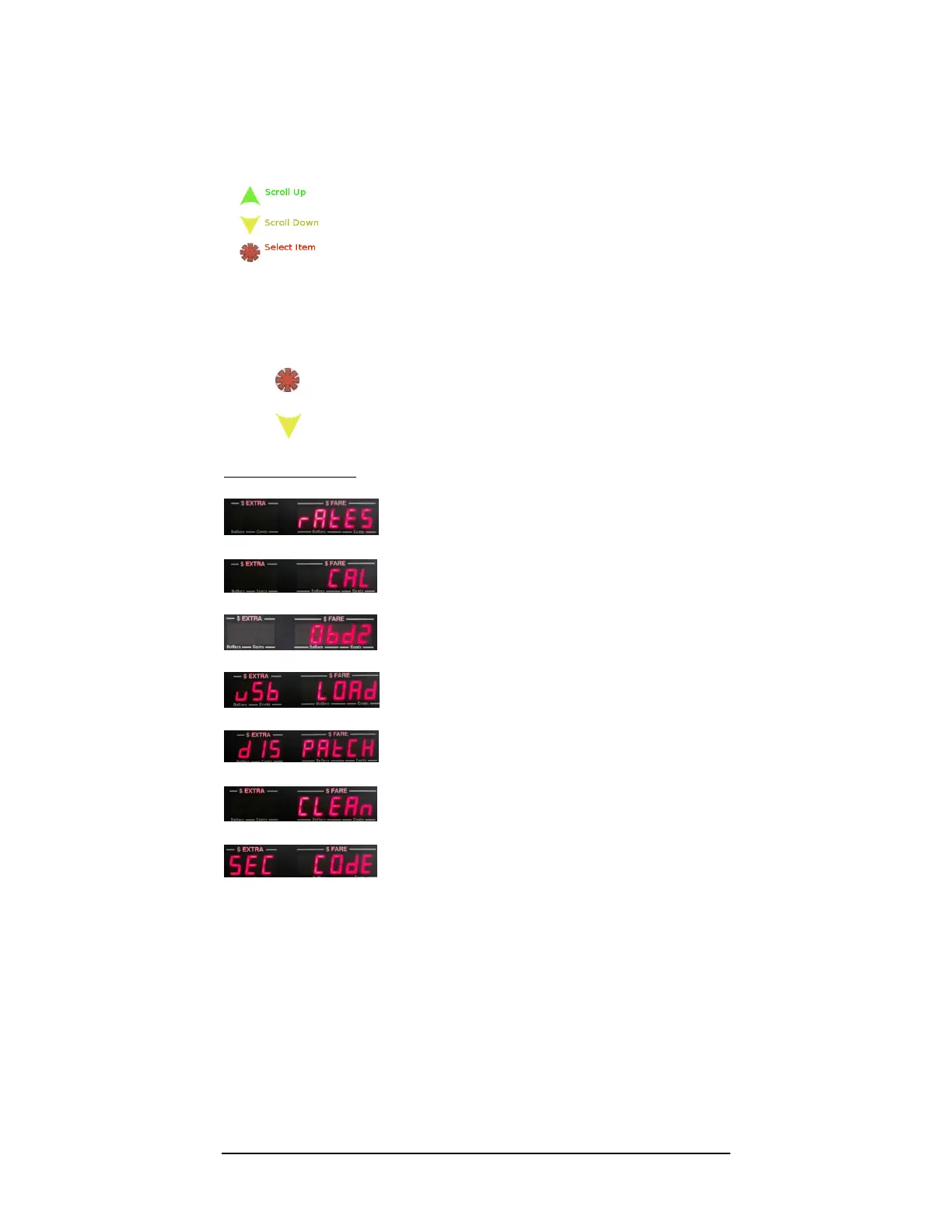
Button Functions:
Explanation: The values displayed below are represented as how they are ordered in the
Programming menu. By using the buttons, you can sequentially scroll through the menu,
and select a setting in order to access the values.
1) Press to select / access a menu item
2) Press to sequentially “scroll” through the menu
Menu Items in order:
- Set Rates (as described in Section 5.0)
- Set Calibration (mileage).
- OBD2 Settings
- Load Rates from USB flash drive.
- Configure CG3 for dispatch communication
- Clean taximeter. Clears all rates and calibration.
- Set Security Code (Optional)*
* For locking Programming Mode against unauthorized tampering.



 To Next Page