COPYRIGHT © 2013 RED.COM, INC
RED DSMC OPERATION GUIDE
955-0020_V5.1, REV-D | 64
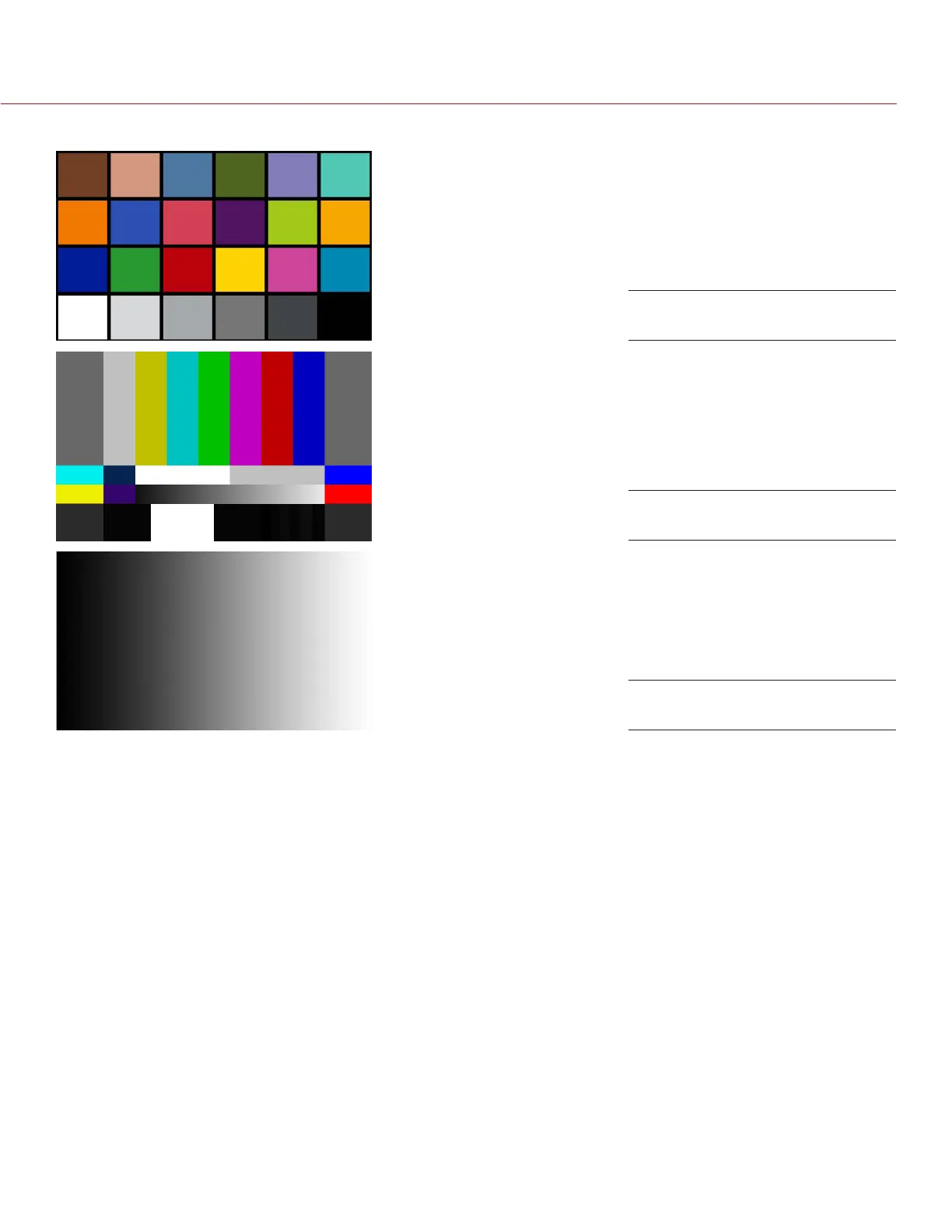
You can also enable an Audio Tone while a test pattern is active.
NOTE: RED DSMC test signals are not recordable; they are provided to help align external video monitors con-
nected via the HD-SDI or HDMI outputs.
LOOK
The Look menu permits adjustment of Color, Gain, FLUT
®
, Curves, Color/Gamma, and Color Temperature meta-
data values. These parameters will affect the look of the monitor path, but do not affect the actual REDCODE
RAW data being recorded.
COLOR
You can adjust the following:
Saturation: Adjusts color saturation. Range is 0.0 (monochrome) to +4.0 (super color). Default is 1.0.
Contrast: Adjusts the overall contrast of the image. Range is -1.0 (flat) to +1.0 (max contrast). Default is 0.0.
Brightness: Adjusts brightness without crushing highlights. Available range is – 10.0 to +10.0. Default is 0.0.
Exposure: Adjusts exposure compensation. Available range is -7.0 to +7.0. Default is 0.0.
GAIN
You can adjust the Red channel, Blue channel, and Green channel individually. The range for each is 0.0 (none
of the color) to +10.0, and the default for each is 1.0.
Chip Chart
SMPTE Bars with Pluge Pulse
Luma Ramp


 To Next Page