EasyManua.ls Logo

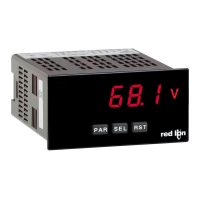
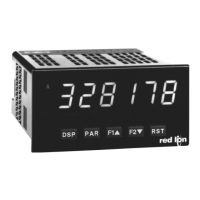
red lion PAXC0000 - User Manual

red lion PAXC0000
26 pages
Print Icon
To Next Page IconTo Next Page
Loading...
Chipsmall Limited consists of a professional team with an average of over 10 year of expertise in the distribution
of electronic components. Based in Hongkong, we have already established firm and mutual-benefit business
relationships with customers from,Europe,America and south Asia,supplying obsolete and hard-to-find components
to meet their specific needs.
With the principle of “Quality Parts,Customers Priority,Honest Operation,and Considerate Service”,our business
mainly focus on the distribution of electronic components. Line cards we deal with include
Microchip,ALPS,ROHM,Xilinx,Pulse,ON,Everlight and Freescale. Main products comprise
IC,Modules,Potentiometer,IC Socket,Relay,Connector.Our parts cover such applications as commercial,industrial,
and automotives areas.
We are looking forward to setting up business relationship with you and hope to provide you with the best service
and solution. Let us make a better world for our industry!
Contact us
Tel: +86-755-8981 8866 Fax: +86-755-8427 6832
Email & Skype: info@chipsmall.com Web: www.chipsmall.com
Address: A1208, Overseas Decoration Building, #122 Zhenhua RD., Futian, Shenzhen, China

Questions and Answers

  • D
    Debra SmithSep 4, 2025
    What to do if the red lion Timer is not running?
    • E
      Elizabeth RaySep 4, 2025
      If the Timer is not running, verify the input wiring, Timer plug jumper setting, and Timer input programming in Module 1. Also, check the input signal level and ensure the Timer is not inhibited by Input B or a user input.
  • D
    Dana MullenSep 18, 2025
    What to do if external reading matches on Red Lion Measuring Instruments?
    • B
      bhillSep 18, 2025
      If your external reading matches on your Red Lion Measuring Instruments, the solution is to press the PAR button.
  • A
    Amanda GomezSep 16, 2025
    Why are modules or parameters not accessible on my red lion Timer?
    • A
      Allen BarnesSep 16, 2025
      If modules or parameters are not accessible, check the corresponding plug-in card installation and the Program Lock-out/Value Access parameter programming in Module 3.
  • M
    Mrs. Kelly HansenSep 14, 2025
    What to do if certain displays are locked-out on red lion Timer?
    • M
      Mark LewisSep 14, 2025
      If certain displays are locked out, check the Display Lock-out programming in Module 3.
  • B
    blackburnshannonSep 12, 2025
    How to fix no display on red lion Timer?
    • C
      christina02Sep 12, 2025
      If there is no display, check the power level and power connections.
  • M
    Michael ProctorSep 12, 2025
    How to unlock programming on red lion Timer?
    • C
      carolbowersSep 12, 2025
      If the programming is locked out, verify that the user input set for program lock-out function is in the Active state. Enter the security code when requested.
  • V
    Vickie DanielsSep 9, 2025
    Why is the real-time clock not working properly on my red lion Timer?
    • J
      Jennifer CalhounSep 9, 2025
      If the real-time clock is not working correctly, check the RTC plug-in card installation and RTC programming in Module 8. Verify proper battery installation and replace the battery if needed. Important: do not adjust the trim cap on the RTC card!
  • J
    Jennifer LawsonSep 7, 2025
    What to do if outputs are not working properly on red lion Timer?
    • A
      Adrian Osborne Jr.Sep 7, 2025
      If the outputs are not working properly, check the setpoint plug-in card installation, wiring, and setpoint programming in Module 6.
  • D
    Denise ParkerSep 5, 2025
    What to do if user input is not working properly on red lion Timer?
    • J
      james64Sep 6, 2025
      If the user input is not working properly, check the user input wiring, user input plug jumper setting, and user input signal level. Also, verify the user input programming in Module 2.
  • C
    Carrie DanielsAug 21, 2025
    What to do if the red lion Monitor displays an incorrect input display value?
    • W
      Wesley WeaverAug 21, 2025
      If the red lion Monitor displays an incorrect input display value, verify Module 1 programming, the Input Range Jumper position, input connections, and the input signal level. Also, check if Module 4 Display Offset is zero and press DSP for Input Display. If the problem persists, perform Module 9 Calibration.

red lion PAXC0000 Specifications

General IconGeneral
Brandred lion
ModelPAXC0000
CategoryMeasuring Instruments
LanguageEnglish

Related product manuals