1
3.80
1.95
.10
4.10
(2.5)
(96.5)
(49.5)
(104.1)
1.75
(44.5)
RSTDSP
PAR
F1 F2
X
M
A
O
M
TT
NI
1
S
P
3S
2
S
PPP4
S
8.8.8.8.8
V
(44.5)
1.75
1
2
3
4
5 6
7
8
9
10
11
12
13
14
15
16
17
18
19
20
21
22
23
24
25
3.60 (91.4)
PROCESS, VOLTAGE, CURRENT, TEMPERATURE, AND STRAIN
GAGE INPUTS
5-DIGIT 0.56" RED SUNLIGHT READABLE DISPLAY
VARIABLE INTENSITY DISPLAY
16 POINT SCALING FOR NON-LINEAR PROCESSES
PROGRAMMABLE FUNCTION KEYS/USER INPUTS
9 DIGIT TOTALIZER (INTEGRATOR) WITH BATCHING
OPTIONAL CUSTOM UNITS OVERLAY W/BACKLIGHT
FOUR SETPOINT ALARM OUTPUTS (W/OPTION CARD)
COMMUNICATION AND BUS CAPABILITIES (W/OPTION CARD)
RETRANSMITTED ANALOG OUTPUT (W/OPTION CARD)
CRIMSON
®
PROGRAMMING SOFTWARE
NEMA 4X/IP65 SEALED FRONT BEZEL
GENERAL DESCRIPTION
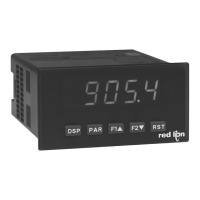
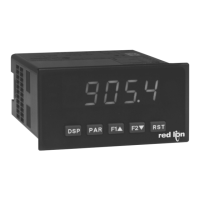
The PAX
®
Analog Panel Meters offer many features and performance
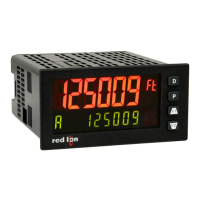
capabilities to suit a wide range of industrial applications. Available in five
different models to handle various analog inputs, including DC Voltage/Current,
AC Voltage/Current, Process, Temperature, and Strain Gage Inputs. Refer to
pages 4 through 6 for the details on the specific models. The option cards allow
the opportunity to configure the meter for present applications, while providing
easy upgrades for future needs.
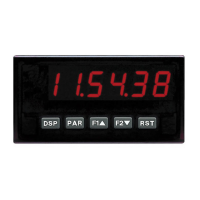
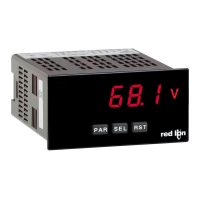
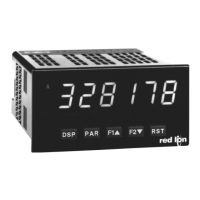
The meters employ a bright 0.56" LED display. The unit is available with a
red sunlight readable or a standard green LED. The intensity of display can be
adjusted from dark room applications up to sunlight readable, making it ideal
for viewing in bright light applications.
The meters provide a MAX and MIN reading memory with programmable
capture time. The capture time is used to prevent detection of false max or min
readings which may occur during start-up or unusual process events.
The signal totalizer (integrator) can be used to compute a time-input product.
This can be used to provide a readout of totalized flow, calculate service
intervals of motors or pumps, etc. The totalizer can also accumulate batch
weighing operations.
Optional digital output cards provide the meter with up to four setpoint
outputs. The cards are available as dual relay, quad relay, quad sinking
transistor, quad sourcing transistor/SSR drive, or dual triac/dual SSR drive
outputs. The setpoint alarms can be configured to suit a variety of control and
alarm requirements.
Communication and Bus Capabilities are also available as option cards.
These include RS232, RS485, Modbus, DeviceNet, and Profibus-DP. Readout
values and setpoint alarm values can be controlled through the bus. Additionally,
the meters have a feature that allows a remote computer to directly control the
outputs of the meter. With an RS232 or RS485 card installed, it is possible to
configure the meter using a Windows
®
based program. The configuration data
can be saved to a file for later recall.
A linear DC output signal is available as an optional card. The card provides
either 20 mA or 10 V signals. The output can be scaled independent of the input
range and can track either the input, totalizer, max or min readings.
Once the meters have been initially configured, the parameter list may be
locked out from further modification in its entirety or only the setpoint values
can be made accessible.
The meters have been specifically designed for harsh industrial environments.
With NEMA 4X/IP65 sealed bezel and extensive testing of noise effects to CE
requirements, the meter provides a tough yet reliable application solution.
SAFETY SUMMARY
All safety related regulations, local codes and instructions that appear in this
literature or on equipment must be observed to ensure personal safety and to
prevent damage to either the instrument or equipment connected to it. If
equipment is used in a manner not specified by the manufacturer, the protection
provided by the equipment may be impaired.
Do not use this unit to directly command motors, valves, or other actuators
not equipped with safeguards. To do so can be potentially harmful to persons or
equipment in the event of a fault to the unit.
MODEL PAX
®
– 1/8 DIN ANALOG INPUT PANEL METERS
DIMENSIONS In inches (mm)
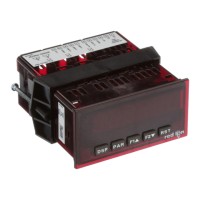
Note: Recommended minimum clearance (behind the panel) for mounting clip installation is
2.1" (53.4) H x 5.0" (127) W.
CAUTION: Risk of Danger
Read complete instructions prior to
installation and operation of the unit.
CAUTION: Risk of electric shock.
C
US LISTED
U
L
R
51EB
IND. CONT. EQ.


 To Next Page
 General