GUI- 003 Knowledge Base- Resetting your Redback Inverter
Audience: Home owner Installer .
Version 1.0 - 27/07/2018 - Page 4 of 16
Diagnostics
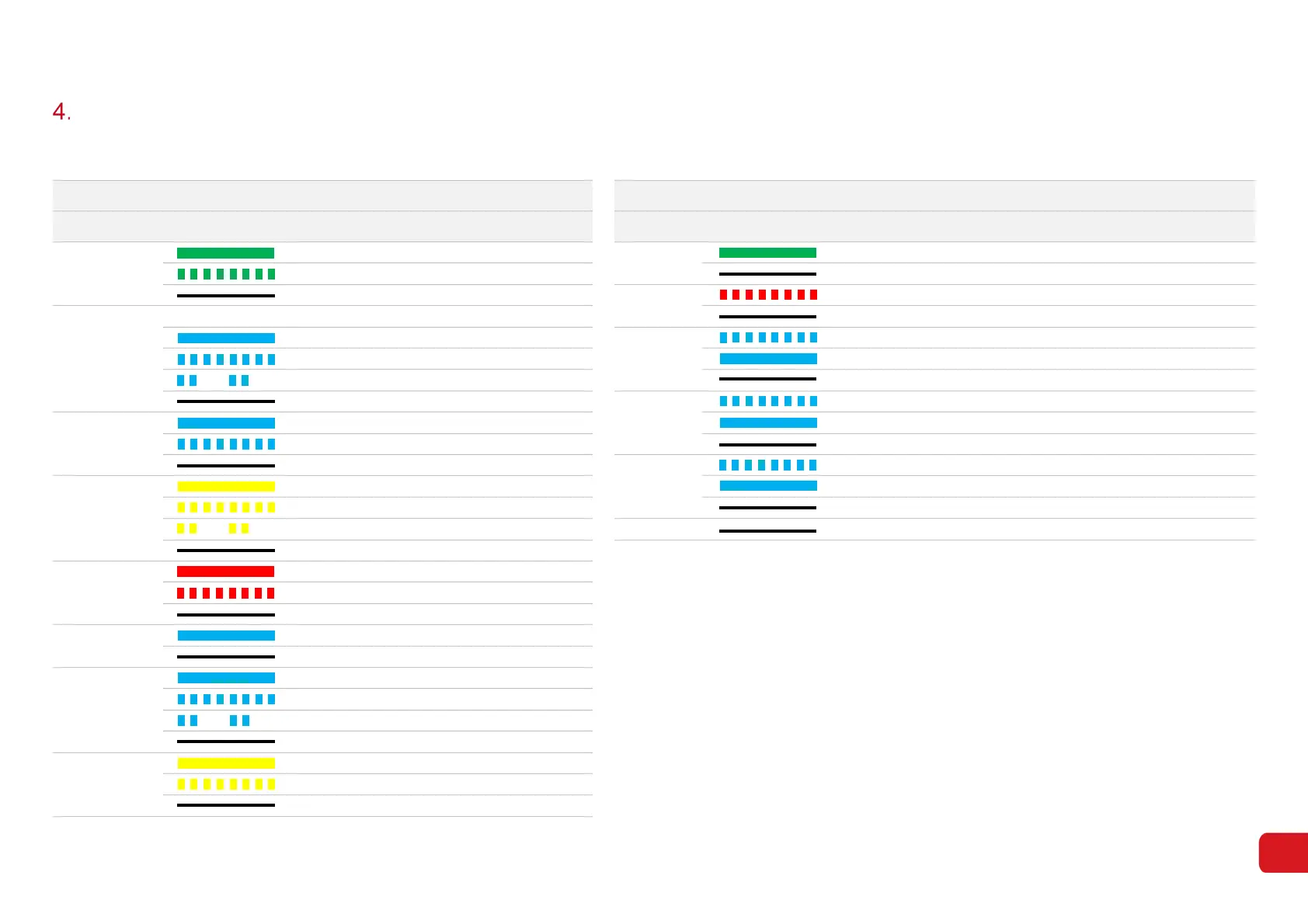
Your Redback Inverter is equipped with a LED arrays to indicate system status and aid diagnosis.
Inverter LEDs (SH4600 and SH5000) Ouija LEDs (visible on SH5000 only)
Name Colour/pattern Meaning Name Colour/pattern Meaning
System Ready ON: System ready Power ON: The Ouija Board is powered up
BLINK: System Starting up OFF: The Ouija Board is shut down
OFF: System is not operating Heartbeat BLINK: The Ouija Board software is operational
Solar Array Solar Input #1 Solar Input #2 OFF: The Ouija Board software is updating or not operational
Active Active Inverter BLINK: Inverter settings are being applied
Active Inactive ON: The Ouija Board is connected to the Inverter (internal)
Inactive Active OFF: The Ouija Board is not connected to the Inverter (internal)
Inactive Inactive Battery BLINK: The Inverter is not accepting battery information from the Ouija
Utility Grid ON: Grid Active and connected ON: The Ouija Board is connected to battery and BMS is communicating
BLINK: Grid is active but not connected OFF: Battery is disconnected or the Ouija & BMS are not communicating
OFF: Grid is not active Wi-Fi BLINK: Inverter Wi-Fi is in hotspot mode (discoverable)
Energy Flow ON: Consuming energy from grid / buying ON: Inverter is connected to the network via Wi-Fi or Ethernet
BLINK: Supplying energy to grid / zeroing OFF: Inverter is not connected to the network
BLINK 2: Supplying energy to grid / selling 4G OFF: Not used
OFF: Grid not connected or system not operating
System Error ON: Fault has occurred
BLINK: Overload of backup output / reduce load
OFF: No fault
Backup Power ON: Backup is ready/ power available
OFF: Backup is off / no power available
Storage Battery ON: Battery is charging
BLINK: Battery is discharging
BLINK 2: Battery is low / SOC is low
OFF: Battery is disconnected / not active
Communications ON: Online
BLINK: Local connection only (no internet)
OFF: Not connected



 To Next Page