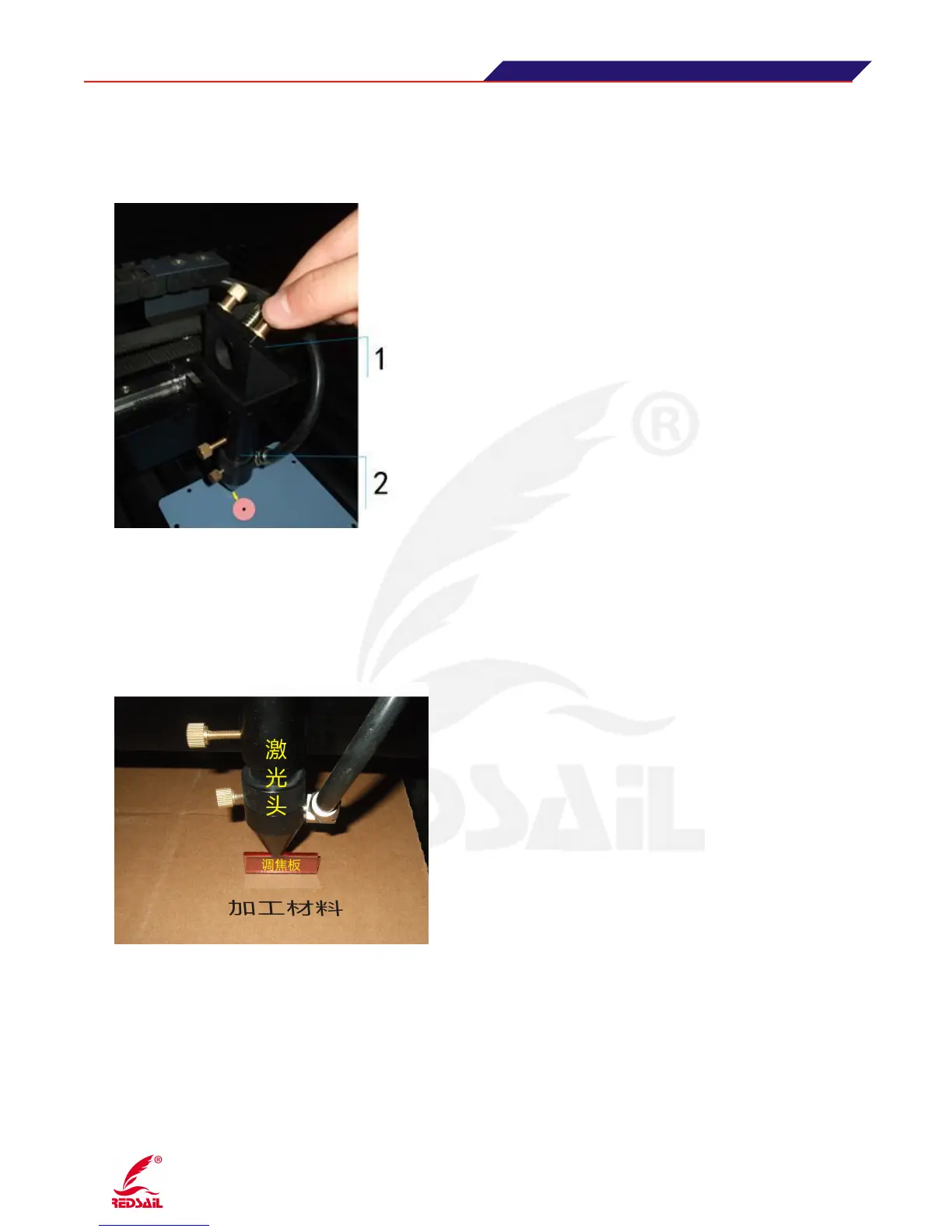
Paste the test paper under the laser head, and press "Pulse/Run" key, to check whether the spot is in
the center of the test paper. If in the center, optical path is correct; if not, need move the location of
laser head (there is three screws on the laser head, you can adjust laser head’s location with these
three screws) to adjust the optical path and let the spot is in the center. Below Figure
1·The third reflecting mirror holder 2·Laser head
(Figure 11)
The sixth Step: laser processing
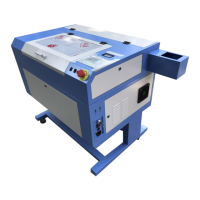
After adjusting optical path and measuring focal length with focusing plate, then you can process
objects. Below Figure:
(Figure 12)
5 Machine Working
According to the User Manual for software, please download the working file into Laser Device.
5.1 Before operation, please put the working materials on the working table of the device.
(Note: Keep the working materials flat, otherwise will affect the working result)
5.2 Press “Up, Down, Left, Right” key on the control panel to move the laser head to the suitable


 To Next Page