reedinstruments
w ww
c om
13
Pantone 534 Blue
Pantone 123 Yellow
Pantone 485 Red
Pantone 123 Yellow
Pantone 534 Blue
Black
Rich Black -
20/20/20/100
Blue - 100/80/30/5
Yellow - 0/27/100/0
Red - 10/100/100/5
Yellow - 0/27/100/0
Blue - 100/80/30/5
Only if you REALLY need them:
Pantone 534 Blue - 100/80/30/5
Pantone 485 Red - 10/100/100/5
Pantone 123 Yellow - 0/27/100/
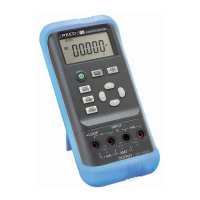
2. Press the OUTPUT/IN/SW button and
will appear on the
display, indicating that the calibrator is in an input state.
3. Press the mA%/V button to select the V function, indicated by ‘V’
appearing on the LCD.
4. The unit refreshes twice per second. If the measured value
exceeds the measuring range, the display will indicate the symbol
‘-OL-’ (overload).
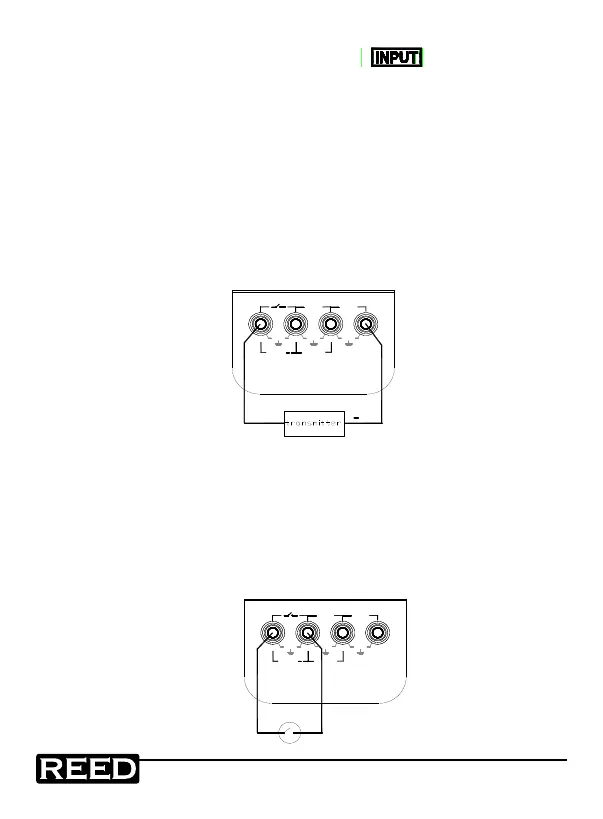
Providing 24V Power Supply for Measuring Loop Current
1. Insert the test lead into the +LOOP & mA input jacks of the
calibrator as shown in the following diagram:
+
+LOOP
30V MAX
OUTPUT
+
mA
XMT
30V
MAX
mA
30V
MAX
30V
MAX
V
INPUT
2. The operations are the same as described in the Measuring DC
Current instructions.
Measuring Switching Contact Status
1. Insert one end of the test lead into the switching contact
measuring jack of the calibrator and connect the other end to the
switching contact of the user’s instrument as shown in the
following diagram:
+LOOP
30V MAX
OUTPUT
+
mA
XMT
30V
MAX
mA
30V
MAX
30V
MAX
V
INPUT
1.800.868.7495info@REED-Direct.ca
REED-Direct.ca


 To Next Page