reedinstruments
w ww
c om
14
Pantone 534 Blue
Pantone 123 Yellow
Pantone 485 Red
Pantone 123 Yellow
Pantone 534 Blue
Black
Rich Black -
20/20/20/100
Blue - 100/80/30/5
Yellow - 0/27/100/0
Red - 10/100/100/5
Yellow - 0/27/100/0
Blue - 100/80/30/5
Only if you REALLY need them:
Pantone 534 Blue - 100/80/30/5
Pantone 485 Red - 10/100/100/5
Pantone 123 Yellow - 0/27/100/
2. Press the OUTPUT/IN/SW button. The
symbol will appear
followed by the word ‘CLOSE’ or ‘OPEN’ according to the mea-
sured switching contact status. When the switching resistance
exceeds 15K, the contact is regarded as at an ‘Off’ state.
Calibration
It is recommended that you calibrate the unit once per year in order
to keep correct accuracies. Contact REED Instruments for assistance
regarding calibration, repairs, warranty, trouble-shooting, and more at:
service@reedinstruments.com.
Battery Replacement
When the appears on the LCD, the batteries need to be replaced.
Follow the instructions below to properly replace the batteries.
1. Turn the power off the meter and remove any test leads that may
be attached to the meter.
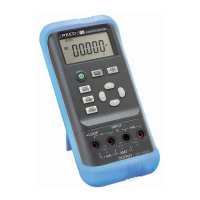
2. Remove the holster from the calibrator by releasing the lock in the
indicated direction.
3. Replace the old battery with a new 9V battery. Be sure to check
polarities. Do not mix old batteries with new batteries.
4. Put the battery cover back on and lock it in the indicated direction.
Put the holster back on the calibrator.
1.800.868.7495info@REED-Direct.ca
REED-Direct.ca


 To Next Page