English
ii. Preview Window Area [Fixed Windows] (Continued...)
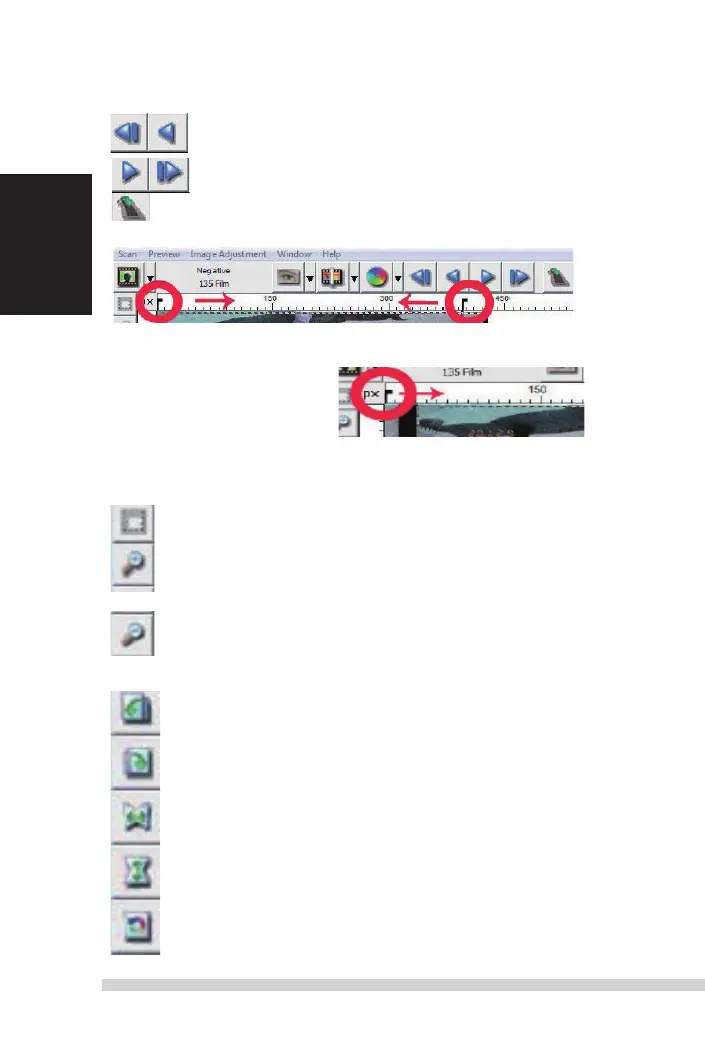
a. ejects the film to the left
b.
r
everses the film one frame to the left
a.
advances
the film one frame to the right
b. ejects the film to the right
Go
t
o... You can select which frame to move to in the strip
image
alignment
t
ool
Frame adjustment tool (
t
a
B
s
) if your film is miss aligned after insertion you can
use these
t
a
B
s
on the ruler to adjust alignment by dragging the
t
a
B to align
with the edge of the
film
frame
You can select the ruler measurement unit “in“-“cm“-“px“ by clicking the upper-
left corner.
Toolbar Diagram
Select scan area: more than one selection can be made at a time.
Zoom In:
to
magnify the image where the cursor is currently located.
t
he image will be magnified with every click until the maximum multi-
ple (1000%) is reached.
Zoom Out:
to
reduce the size of the viewed image click the Zoom
o
ut
cursor to the desired area, the image will reduce by half with every click
until the lowest multiple (25%) is reached.
Rotate 90 Left:
to
rotate the image counter clockwise 90 degrees.
Rotate 90 Right:
to
rotate the image clockwise 90 degrees. Flip
Horizontal:
to
Flip the image 180 degrees horizontally.
Flip Vertical:
to
Flip the image 180 degrees vertically.
Revert: discard all modifications and restores the image back to
the original state in preview windows.















 To Next Page