12
English
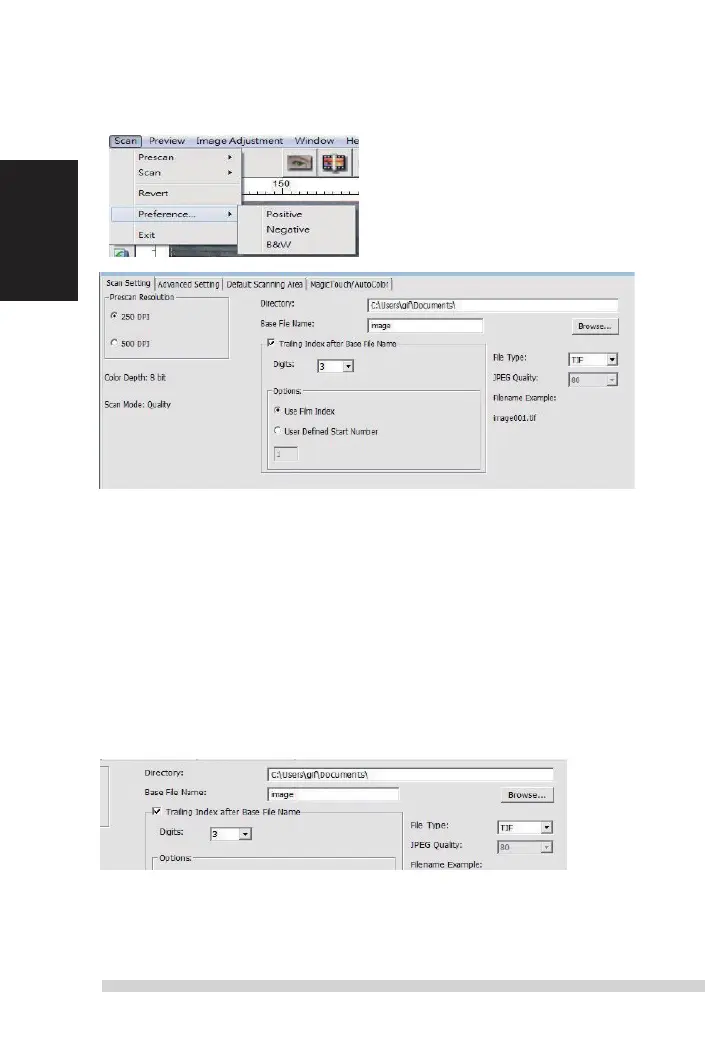
STEP 5 – set scan Preferences
select scan - Preference - Film
t
ype - scan
s
etting
“Prescan
r
esolution“ - default pre-scan resolution.
“Color depth“ – default color depth while scanning.
“scan mode“ – default scan mode while scanning.
Conguring scan Preferences
1. select Browse and choose the designated folder to save the scanned
image to
2. enter the le name.
Manual-RPS10M.indd 12 23.12.2016 10:00:31















 To Next Page