9
English
Additional features
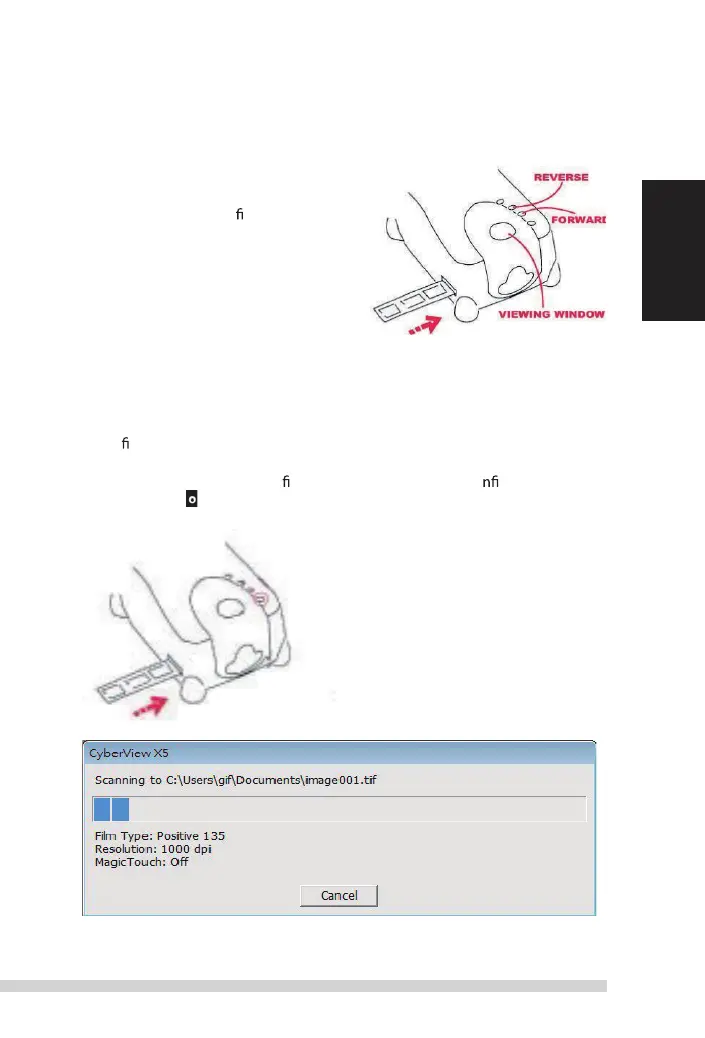
Buttons on the scanner
eject - ejects the Film strip
r
everse -
r
everses the strip one frame
Forward -
advances
the lm one frame
scan - see one Button scanning (below)
One Button
s
can
1. open the CyberView (see page 10 to acquire the CyberView program)
2. Con gure scan settings (see Page 10-11)
3. select the scan to directory, le format
(tiF
or JPG, once co gured, Press the
scanner button (
) to begin scanning.
One Touch Button
NOTE: if you do not open CyberView F
irst
, the scan button will not function.
Manual-RPS10M.indd 9 23.12.2016 10:00:31















 To Next Page