REFUsol 20K-2T (853P020.200)
User manual
inverter is turn off.
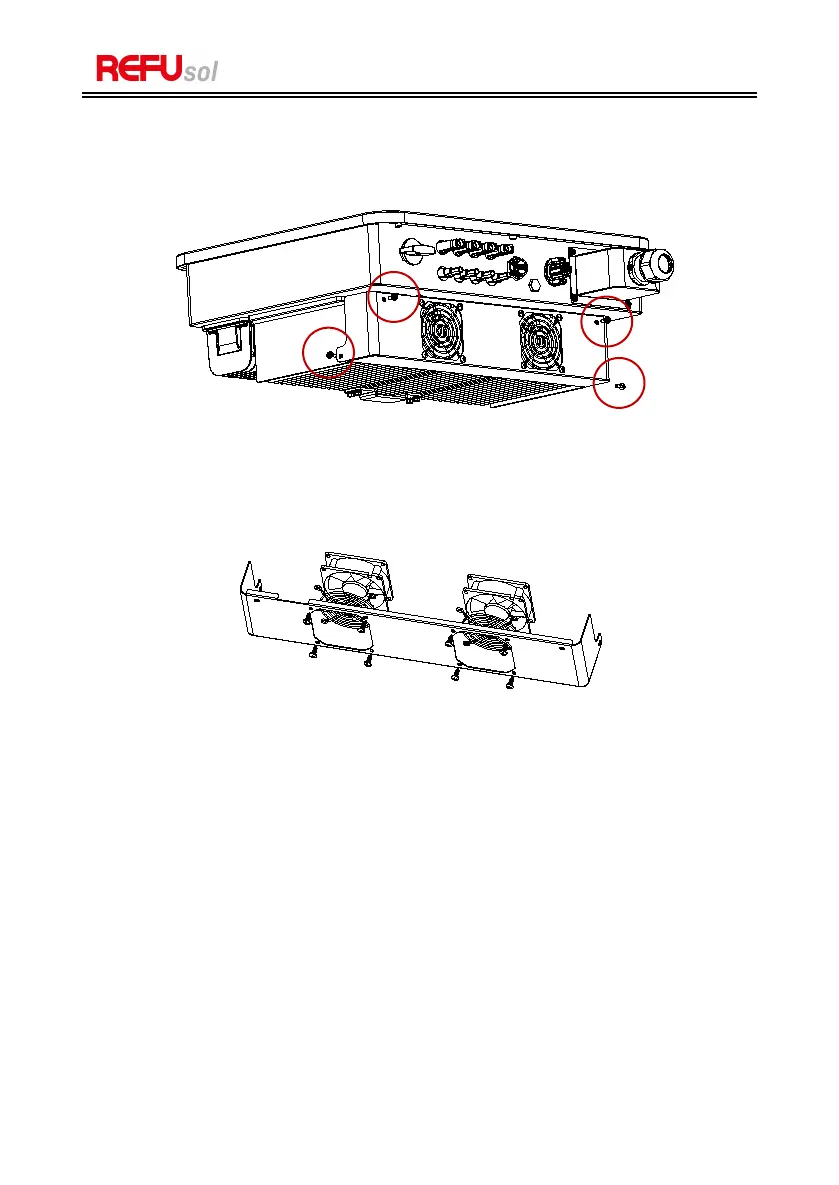
Step 2: Unscrew four screws at the corner of fans baseboard.
Figure 8-1: remove the four screws from the fan base plate.
Step 3:
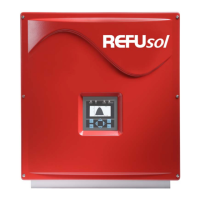
Remove the screws at the fans position unplug the terminal at the fans and
inverter interface and completely remove the fans.
Figure 8-2: remove the fan and protective cover
Step 4:
Use a soft brush to clean the fan. If it is damaged, please replace it in time.
Step 5:
Re-install the inverter according to the above steps.


 To Next Page