REFUsol 20K-2T (853P020.200)
User manual
(C) Software Update
User can update software by USB flash disk, REFU ELEKTRONIK will provide
the new update software called firmware for user if it is necessary, the user needs
to copy the upgrade file to the USB flash disk.
7.4. Updating Inverter Software
REFUSOL 20K-2T (853P020.200) inverter offer software upgrade via USB
flash drive to maximize inverter performance and avoid inverter operation
error caused by software bugs.
Step 1
:
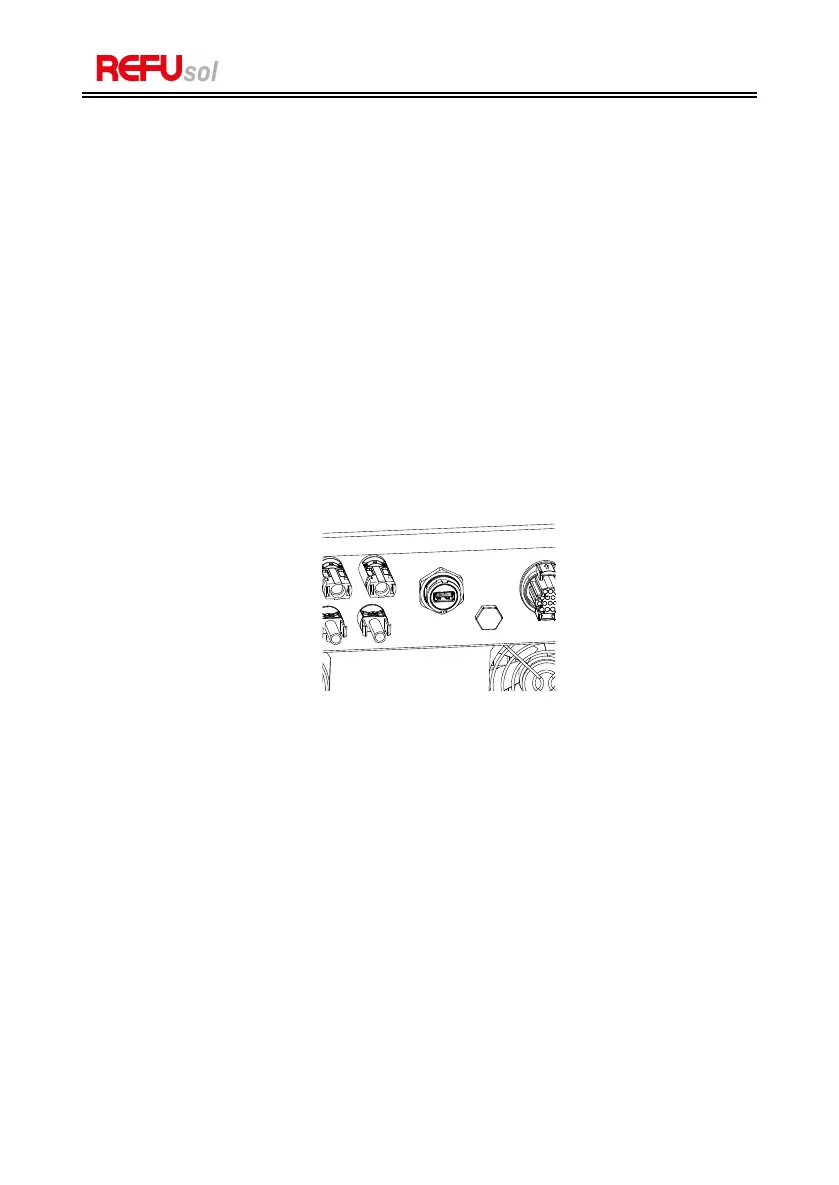
turn off AC circuit breaker and DC switch, remove the communication
board cover as below figure. If the RS485 line has been connected, please release
the waterproof nut first and make sure the communication line is no longer the
force. Then remove the waterproof cover.
Figure 7-1: Remove communication broad cover
Step 2
:
Insert USB into computer.
Step 3
:
REFU ELEKTRONIK service team will send the software code to user,
after user receive the file, please decompressing file and cover the original file in
USB flash drive.
Step 4
:
Insert USB flash disk into the USB port of inverter.
Step 5
:
Then turn on DC switch, screen show
“
recoverable fault
”
(as AC
circuit breaker still open, inverter cannot detect grid power, so it may show
“
recoverable fault
”
)
Step 6
:
Long press
“
DOWN
”
button to enter the menu, then short press
“
DOWN
”
button to find "5. Software Update
”
in the LCD display, long press
“
DOWN
”
button to enter input password interface.


 To Next Page