Equipment Operation
6-33
Tuner Features
Tuning
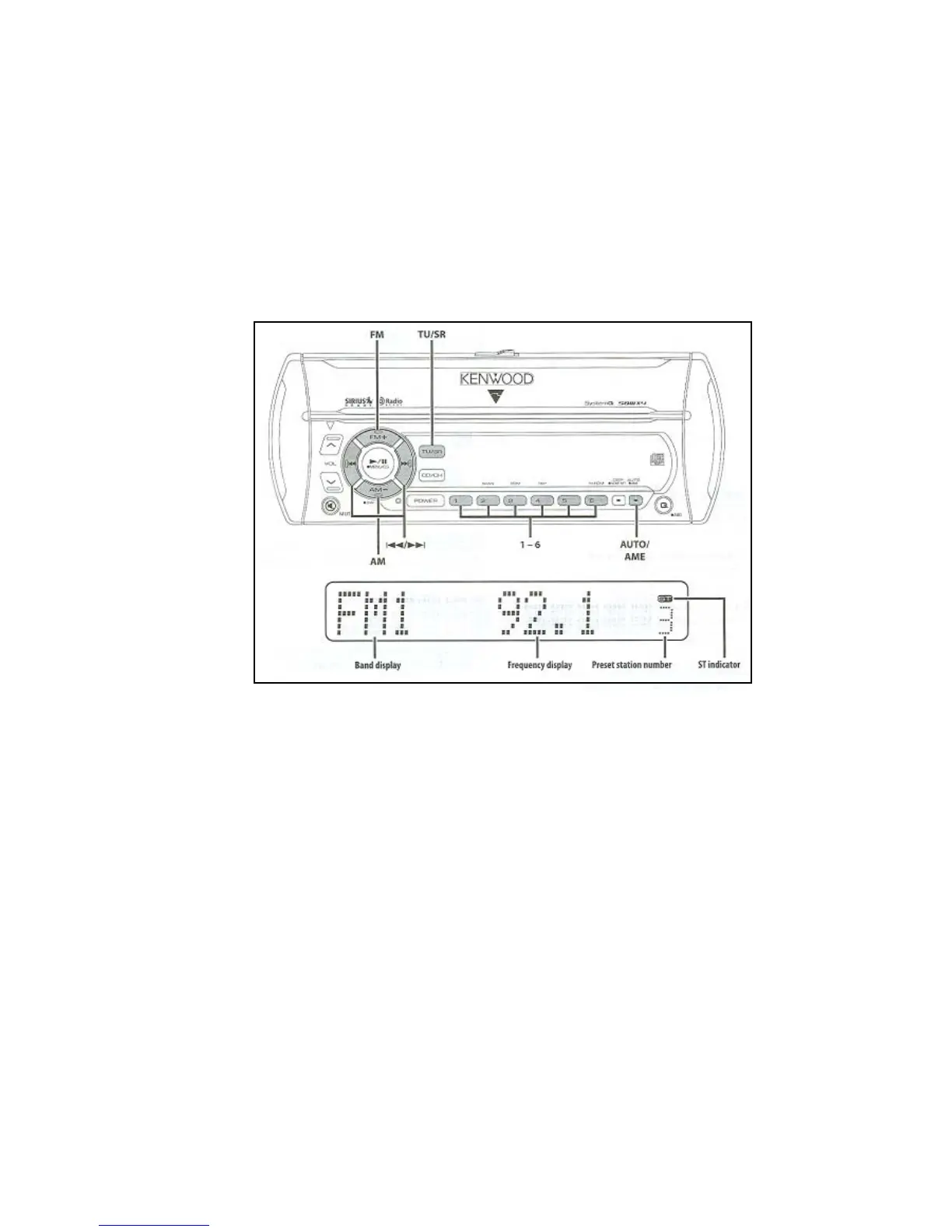
Selecting the station.
1. Select tuner source. Press the TU/SR button. Select the tuner dis-
play.
2. Select the band. Press the FM or AM button. Each time the FM
button is pressed it switches between the FM1, FM2, and FM3 bands.
3. Tune up or down band. Press the less than or greater than buttons.
Tuning Mode
Choose the tuning mode. Press the AUTO button. Each time the but-
ton is pressed the tuning mode switches as noted.



 To Next Page