97
Set value (SP1, SP2) can be selected when switching on the
unit via the “On/Off” key or timer.
“0” When the unit is switched off, the active set value is
used.
“1” SP1 is always used.
“2” SP2 is always used.
CAV Cavity control.
Std Standard control.
Appears according to software.
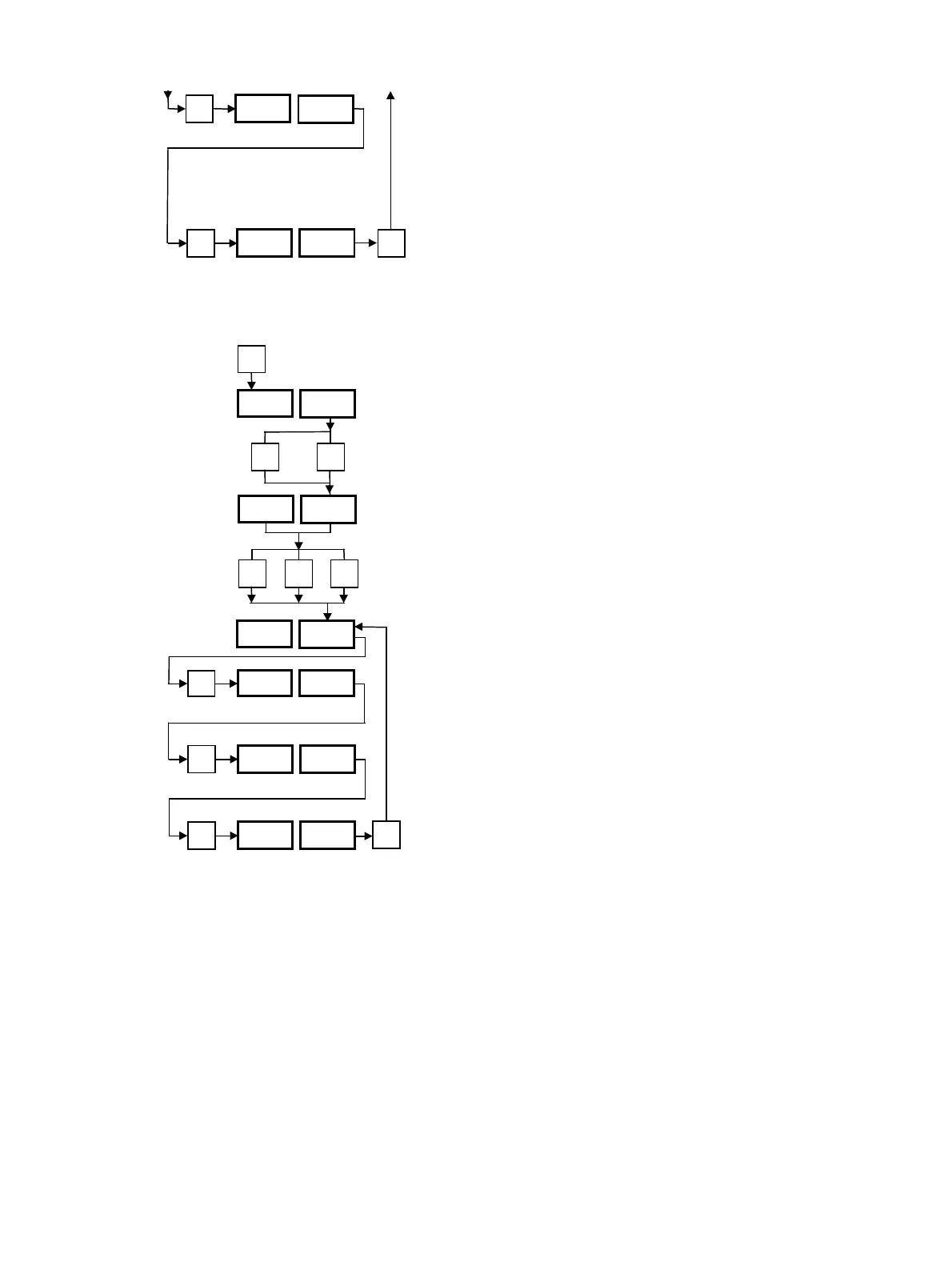
7.7 Relay Level “SEt PEr”
Function programming (Set Peripherals). This level can be
reached from “SEt SEL” by pressing “∆” and “∇” keys
simultaneous.
Then press “P”, “∆” and “∇” keys simultaneously for 3 s.
The “∆” or “∇” keys can be used to reach the desired posi-
tion. Programming step backwards: press “P” key for a
max. of 2 s. To return to the operating level with display of
the set and actual values from any desired display, press the
“P” key for 3 s.
Relays r1, r2 and r3 can be set for the functions described
for the “SEt Sys” level:
– “Std”: function “rEG”, “ALA” or “CLC”.
– “ALL”: all options (“rEG”…“LE1”).
Note: If relays r2 or r3 are set to “Std”, they can be used
only for the “ALA” function. Programming for the “Set SyS”
level falls away.
P
rEG CAV
Std/CAV
P
P
SP 0
0/1/2
P
3 s
SEt SEL
P
r1 Std
Std/ALL
P
r2 Std
Std/ALL
P
r3 Std
Std/ALL
SEt Fun
∆ ∇
∆ ∇
SEt PEr
P
+
3 s
P
++
3 s
3 s



 To Next Page