SETTING THE DATE AND TIME
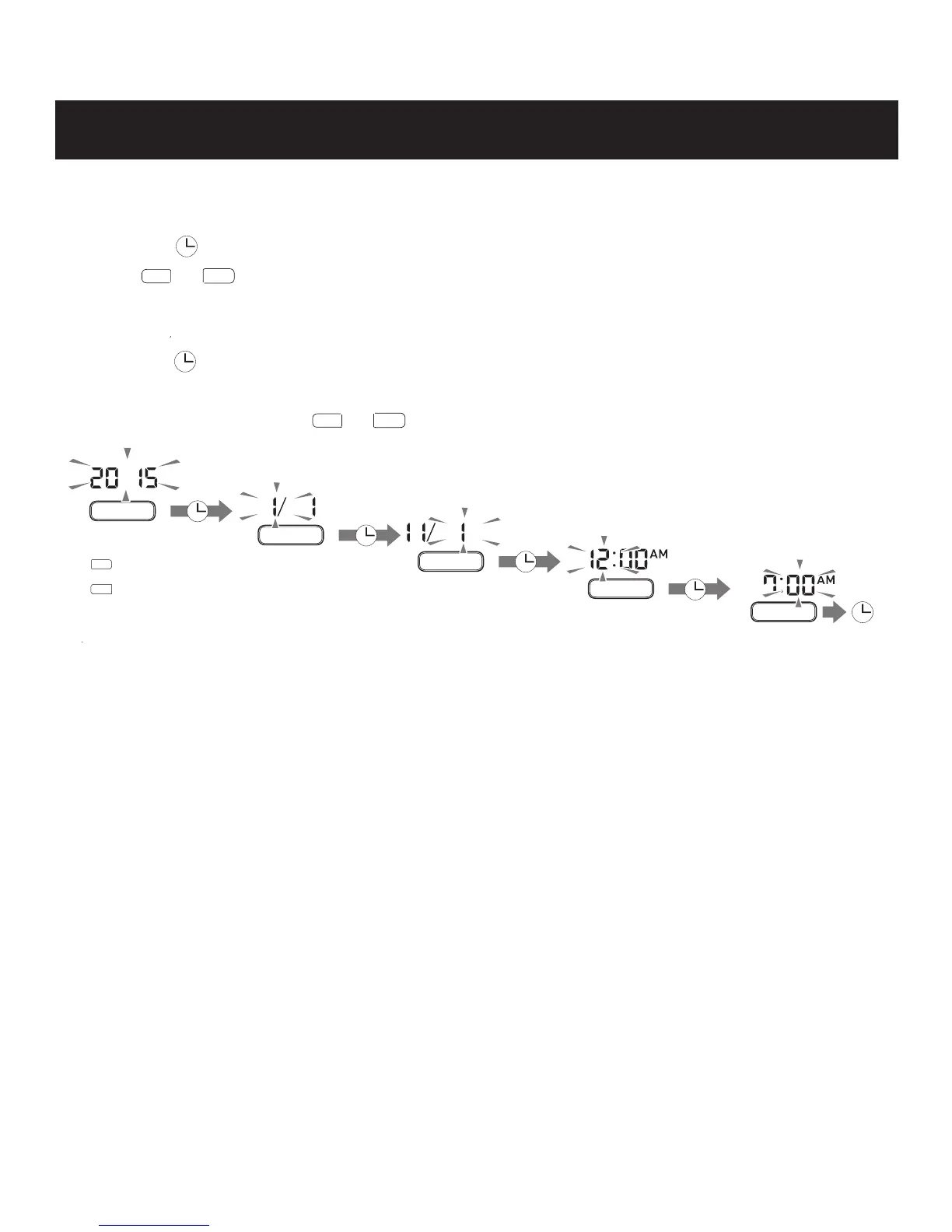
Set the monitor to the correct date and time before taking a measurement for the first time
or after replacing the batteries.
1.
Press the button to show the year.
Year
Month
Day
Hour
Minute
Change Confirm
Change Confirm
Change Confirm
Change Confirm
Change Confirm
: Forward
: Back
4. Press the Start/Stop button to turn the monitor off.
<
>
<
>
<
>
<
>
<
>
2. Push or button to change the year.
3.
The year can be set between 2015 and 2045.
When the display reaches 2045, it will return to 2015.
Push the button to confirm the year and then the month flashes. Repeat the same
steps to change the month, day, hour, and minute.
NOTE:
Press and hold
or
button to increase the date and time values faster.
<
>
<
>
>
<
13


 To Next Page