19
4. SETTING THE DAY
Press the Memory button to advance by increments of one day.
Press the Date/Time Setting button ( ) to set the current day.
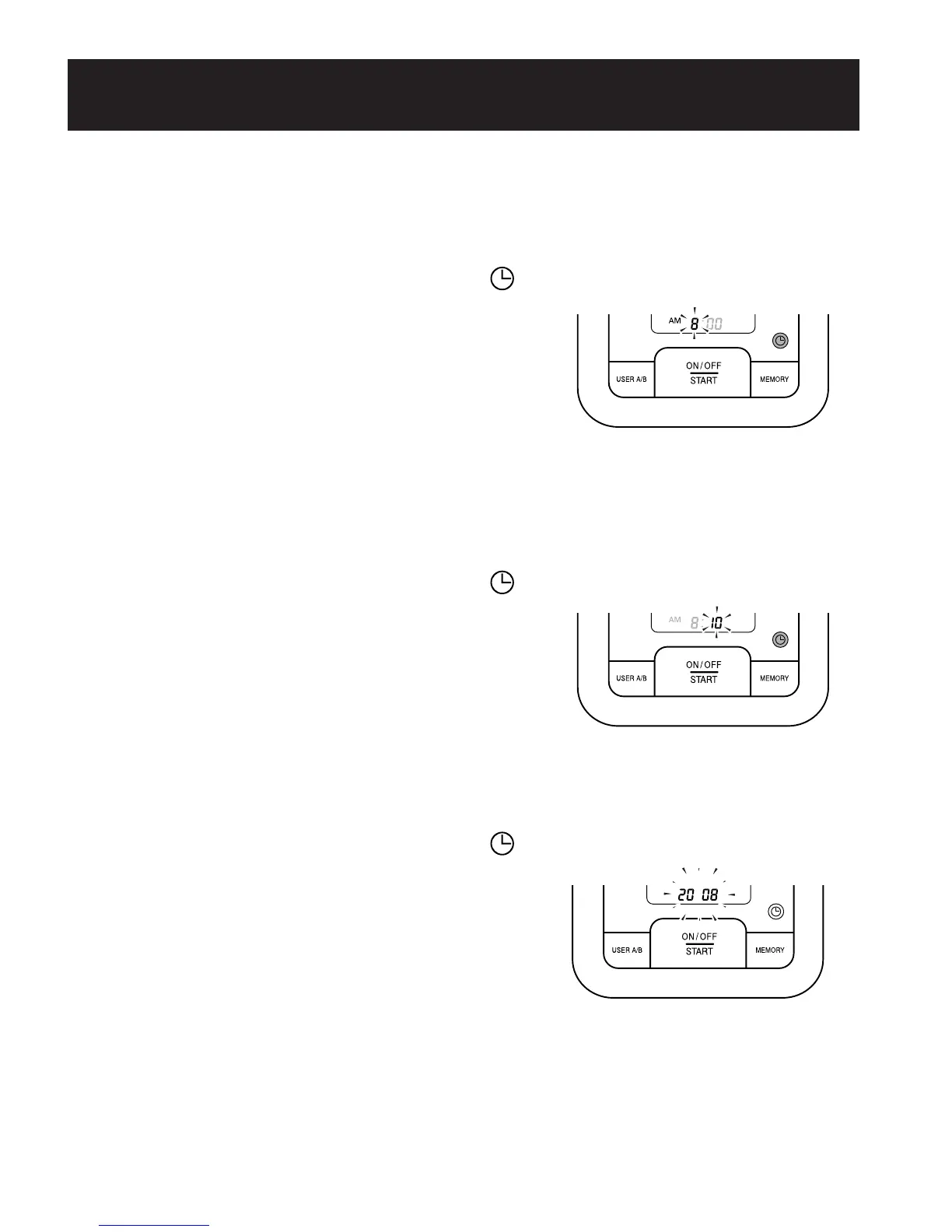
The hour flashes on the display.
5. SETTING THE HOUR
The time is set using AM or PM.
Press the Memory button to advance by increments of one hour.
Press the Date/Time Setting button ( ) to set the current hour.
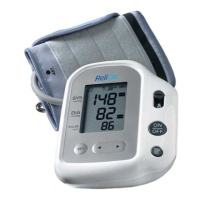
The minute flashes on the display.
6. SETTING THE MINUTE
Press the Memory button to advance by increments of one minute.
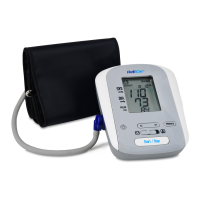
Press the Date/Time Setting button ( ) to set the minute setting.
The year flashes on the display.
7. TO TURN THE MONITOR OFF
Press the On/Off Start button.
NOTE: The monitor will automatically turn off after the minute has
been set after battery replacement.
SETTING THE DATE AND TIME
290237_HEM-8700WM_EN_SP_v6_r5.qxd 2/12/09 9:45 AM Page 19


 To Next Page