42
Step 1
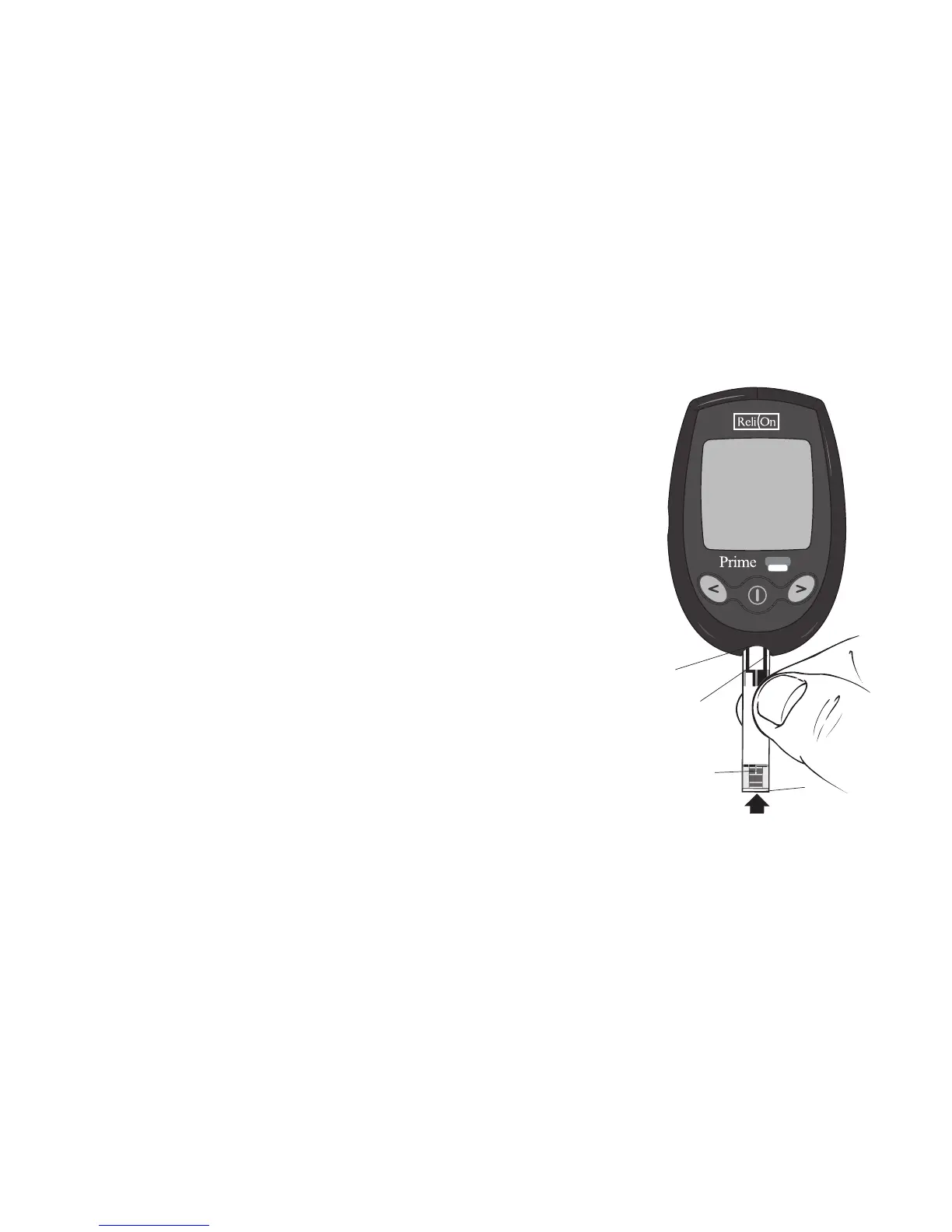
Insert a ReliOn® Prime Test Strip into the
test strip port of the meter with contact bars
facing up. The meter turns on automatically.
The full screen appears briefly. If any part of
the display screen is missing (see page 11), call
Customer Service. The screen then displays the
test strip symbol and flashing blood drop.
Contact
Bars
Test Strip
Port
Reaction Site
Sample
Application Tip



 To Next Page