- 5 -
www.rotork.com www.remotecontrol.se
10
DIP SWITCH for INPUT Setting
S/W
1 2 3
INPUT
4-20mA ON OFF OFF
2 - 10V OFF ON OFF
0 - 5V OFF OFF ON
0 - 10V OFF ON ON
1 - 5V OFF OFF OFF
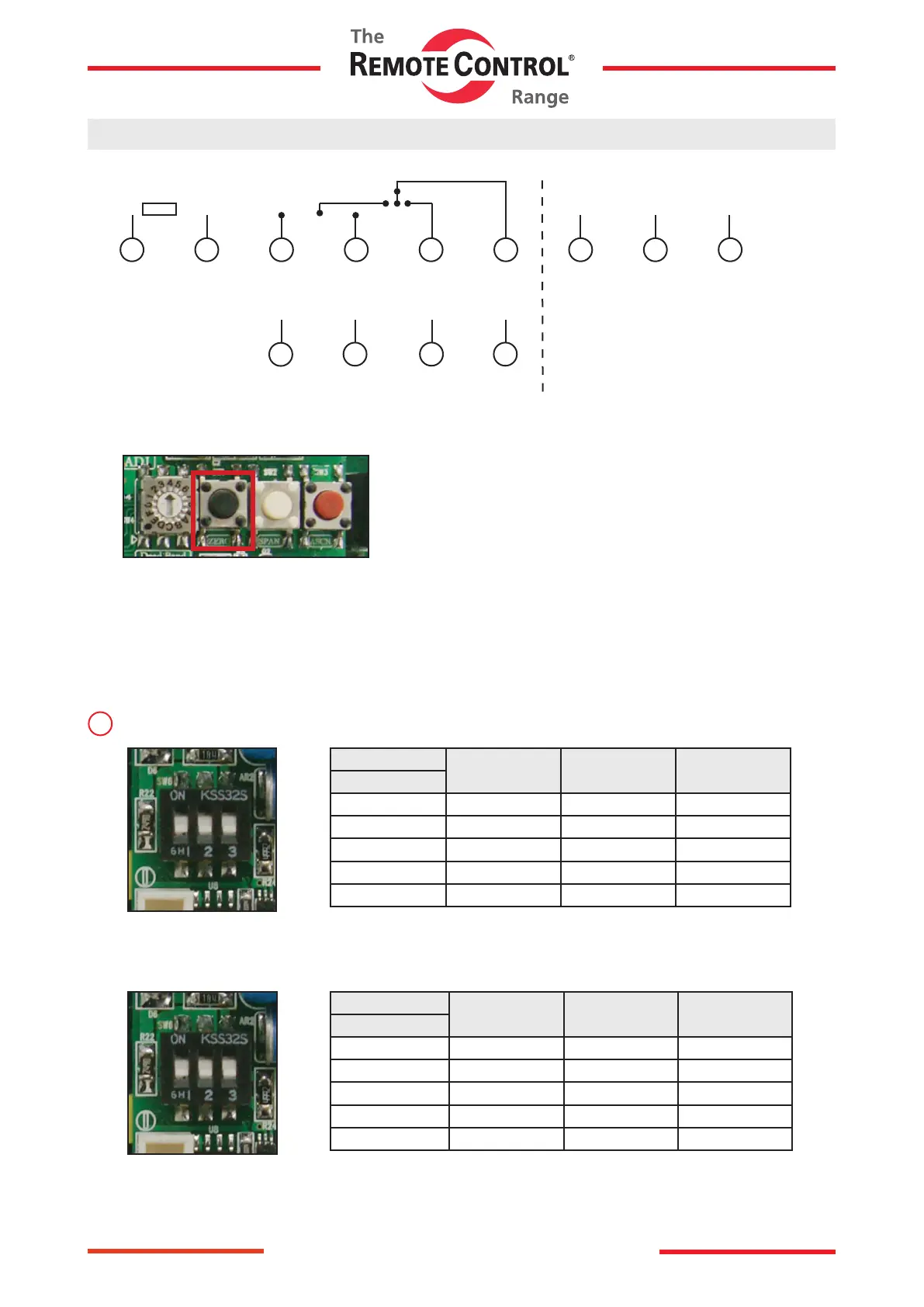
How to use
1) Wire according to the product.
Close AOLSComACLS
Com
Auto
Open
1 2 7 8 93 4 5 6
AC Power
V
−
Input
4-20mA
+
4-20mA
Output
−+
2) AUTO SCAN Push (2 sec)
● Auto Scan Button (Actuator automatically setting button)
Delivered from the factory the resistance value of potentiometer may can
be changed if the user modies its limit setting.
Please make sure to press the autoscan button for at least 2 seconds
before operating proportional control.
3) Check the input and output are correct. (Standard: In/Output 4-20mA)
● If the input is not 4-20mA, refer to P9 CH1.
● 0 ~ 10V INPUT Setting
1) DIP SWITCH CHANGE
S/W
1 2 3
INPUT
4-20mA ON OFF OFF
2 - 10V OFF ON OFF
0 - 5V OFF OFF ON
0 - 10V OFF ON ON
1 - 5V OFF OFF OFF
↕
ON
OFF



 To Next Page