11
Regular Installation
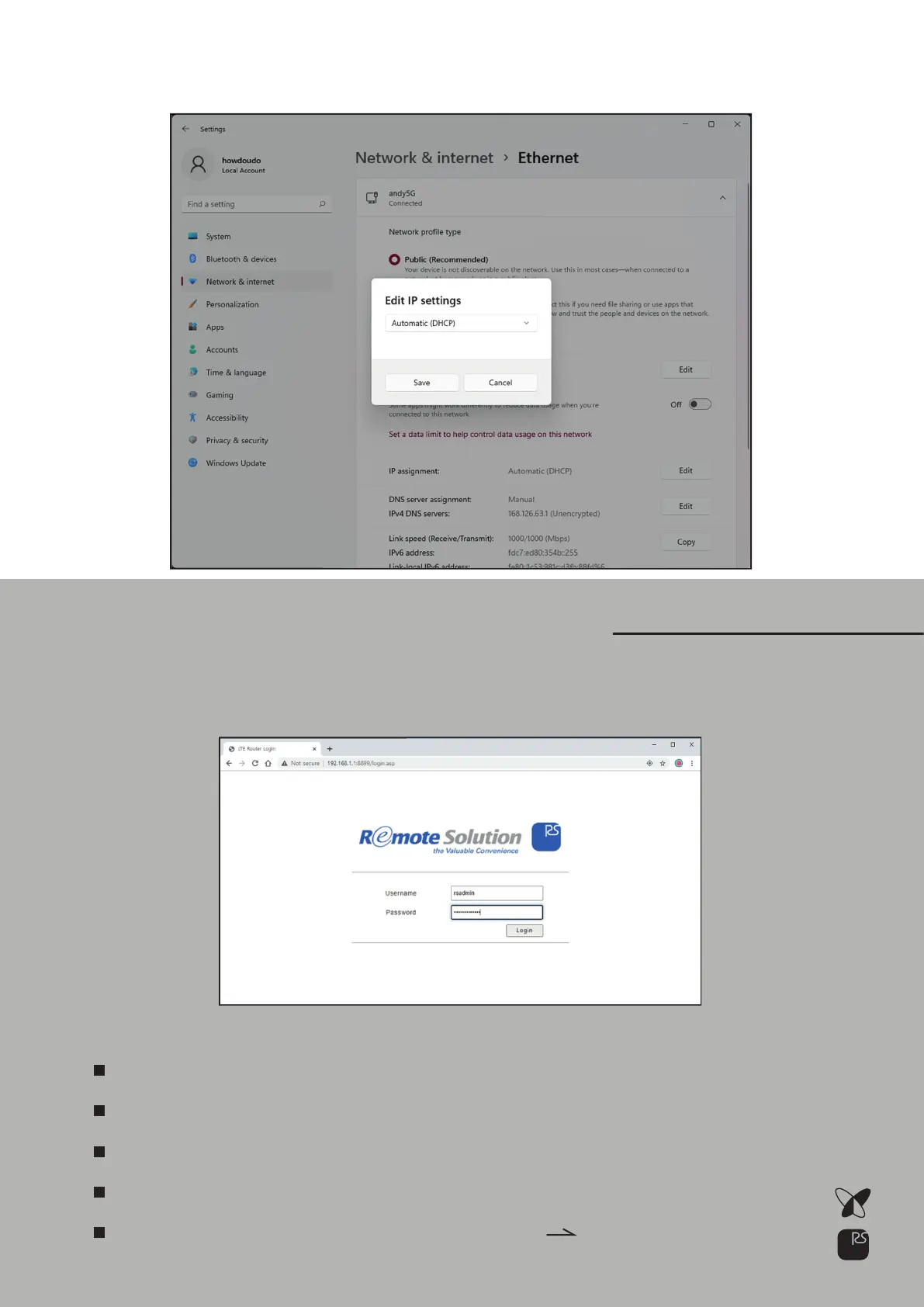
Run Web browser and connect to Step 1.
Enter Username & PasswordStep 2.
Find IP assignment and click EditStep 2.
Select “Automatic (DHCP)” and Save1)
http://192.168.1.1:8899/
Default Username : rsadmin
Default Password : rsadmin0000!!
Default Username & Password is the same for all the NAP Devices
Recommend to change them for your security
You can change them in Administration
Management menu



 To Next Page